
Tsab ntawv teev npe
Cov lus qhia txog kev sau npe rau tus account Google no qhia koj yuav ua li cas thov thiab tsim ib tus account Google, thiab yuav ua li cas yog tias koj ntsib teeb meem " Tus xov tooj no siv tsis tau rau kev txheeb xyuas".
Ib tus account Google yog siv tau rau txhua tus neeg; uas yog, koj tsuas yog yuav tsum sau npe rau ib tus account email Gmail xwb , thiab koj tuaj yeem nkag mus rau lwm cov khoom Google siv tib tus account ntawd.
Tsis tuaj yeem sau npe tus lej Suav nrog Google?
Cov lej xov tooj ntawm tes Suav teb siv tau los sau npe rau Google email accounts.
Kev sau npe rau ib tus account Google yuav tsum tau txheeb xyuas tus lej xov tooj ntawm tes Suav , tab sis kev siv tus lej xov tooj ntawm tes Suav virtual tuaj yeem tiv thaiv koj tus kheej thiab tiv thaiv kev thab plaub.

Muaj lwm txoj kev daws teeb meem, uas yog thov rau tus lej xov tooj txawv teb chaws los sau npe thiab nkag rau hauv Google account.
Piv txwv li: Thov tus lej xov tooj ntawm tes Hong Kong tshwj xeeb rau kev sau npe cov nyiaj software txawv teb chaws ▼
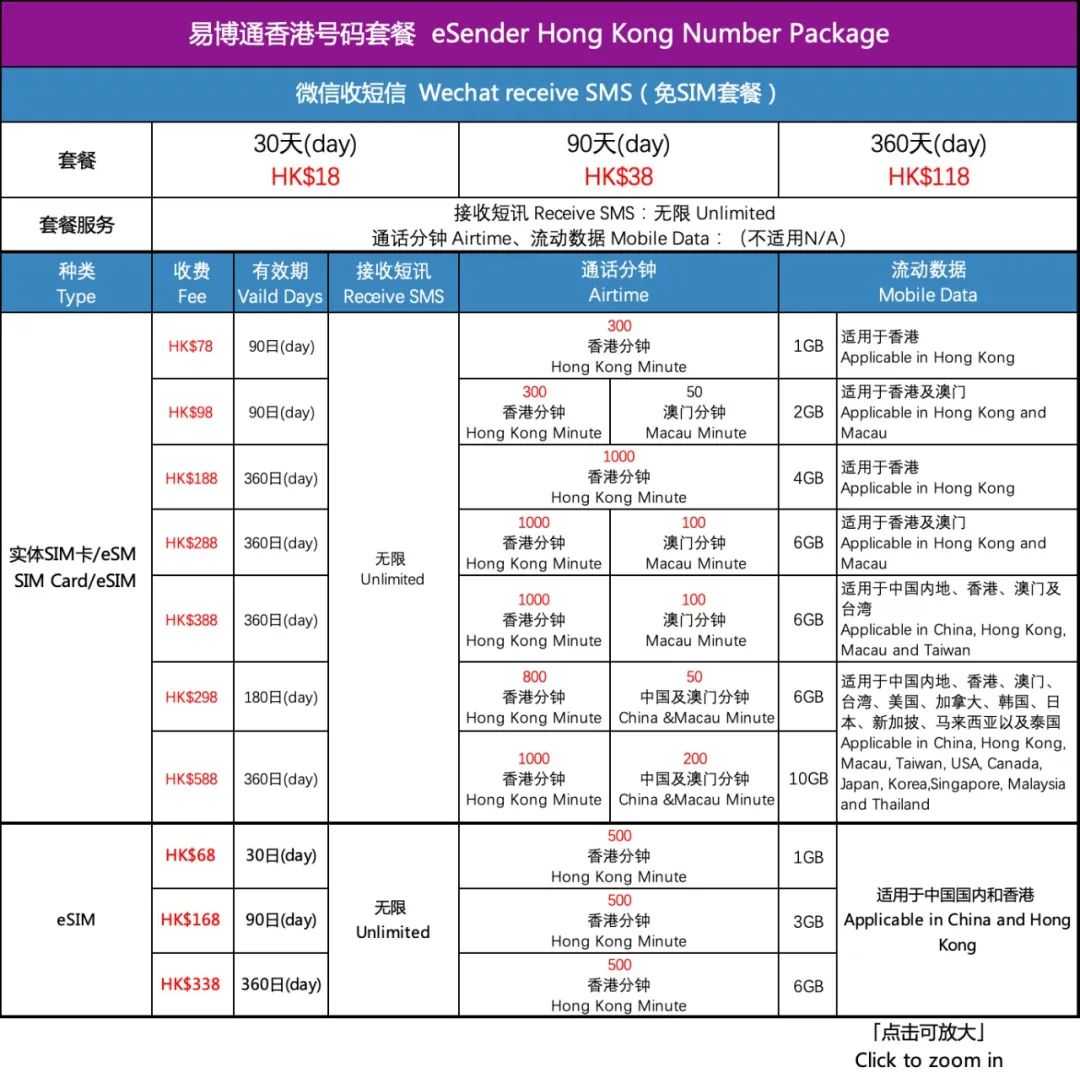
Yuav ua li cas los tsim ib tug Google account nrog ib tug Suav xov tooj ntawm tes?
Google muaj ntau yam cuab yeej online uas siv tau zoo . Ntxiv rau Gmail, uas feem ntau siv hauv kev lag luam txawv teb chaws, kuj tseem muaj Google Webmaster Tools, Google Analytics, Google Keyword Planner, thiab lwm yam cuab yeej Google SEO uas feem ntau siv .
Yog li ntawd, rau kev lag luam txawv teb chaws lossis Google SEO cov kws tshaj lij, nws yog qhov yuav tsum tau thov rau Google account
Kauj ruam XNUMX: Nrhiav Google account sau npe portal
Qhib Google, nyob rau hauv lub ntsiab Google nrhiav interface, nrhiav tus ID nkag mus account khawm nyob rau sab xis ces kaum ▼
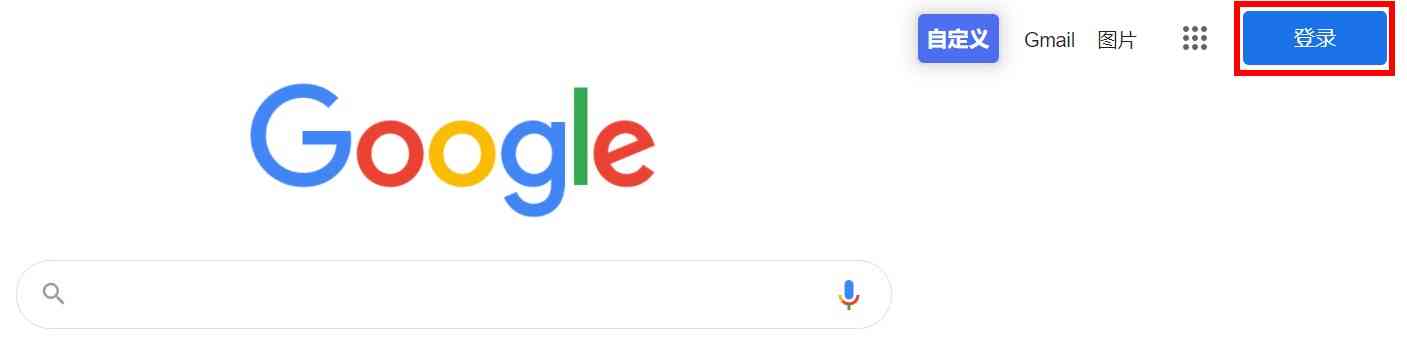
- Chen WeiliangCov lus browser ntawm no yog Suav, yog li Suav tau tso tawm.
- Yog hais tias nws yog lub neej ntawd hais lus Askiv browser, nws yuav tso saib lus Askiv thaum nws qhib, tab sis lub khawm txoj hauj lwm yog tib yam.
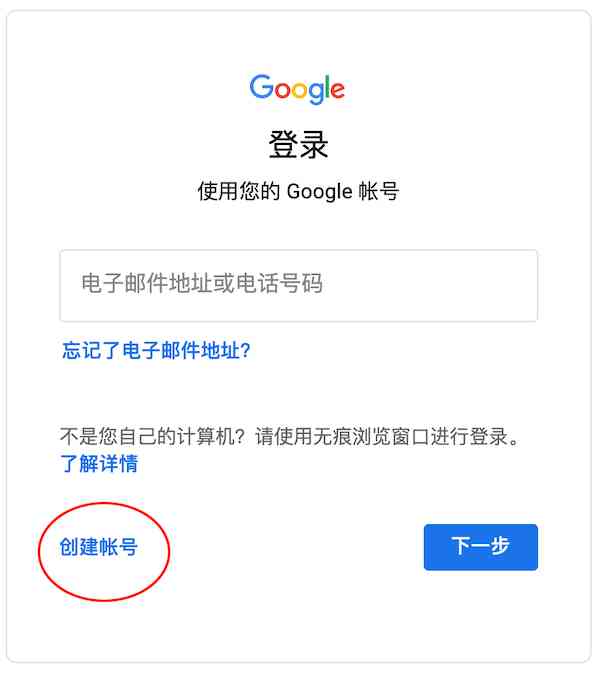
Tom qab nias lub pob "Login", nyem "Tsim Account" ntawm nplooj ntawv dhia ▼
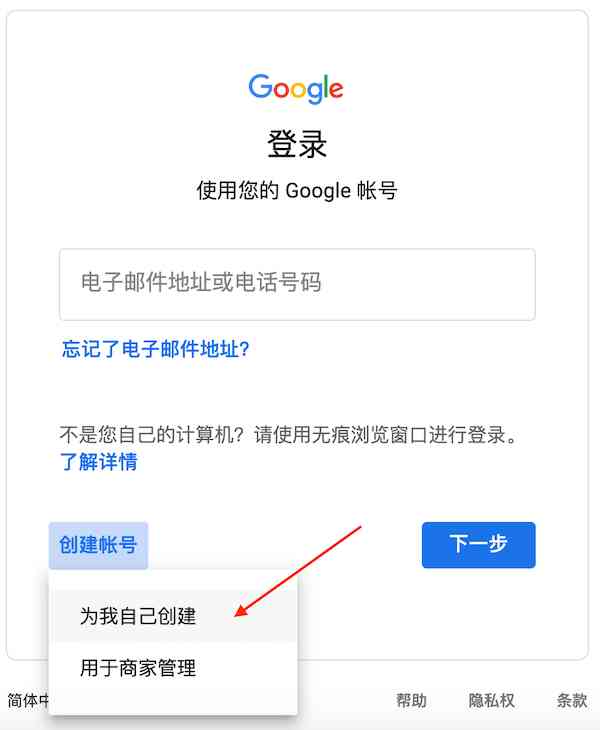
Tsim Google account, yog tias tsis muaj qhov tshwj xeeb, nyem "Tsim rau kuv tus kheej" ▼
Kauj ruam XNUMX: Sau rau hauv Google account daim ntawv thov cov ntaub ntawv
Sau cov ntaub ntawv sib raug zoo raws li cov lus qhia, thiab nyem lub pob "Tom ntej" tom qab sau ▼
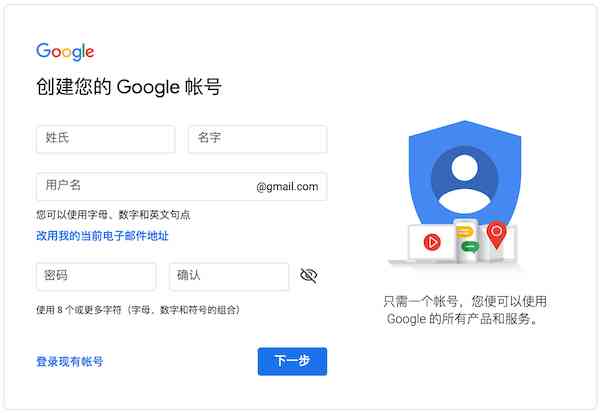
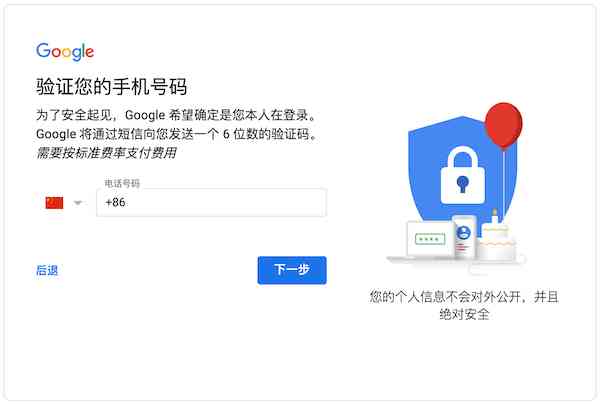
Kauj ruam XNUMX: Txheeb xyuas tus lej xov tooj ntawm tes
Txhawm rau tiv thaiv kev tsim txom thiab ua kom muaj kev ruaj ntseg ntawm tus account, Google account yuav tsum tau khi rau koj tus lej xov tooj ntawm tes, nyem rau ntawm tus chij txoj hauj lwm, koj tuaj yeem hloov mus rau ntau lub teb chaws thiab cheeb tsam.
Hloov mus rau lub teb chaws / cheeb tsam raws li thaj chaw uas koj tus lej xov tooj ntawm tes nyob, thiab tom qab ntawd sau tus lej xov tooj rau cov kauj ruam tom ntej ntawm kev txheeb xyuas ▼
Kauj ruam XNUMX: Kuv yuav ua li cas yog tias kuv ntsib "Tus xov tooj no siv tsis tau rau kev pov thawj"?
Tsis ntev los no, ntau tus neeg siv hauv Suav teb tau ntsib tus lej xov tooj hauv Suav teb thaum sau npe Google account, thiab qhov teeb meem ntawm "tus lej xov tooj no tsis tuaj yeem siv los txheeb xyuas" Google account ▼
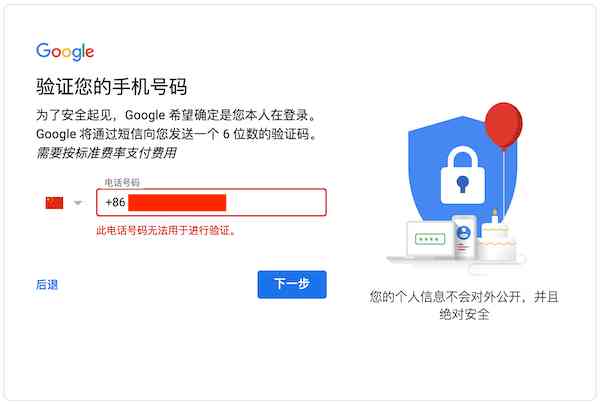
- Yog tias Suav tus lej xov tooj ntawm tes tsis tuaj yeem txheeb xyuas tau, kev sau npe Google account tsis tuaj yeem ua tiav.
- Tom qab ntau qhov kev sim, peb pom tias qhov teeb meem cuam tshuam nrog cov lus teeb tsa ntawm qhov browser.
- Browsers uas nws hom lus tau teeb tsa rau Suav yuav ntsib qhov teeb meem no.
Cov kev daws teeb meem yooj yim heev. Cia peb siv Google Chrome ua piv txwv thiab saib seb yuav teeb tsa nws li cas.
Ua ntej qhib Google Chrome, nrhiav "Settings" ▼
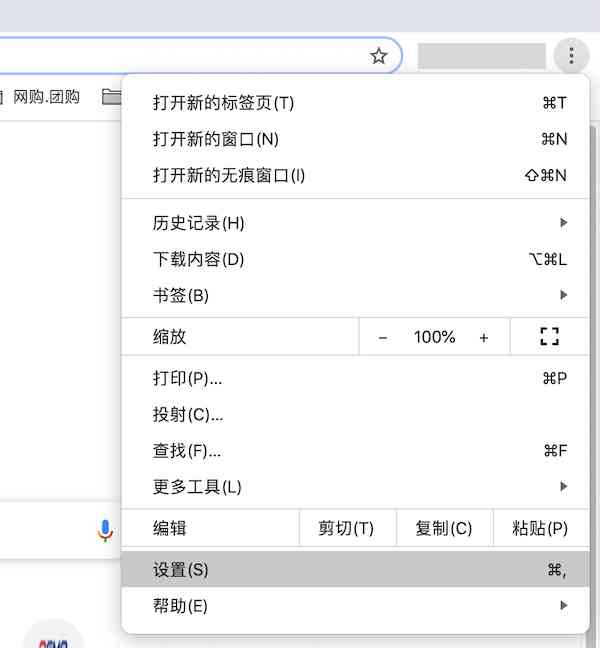
Tom qab ntawd, nyob rau sab laug ntawm Google Chrome teeb tsa interface, tshawb xyuas cov yam ntxwv siab tshaj ▼
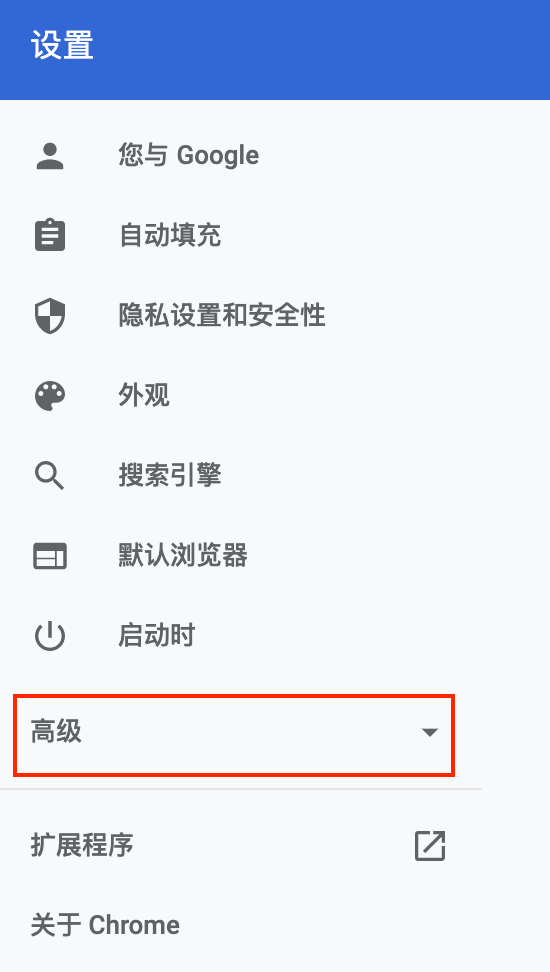
Hauv Google Chrome cov yam ntxwv siab heev, nrhiav "Language" kev xaiv ▼
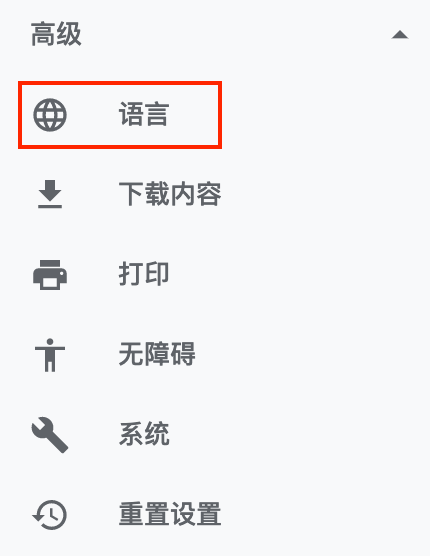
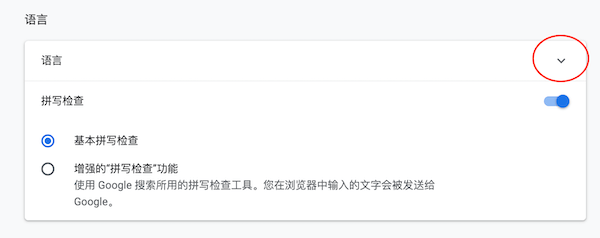
Nyem rau ntawm lub tab nco-down saib cov lus teeb tsa ▼
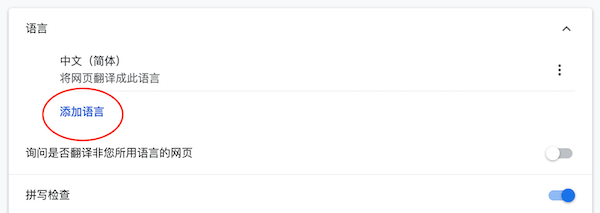
Nyem "Add Language" ▼
Ntxiv hom lus: Lus Askiv (US) ▼
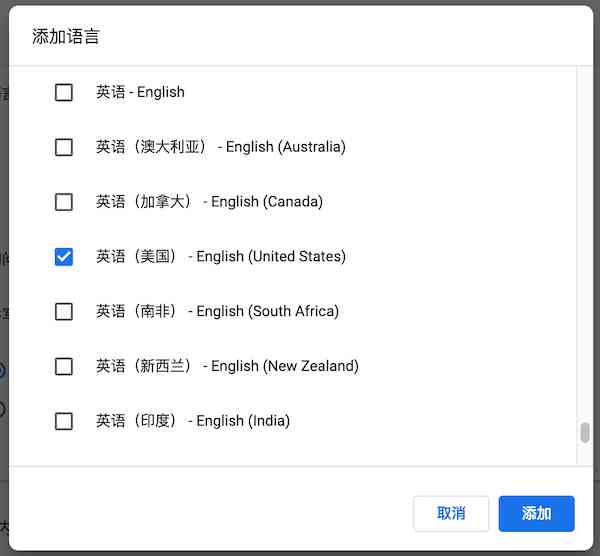
Qhib Suav (Simplified) hom lus xaiv ▼
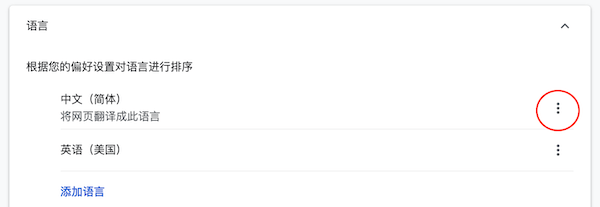
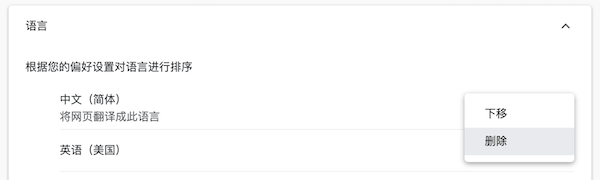
Rho tawm Suav (Simplified) hom lus ▼
Tsuas yog lus Askiv (Tebchaws Meskas) xwb thiaj li khaws cia ▼
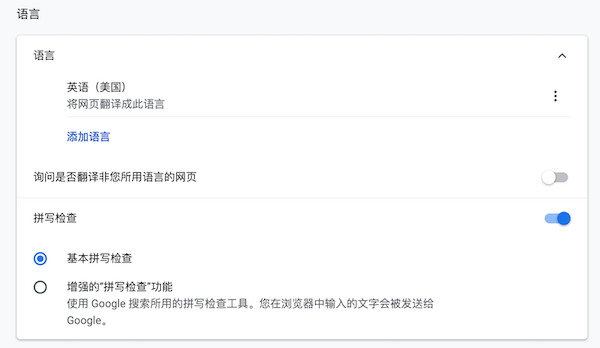
- Tom qab ua tiav cov kev teeb tsa saum toj no, kaw Google Chrome.
- Tom qab ntawd rov qhib nws thiab rov thov rau Google account.
- Koj yuav pom tias tsis muaj teeb meem tus lej xov tooj ntxiv lawm.
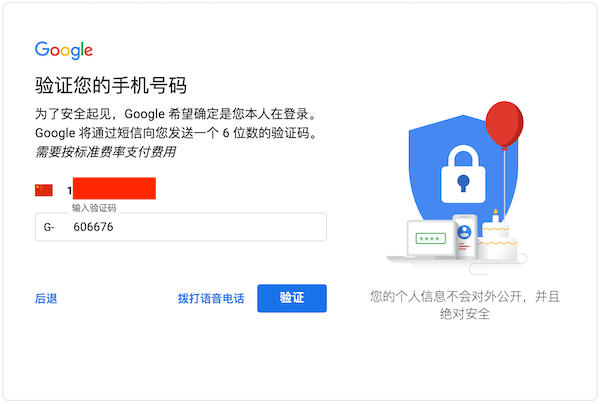
Kauj ruam XNUMX: Hla验证 码Ua pov thawj tus account
Tom qab Suav tus xov tooj ntawm tes tau txais SMS pov thawj code, sau raws li qhov xav tau, thiab tom qab ntawd nyem "Tshawb Xyuas" ▼
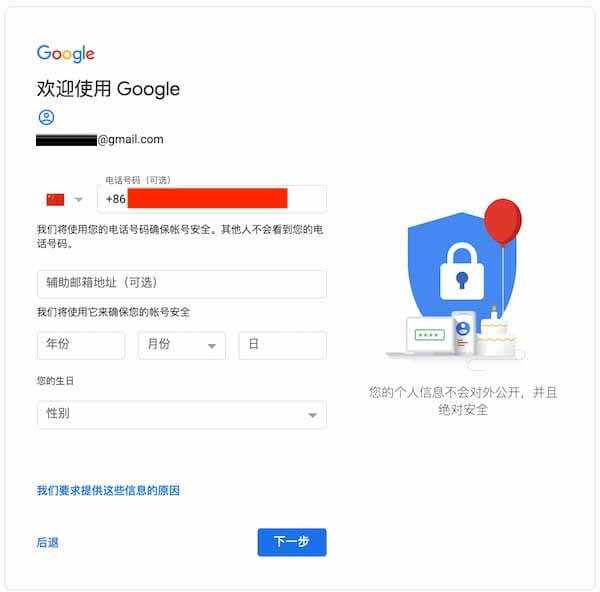
Tom qab kev txheeb xyuas tiav, sau lwm cov ntaub ntawv xav tau los ntawm Google account ▼
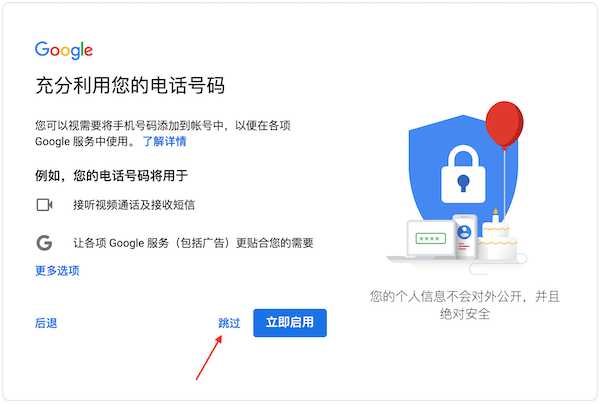
Siv tus lej xov tooj ntawm tes hauv lwm cov kev pabcuam Google, tsuas yog hla ▼
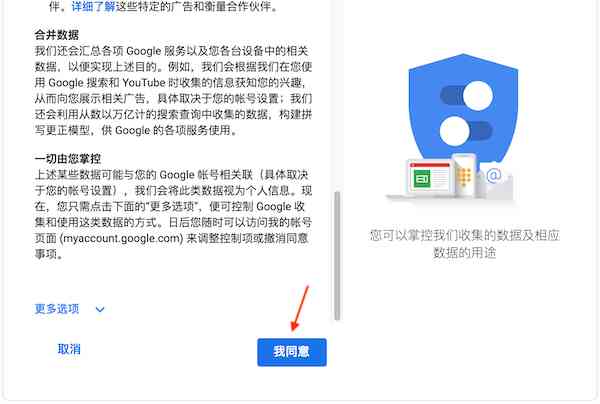
Kauj ruam XNUMX: Pom zoo rau Google Account Cov Cai
Yog tias koj muaj sijhawm dawb, thov nyeem cov lus hauv Google Account kom zoo ▼
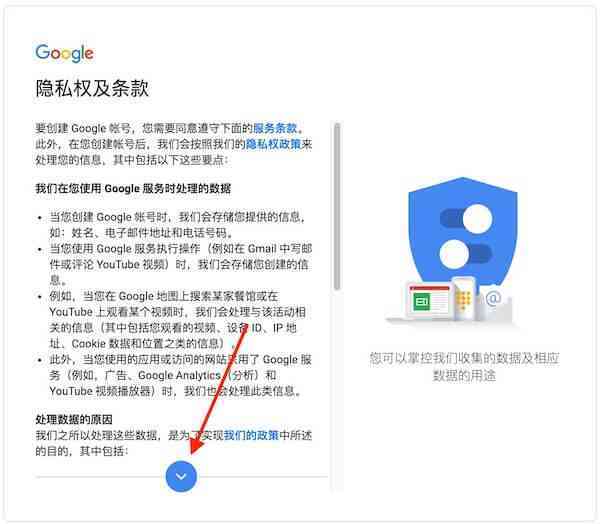
Nyem "Kuv pom zoo" ▼
Kauj ruam XNUMX: Ua tiav rau npe Google account
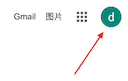
Tom qab cov kauj ruam saum toj no, kev sau npe Google account ua tiav, koj tuaj yeem pom tias tus account tau nkag rau hauv Google search interface ▼
Txij no mus, koj tuaj yeem nkag mus rau hauv Google Play kom rub tawm MT4 forex trading platform software.
Vam tias, tsab xov xwm "Can not Chinese Mobile Numbers Register for Google? How to Create a Google Account with a Chinese Mobile Number?" uas tau muab qhia rau Chen Weiliang lub blog ( https://www.chenweiliang.com/ ) yuav pab tau koj.
Xav qhia qhov txuas ntawm tsab xov xwm no: https://www.chenweiliang.com/cwl-1893.html