
Nalika ngonpigurasikeun program monitoring Monit pikeun memcached dina CentOS 7 , kuring mendakan masalah dimana memcached teu tiasa mendakan file pid...

Sadaya konfigurasi anu urang tiasa mendakan dina googling ngandung garis ieu:
check process memcached with pidfile /var/run/memcached/memcached.pid
tapi,/var/run euweuh di memcached.pid file, atawa /var/run/memcached polder.
dipariksa /usr/lib/systemd/system/memcached.service
[Service]
Type=simple
EnvironmentFile=-/etc/sysconfig/memcached
ExecStart=/usr/bin/memcached -u $USER -p $PORT -m $CACHESIZE -c $MAXCONN $OPTIONS
- Ku alatan éta, euweuh jalur ka file .pid.
- Lamun mariksa memcached tanpa file .pid?
- Ogé, file .pid ieu tiasa di lokasi anu sanés?
Kumaha CentOS 7 nangtukeun alamat lokasi file pid memcache?
Solusina nyaéta ngeset alamat file memcache pid anu anjeun atur dina konfigurasi monitoring Monit▼
check process memcached with pidfile /var/run/memcached/memcached.pid
Ganti ku alamat file tina memcached pid ▼ di handap ieu
check process memcached with match memcached
Konfigurasi kami pikeun memcached:
check process memcached with match memcached
start program = "/usr/bin/systemctl start memcached"
stop program = "/usr/bin/systemctl stop memcached"
if failed host 127.0.0.1 port 11211 protocol MEMCACHE then restart
if cpu > 70% for 2 cycles then alert
if cpu > 98% for 5 cycles then restart
if 2 restarts within 3 cycles then timeout
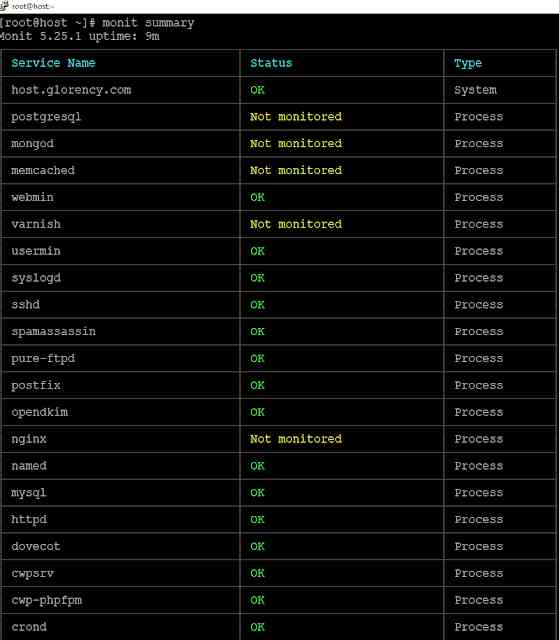
Pikeun metode pamasangan Centos 7 Monit monitoring 5.14, mangga tingal tutorial di handap ieu▼
Mudah-mudahan, tulisan "memcached can't find the pid file? Specifying the memcache pid in CentOS 7" anu dibagikeun dina blog Chen Weiliang ( https://www.chenweiliang.com/ ) bakal aya mangpaatna pikeun anjeun.
Mangga bagikeun tautan artikel ieu: https://www.chenweiliang.com/cwl-26685.html