
Article directory
installationCWP Control Panel, the "yum update Repodata repomd xml Errno 14 HTTPS Error 404 - Not Found"The problem.
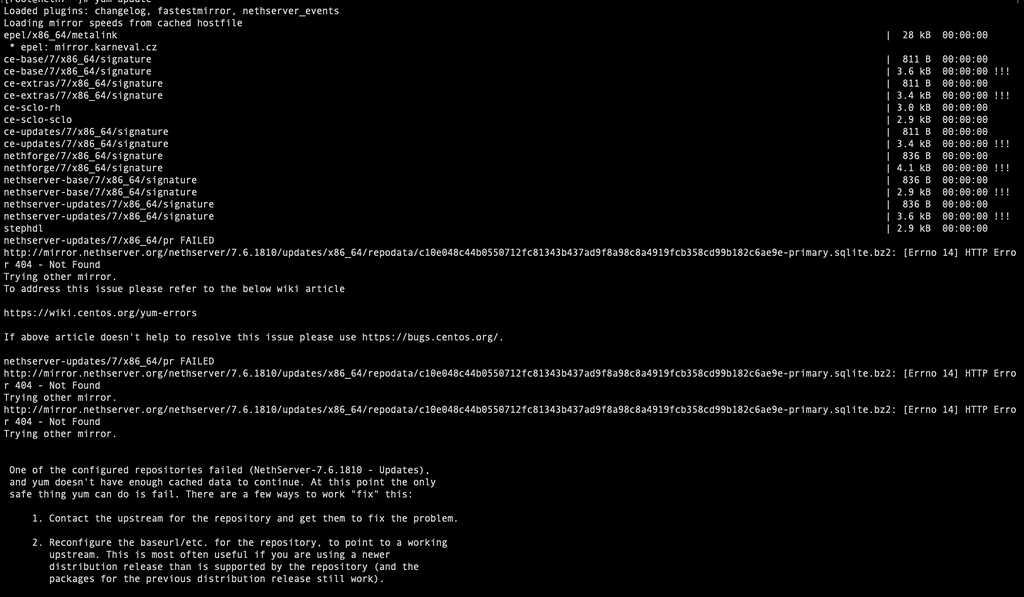
Additionally, when installing Uptime KumaLinux server monitoring software , or when using MariaDB 10.3 or later, or attempting to upgrade to MariaDB 10.3 or later, you may also encounter errors similar to the following:
http://yum.mariadb.org/10.3/ centos 7-amd64/repodata/repomd.xml: [Errno 14] HTTP Error 404 – Not Found
Why does Repodata repomd xml Errno 14 HTTPS Error 404 – Not Found appear?
MariaDB seems to have recently made changes to its repositories for version 10.3 and later, and they appear to be empty.
Running the following command will be a good starting point to troubleshoot this, as this will ensure that there is no problem with Yum itself on the system:
yum clean all
yum makecache
yum install vim
See if that solves the problem?
If the problem still cannot be solved, you can refer to the solutions below.
How to solve repomd xml Errno HTTPS Error 404 – Not Found?
You can modify the repo file for your MariaDB version.
This example shows 10.3 files.
edit /etc/yum.repos.d/mariadb.repo file
Comment out baseurl and add new baseurl
#baseurl = https://yum.mariadb.org/10.3/centos7-amd64
baseurl = https://archive.mariadb.org/mariadb-10.3/yum/centos7-amd64
As follows:
[mariadb]
name = MariaDB
#baseurl = https://yum.mariadb.org/10.3/centos7-amd64
baseurl = https://archive.mariadb.org/mariadb-10.3/yum/centos7-amd64
gpgkey=https://yum.mariadb.org/RPM-GPG-KEY-MariaDB
gpgcheck=1
The long-standing problem with CentOS Linux servers has finally been solved!
Hopefully, the article "Solving the error yum update Repodata repomd xml Errno 14 HTTPS Error 404 – Not Found" shared on Chen Weiliang's blog ( https://www.chenweiliang.com/ ) will be helpful to you.
Feel free to share this article's link: https://www.chenweiliang.com/cwl-29029.html