
Article directory
What to do if your phone is stolen? Android Avast Anti-Theft can help you get it back.
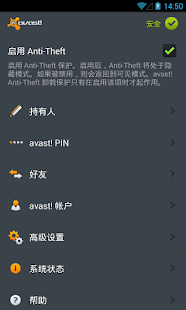
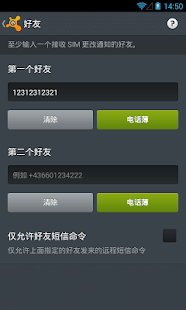
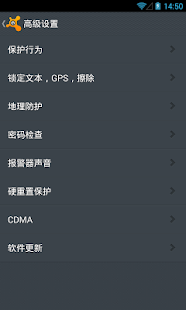
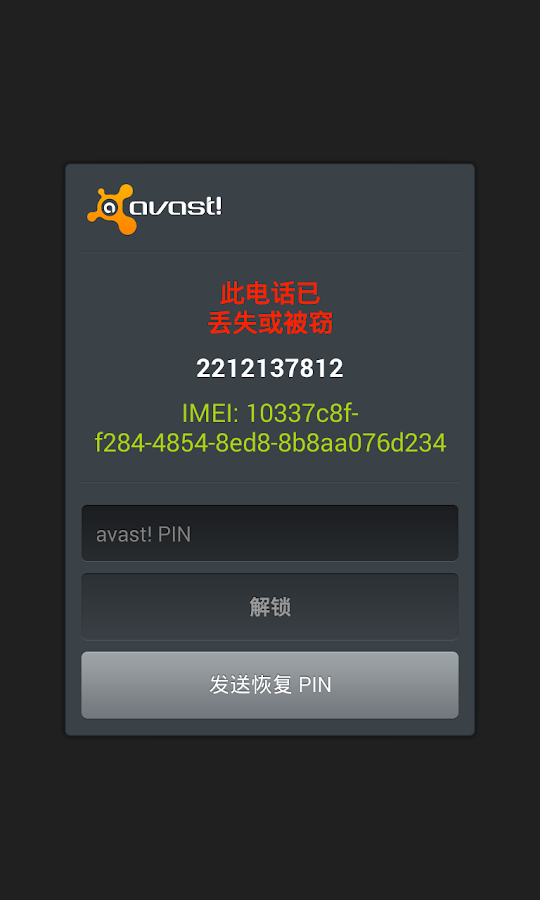
The best free phone tracker helps you find and track lost or stolen phones, making the "lost" Android phone/tablet incident a thing of the past.
No more worrying about "How do I find my Android phone?" – Use the phone locator feature to remotely find and control your phone.
Important function
- ■ Track your "lost" phone on a map using the web-based mobile phone tracking feature (using GPS trackers and other triangulation methods).
- ■ If your phone is stolen, control your phone remotely via a web-based interface or text message (to do so, go to: http://my.avast.com).
- ■ Remotely lock and/or wipe phone memory to keep your data safe.
- ■ Take pictures remotely or monitor the sound of the environment around the power supply.
- ■ Set up SIM change notifications to be sent to another device.
- ■ As long as Anti-Theft is activated, Stealth Mode will automatically hide applications on your phone without the thieves even realizing it.
You can trigger the remote function by sending a text message from a friend's phone or through the web interface located at http://my.avast.com.
- ■ Remotely lock the device.
- ■ Activate custom alerts.
- ■ Erase memory to keep private data safe.
- ■ Customize lock screen text (eg, show a reward for returning your phone).
- ■ Send an on-screen message to the phone.
- ■ Let the phone call you privately to listen to your surroundings (black screen, thieves can't see the call).
- ■ Transfer calls and messages to other phones.
- ★ Geo-protection: The phone performs specific actions (like lock, activate alarm, send location) when it is out of set range (for example, if you enter a coffee shop and set the range to 500 meters, if someone steals your phone and puts it Take out this range and the phone will activate the action you specified).
- ★ Remote ID: Take a photo of the thief when he/she tries to unlock the phone (using the facial recognition feature of the front or rear camera).You can also listen to and record sound.
- ★ Password Check: Mark the phone as stolen if the wrong password is entered more than 3 times on the lock screen.
- ★ Send SMS remotely. Remotely trigger the phone to send SMS to another phone.
- ★ Remote Data Retrieval: Retrieve call logs, text messages and other personal data from your phone – for example, before wiping phone memory remotely.
Avast Anti-Theft Download Page
Anti Theft Mobile Tracker download page
In addition, there is this "Anti Theft Mobile Tracker" (which can send location notifications to a specified mobile phone without an Internet connection):
If you are in a dormitory with multiple people and your phone is charging, how can you prevent it from being stolen while charging?
Just use Android anti-theft alarm to help you scare away thieves ▼
Hopefully, the article "What to do if your phone is stolen? Android Avast Anti-Theft can help you get it back" shared on Chen Weiliang's blog ( https://www.chenweiliang.com/ ) will be helpful to you.
Feel free to share this article's link: https://www.chenweiliang.com/cwl-120.html