
Article directory
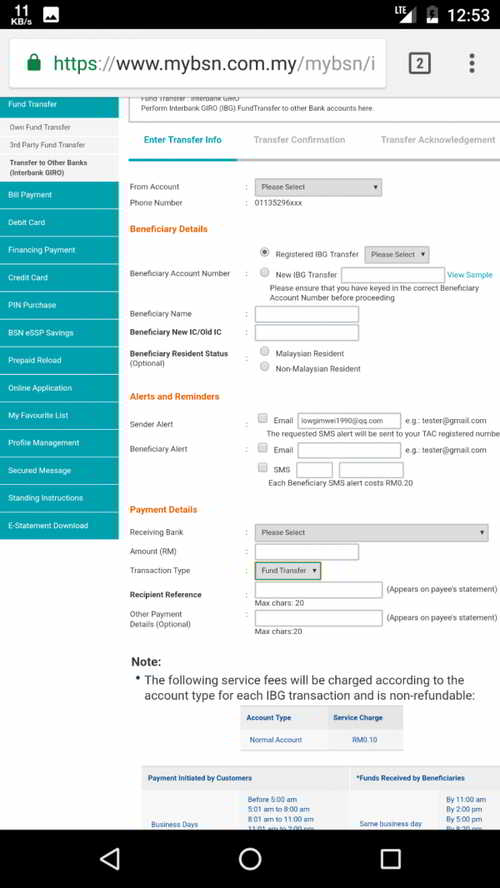
In a previous article on Chen Weiliang's blog, he shared how to use BSH bank transfer.
Netizens also inquired about transfer methods from other banking systems. Now, Chen Weiliang will share how to use Hong Leong Connect (Money Transfer Online) to make bank transfers.
How does Hong Leong Bank transfer money online?
Step 1: Log in to your HongLeong account ▼
Step 2: Transfer funds to other banks
Select “Transfer to Others → DuitNow to Account / IBG” ▼
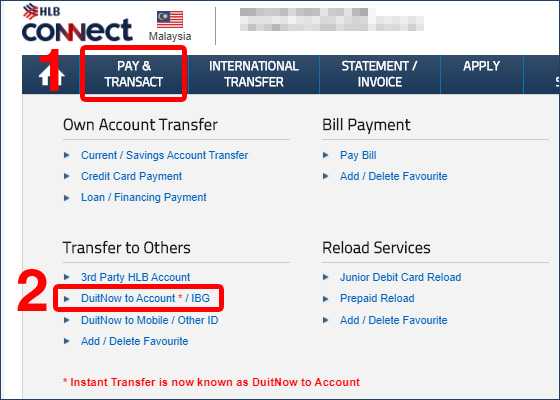
- (The previous Instant Transfer has been changed to DuitNow).
What is Hong Leong Bank DuitNow?
DuitNow allows you to transfer funds to mobile numbers , identity cards, passports, and business registration numbers registered with any bank in Malaysia , with zero transaction fees for any amount.
- After the transfer option on Hong Leong Bank website is changed to DuitNow name, some people may not find the option for instant transfer.
Step 3: Fill in bank transfer information
The system's beneficiary, bank will display all domestic and foreign banks in Malaysia.
Here I choose CITIBANK Citibank ▼
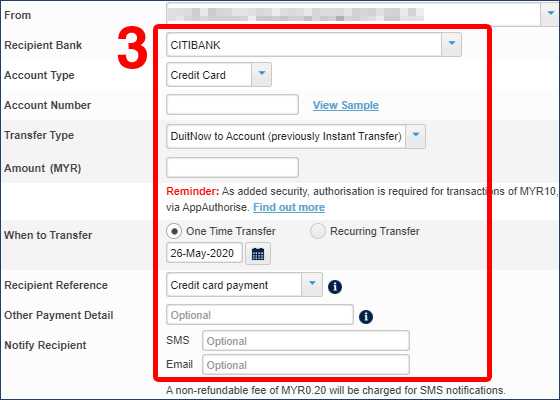
Then fill in:
- Account type to be transferred (account type)
- Account number (account number)
- Transfer Type (Transfer Type)
- Amount (amount).
After confirmation, click "Next" to enter the next step.
Step 4: Enter the TAC verification code
The system will display the information we filled in and automatically send the TAC mobile phone verification code to our mobile phone number . ▼
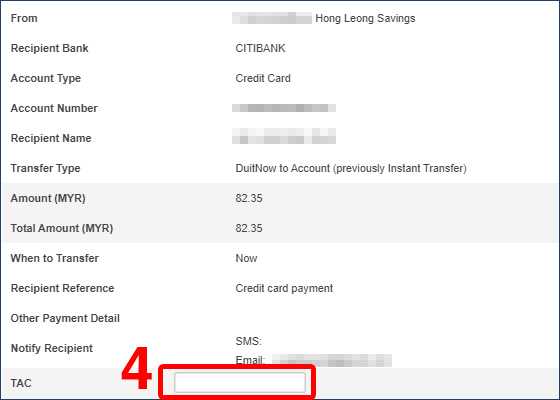
- We confirm that the relevant information is accurate, enter the TAC number, and click "Confirm" to complete the transfer.
Extended reading:


Hopefully, the article "What is Hong Leong Bank DuitNow? A Tutorial on Online Fund Transfers from Hong Leong Bank," shared on Chen Weiliang's blog ( https://www.chenweiliang.com/ ), will be helpful to you.
Feel free to share this article's link: https://www.chenweiliang.com/cwl-1473.html