
Article directory
The method for applying for WeChat is the same for both Hong Kong and mainland China mobile phone numbers :
- Open the WeChat client, click "Register", enter yourbuy hong kong mobile numberand received SMSVerification code, you can successfully register WeChat with your Hong Kong mobile phone card.
- Currently, the latest version of WeChat on iOS, Android and Windows Phone platforms fully supports linking WeChat accounts withHong Kong mobile numberbind.
How to apply for a Hong Kong mobile number?Please click the link below to view ▼
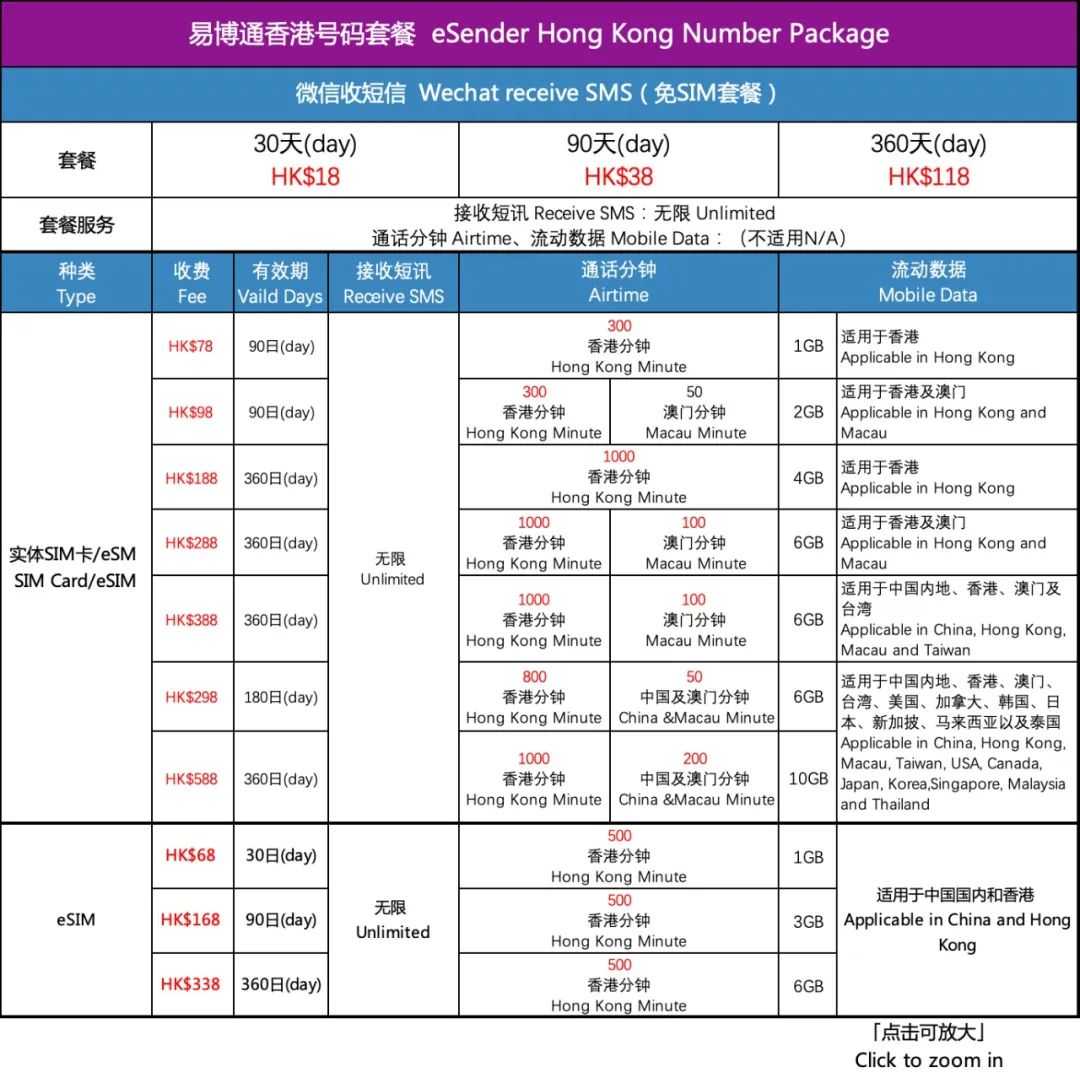
Hong Kong calling card application WeChat tutorial in China
The following are the specific steps:
Step 1 : Install WeChat software . First, search for "WeChat" in your mobile application or app store, and then click "Install" to automatically download and install it.

Step 2 : WeChat - Click "Register". After installation, click to open the WeChat app. There is a "Login" option and a "Register" option. ▼

- Click "Register" to register with WeChat.
Step 3 : After clicking "Register," enter your nickname, country/region, Hong Kong mobile number, and password. ▼

- At this time, the entered Hong Kong mobile phone number is used to register WeChat.
- After the input is complete, click "Register".
Step 4 : Read and agree to WeChat's privacy policy ▼

Step 5 : Security Verification for Registering WeChat with a Hong Kong Mobile Number ▼

- Enter Hong KongPhone Numberand other information, and click "Register" and then click "Agree", "Security Verification" will appear;
- Click Start and you will be asked to drag the slider to complete the puzzle.
- After successfully displaying the puzzle, it will automatically proceed to the next step.
Step 6 : Register for WeChat with your Hong Kong mobile number. After completing the collage by sending a text message, click "Send Text Message" as needed.
After sending the SMS, go back to this interface and click "Send SMS, Next" ▼

- Then it will start verifying your information.
- After verification, you will be automatically logged into WeChat.
- So far, the Hong Kong phone card has been used to successfully register WeChat in China.
eSender To register WeChat and apply for a Hong Kong mobile phone number, please click the following link to view▼
In fact, it is not just a Hong Kong mobile phone number, eSender The mobile phone number in China can also be used to register on WeChat in China.
Application eSender Chinese mobile phone number process, please see here▼
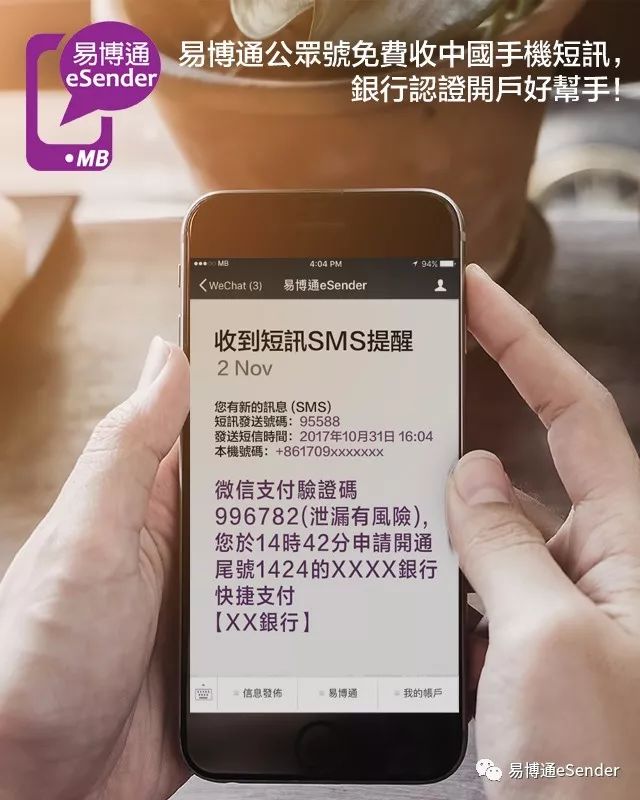
eSender To send SMS verification code, please refer to the following article▼
eSender The difference between recharge & package, please see here▼

eSender Promo Code:DM8888
eSender Promotion Code:DM8888
- The discount code for the free trial period of registering a Chinese mobile phone number is currently 7 days. If you enter the discount code when registering:DM8888
- You can get a 7-day free trial, and after the first successful recharge to purchase a package, the service validity period can be extended for an additional 30 days.
- " eSender "Promo Code" and "Recommender" eSender Number" can only be filled in one item, it is recommended to fill in eSender Promo Code.
eSender Register WeChat discount code
1) Search for the WeChat official account: cwlboke
2) Reply in the dialog box: YBT
(For more up-to-date eSender Register WeChat discount code eSender Promotion Code)
Hope Chen Weiliang Blog ( https://www.chenweiliang.com/ ) shared "Can Hong Kong calling cards be registered on WeChat? eSender Mobile phone number domestic registration WeChat, to help you.
Welcome to share the link of this article:https://www.chenweiliang.com/cwl-1786.html