
Article directory
Netflix offers unlimited hours of movies, TV shows, and much more.
- You can watch it anytime, anywhere and cancel at any time.

- Netflix is a streaming service offering a wide variety of award-winning movies and TV shows, animations, documentaries and more on thousands of connected devices...
- You can watch it whenever you want, ad-free, and a low, fixed monthly fee. Netflix is constantly rolling out new content for you to browse, with movies and TV shows being added every week!
OnChinaHow to watch Netflix videos in mainland China?
To watch Netflix videos in mainland China, you must prepare the following tools:
1. Support unblocking Netflix network lines.
Chen Weiliang 's Telegram channel has a pinned post offering a tool to unlock Netflix. ▼
2. To purchase a shared Netflix membership account, please click the link below▼
Click the link below for a detailed guide to registering your account on Planet▼

- Watching Netflix in Mainland China requires科学network tools.
- And the tool you choose must support unblocking Netflix.
- The most commonly used tools are network line nodes.
If you access Netflix or watch Netflix videos from software that does not support unlocking Netflix.
The message shown below will be displayed ▼
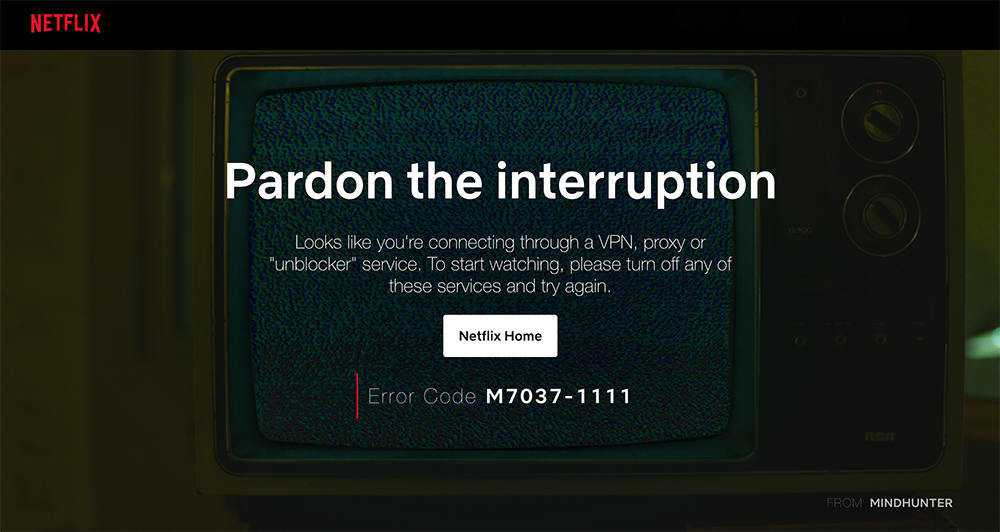
Netflix's automatic detection system detects your network,
Therefore, it is especially important to choose a network line that supports Netflix.
(If you use a shared Netflix account , you can easily skip the step of registering a Netflix account.)
How to register a Netflix account in China?
Once you've chosen a network route that will allow you to access Netflix, it's time to sign up for a Netflix account.
Before starting registration, you need to have the following tools and materials ready:
- Network lines that support unblocking Netflix
- Browser (Chrome recommendedGoogle Chrome)
- Dual Currency or Full Currency Credit Cards (Visa, MasterCard)
- (if usingHoney store Metshop: Netflix account sharing and sharing, you don't need to consider whether you have a credit card)
Although Netflix is not yet available in mainland China, you can use a Chinese or Hong Kong mobile phone number to link your registered Netflix account.
Important: When registering mobile apps, computer software, or website accounts using your mobile phone number , never use publicly shared online SMS verification code receiving platforms to avoid your account being stolen.
It is best to use a private virtual Chinese mobile number or a virtual Hong Kong mobile number , which can effectively protect your privacy and avoid harassment.
If the website you're registering on only allows Chinese mobile phone numbers , you can follow this article to apply for a Chinese mobile phone number ▼

How to apply for a Hong Kong virtual mobile number to receive verification codes? Please click the link below for details ▼

Log in to the Netflix official website
Before logging in to the Netflix official website, you need to connect to the proxy in advance.
It is recommended to choose a US server, because the content of Netflix in the United States is relatively rich.
- After successfully visiting the official Netflix website, enter your registered email address in the email field and click Use Now.
- If you choose the US server, the official website interface will be displayed in English.
- In order to make it easier for everyone to familiarize themselves with the Netflix registration process, we have selected the Hong Kong server node, so the Netflix official website interface will display traditional Chinese characters ▼
Choose a Netflix plan
After filling in the registered email address, you need to choose a Netflix package plan, click the bottom to learn about various plans, and enter the plan details page.
Netflix offers 3 plans, Basic, Standard and Premium, which differ by the supported picture quality and the number of connected devices that can be watched simultaneously.
If you are watching alone, it is recommended to choose the basic plan,
We recommend purchasing a Netflix Basic, Standard, or Premium plan through a shared account platform like Account Planet for the best value. ▼
Click the link below for a detailed guide to registering your account on Planet▼
After choosing a plan, click the Continue button at the bottom to go to the next step.
Set Netflix account password
- After selecting a plan, you need to complete the password setting in step 2, and click the Continue button below.
- Then you need to choose a complex password.
- It is recommended to mix upper and lower case letters, numbers and special characters.
- After the input is completed, please save it properly, so as not to be unable to log in in the future. After the input is completed, click Continue at the bottom.
Select Payment Method
- After setting the account password, you need to select the payment method.
- Netflix currently supports credit cards, PayPal, and gift cards, but payment methods shown vary by country.
- Taking a credit card as an example, it is recommended that you use a dual-currency or full-currency credit card.
- If you choose PayPal payment, you need US PayPal to complete the payment.
- Taking a credit card as an example, you need to enter the credit card holder's name, credit card number, expiration date and security code in order.
- After filling in the relevant information, remember to tick Agree in the terms, and finally click Enable Membership at the bottom to complete the payment.
payment successful
- If there is no problem with your credit card, you will receive a credit card debit notification after a period of time, and you will receive a successful membership registration email in your registered email address, and you can use the Internet dedicated line to watch the movies and TV shows you want to watch.
- PS: Usually new users can enjoy a 30-day free trial period after successful registration, and Netflix will deduct $1 to verify your account.
- If 30 days have passed, you will need to continue paying for Netflix videos.
- If you need to cancel, please log in to your personal center and click Cancel Membership in the left sidebar.
How to watch Netflix videos through a browser?
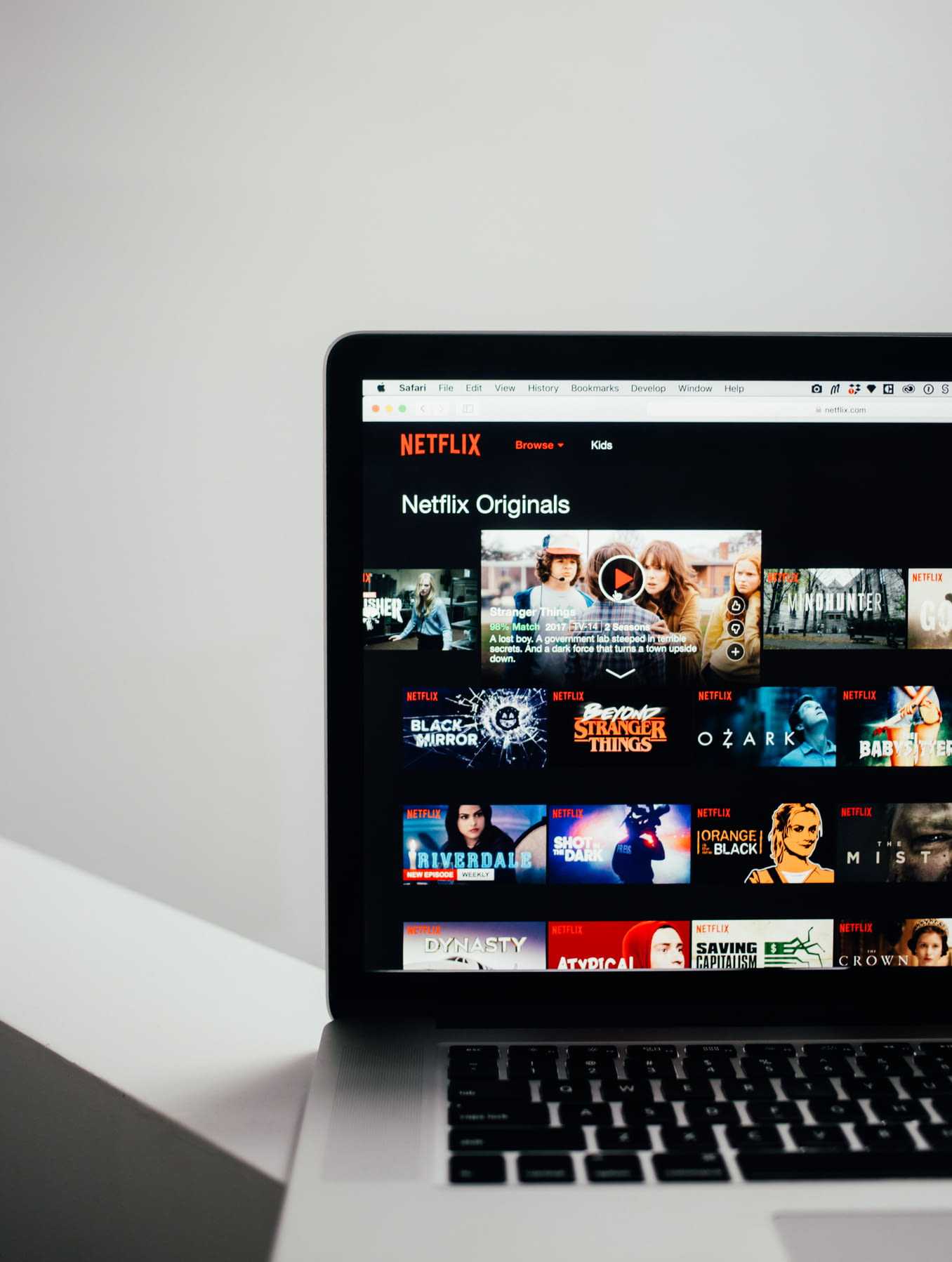
Netflix is compatible with many mainstream browsers. If you are more accustomed to watching Netflix in browsers, you can choose to watch Netflix videos through browsers on Windows and macOS system devices.
Netflix currently supports the following browsers:
- Google Chrome up to 720p
- Mozilla Firefox up to 720p
- Opera up to 720p
- Safari up to 1080p
- Internet Explorer up to 1080p
- Microsoft Edge up to 4K*
- Opera up to 720p
- Watch Netflix on your browser and you'll find that all browsers except Microsoft Edge have quality limitations.
- So, if you want to watch Netflix in 4K, you can use the standalone app provided by Netflix.
Sign in to your Netflix account
- After successfully subscribing to the Netflix service, you need to return to the Netflix official website to log in.
- When you choose to visit the Netflix official website, please confirm that the server location you selected is consistent with the Netflix content library you want to access, and click Login in the upper right corner of the Netflix official website homepage to log in to your account.
- On the Netflix account login page.Enter your Netflix registered email and login password, and click Login after confirming that it is correct.
- After successful login, if the Netflix interface language does not change with the server you selected, you can directly change and save it in the management center.
Netflix Basic Settings
In the Netflix management background, you can directly change account-related information and basic Netflix settings, including account email, password, billing date, package plan, and device activation.The cancel membership button is in the left sidebar.
Netflix change settings
If your subscription plan supports multiple accounts, you can also personalize individual accounts in the background, including your interface language, viewing limits, viewing history, and more...
Start watching Netflix videos
After completing the basic settings, you can click the Netflix logo in the upper right corner to return to the home page to watch shows and movies, and you can switch video categories in the top menu bar.
At the same time, you can quickly find the content you want to see using the search function at the top, including titles, people , and genres.
After finding the video content you like to watch, you can click to enter the details page to view the relevant introduction, including the video introduction, episode, preview, and detailed introduction.At the same time, in order to facilitate your next viewing, you can add the video to my list. If you want to watch it directly, just click play.
On the Netflix video player page, you can change the subtitle display language and audio, and Netflix also provides basic operations such as fast-forward and fast-play.
How to watch Netflix videos on Windows computer?
You can watch Netflix on your Windows computer using a browser or through the Windows standalone app provided by Netflix.Just go to the Windows Store to download and install.
On Windows, both the Microsoft Edge browser and the standalone app support 4K playback.
But your system and hardware need to meet Netflix's official requirements, including processor, display, network connection speed, and more.
For more detailed requirements, please check the official Netflix description ▼
How to watch Netflix videos on macOS computer?
Netflix doesn't offer a standalone app on macOS, but you can use your computer's browser to watch Netflix videos.However, the mainstream browsers Chrome and Firefox on the Mac support up to 720P quality, but the computer can use the Safari browser to watch 1080P video.
Watch Netflix on IOS devices (iPhone, iPad and iPod touch)
Since Netflix is currently unavailable in mainland China, Netflix is currently unavailable in the Chinese APP Store. Therefore, downloading and installing Netflix on iOS devices requires you to have an APPLE ID that is not in mainland China.
Netflix offers a standalone app for iOS devices, available on iPhone, iPad, or iPod touch models running iOS 12.0 or later. ?After logging in to the APP Store with a non-mainland APPLE ID, search for Netflix keywords to download and install.
Netflix is supported on iPhone, iPad, and iPod touch models in all regions where Netflix is supported.However, the maximum streaming resolution supported by each system device varies:
iPhone and iPod touch support a maximum streaming resolution of 7.0p on iOS 720 and later, and 480p on earlier versions.
All iPhone Plus models (iPhone 6 Plus or later) support a maximum streaming resolution of 1080p. The iPhone X, XS and XS Max support streaming up to 1080p, while the XR supports up to 720p.
The iPad supports streaming resolutions up to 7.0p on iOS 720 or later, and 6.0p on iOS 720 and earlier was originally 480p.The highest streaming resolution supported on iPads with Retina displays is 1080p.
Plus, you can download and watch movies offline on devices running iOS 9.0 or later.
Detailed tutorials can be viewed on the Netflix official website ▼
How to watch Netflix videos on Android devices (phone and tablet)?
Netflix provides a separate application for Android system devices, and its application is compatible with Android 2.3+, while the latest version of the Netflix App system needs to meet Android 5.0+.
- You can directly search for Netflix in Google Play to download and install.
- If you can't search for Netflix in Google Play, try switching your account to a non-Chinese Google Play store.
- If you see a prompt to install a compatible version after downloading and installing Netflix through Google Play, you need to uninstall the Netflix app you have installed before downloading NetflixAndroidGeneric version APK installation file.
- You can usually watch Netflix 480P or higher on your Android phone or tablet, but viewing in HD requires meeting the official Netflix requirements.
In fact, Netflix doesn't offer HD quality on non-DRM-certified devices, primarily to protect copyrighted content from piracy.
DRM, the English full name of Digital Rights Management, the Chinese full name of "Digital Rights Management".
However, the vast majority of Chinese-made Android devices have almost no DRM recognition.So most of them won't be able to play Netflix HD videos, maybe even 480P.Even if your Android device meets the hardware requirements, it is still impossible without DRM certification.
However, Netflix provides a list of Android devices that support HD playback and HDR on its official website ▼
- You can simply check if your device is on the list, otherwise you won't be able to watch Netflix HD movies.
How to watch Netflix videos on Android TV (TV box)?
On Android TV, you usually need to install the Netflix app on the TV box to watch its movies, but the TV box also needs DRM certification, which is stricter than on an Android phone or tablet.
In mainland China, the mainstream devices usually used are Google Chromecast, Xiaomi Box International, Shield TV International Edition, etc...
However, you can also use Kodi through the Netflix add-on, but for quality, Kodi can watch Netflix at 1080P, while a TV box can support higher quality.
For the convenience of users, Netflix has partnered with several TV manufacturers to pre-install the Netflix app, allowing you to use Netflix directly without other devices.
For more TV device models supported by Netflix, you can check the detailed list provided by Netflix's official website:
Correspondingly, most domestic TV brands in China do not have the Netflix app pre-installed, which refers to products sold in the US or elsewhere.
- Hisense
- LG
- Panasonic
- PHILIPS
- SUMSUNG
- SHARP
- SONY
- TOSHIBA
How to watch Netflix videos on Apple TV?
To watch Netflix on Apple TV, you first need to successfully install the Apple TV client, or configure the network router directly on the Apple TV.
Netflix is available on Apple TV 2+, if you want to watch Netflix 4K, this requires the Apple TV 4K TV system version to meet tvOS 12.Meanwhile, Netflix can also offer Dolby Vision and HDR content via Apple TV 4K.
For a detailed introduction, you can view the official Netflix help document ▼
How to watch Netflix videos on gaming devices (Xbox, PlayStation)?
In countries and regions where Netflix provides services, if the corresponding gaming devices can also provide services as usual, Netflix can also be used as usual on gaming devices, including Xbox, PlayStation, etc...
However, depending on the model of gaming device, Netflix usage and supported picture quality will vary.
For more details, please refer to the official Netflix help document ▼
Unblock and Watch Netflix in Mainland China FAQ

What's the best way to unblock Netflix and watch movies and TV shows?
When unblocking Netflix movies, you usually need to consider whether you can watch Netflix in mainland China?Is it possible to unblock Netflix?
Number of devices connected simultaneously, security, bandwidth, traffic, etc…
While network proxies usually have weaknesses such as instability, weak security, and monthly streaming restrictions, scientific software supports multiple Netflix content libraries, is compatible with mainstream devices, has no traffic restrictions, and is highly secure.
Chen Weiliang 's Telegram channel, pinned to the top of his blog, offers a tool to unlock Netflix. ▼
To purchase a shared Netflix membership account, please click the link below▼
Click the link below for a detailed guide to registering your account on Planet▼
How can I keep my Netflix account safe?
In mainland China you usually need scientific software to unblock and watch Netflix movies, if it is not a dedicated IP, it will cause frequent IP changes.
To prevent security issues with your account, it is recommended that you set a complex password and change it regularly.At the same time, you can add a Chinese mobile phone number in the background, check activated devices in time, and exit devices that are not commonly used.
As mentioned at the beginning of this article, although Netflix has not yet opened in mainland China, you can use a Chinese or Hong Kong mobile phone number to bind your registered Netflix account.
Does Netflix support several screens to watch at the same time?
The screens that Netflix supports at the same time vary by plan, with 1 screen on the Basic plan, 2 on the Standard plan, and 4 on the Premium plan, so you can choose according to your needs.
How to watch Netflix HD video?
Different Netflix plans support different video qualities.
First, you need to choose a plan that supports HD video.The basic plan supports up to 480P, the standard plan supports up to 1080P, and the advanced plan supports up to 4K.
Second, your internet connection speed is the most basic requirement, a stable internet connection speed of 25 Mbps or faster.
Finally, the device you're using must also meet the requirements for Netflix HD video, including the device's processor, monitor, etc...
For more details, please check the official Netflix help document ▼
How do I download Netflix and what if I can't find the Netflix app? Netflix provides standalone apps for various system devices, but to successfully download the Netflix client, you basically need to switch to a non-Chinese app market. Windows systems need to switch to the US region, IOS devices need to use the US region APPLE ID to access the download, Android devices need to switch to the US region Google Play or download the APK, and Android TV also need to switch to the US region Google Play or download the APK.
Can Netflix be downloaded and watched offline?
can.
In order to facilitate users to watch offline, Netflix provides an offline download function.
However, the offline download function requires you to use it on a device that meets the requirements. Offline downloaded videos can only be viewed on the download device, and computer browser download is not supported.
If your device is eligible, you will see the download icon while watching a movie.
For the conditions of Netflix offline downloading of movies and TV shows, please check the official Netflix help document ▼
Since Netflix has not yet entered the Chinese mainland market, Alipay and WeChat Pay, which are commonly used by Chinese people, cannot be used to subscribe to Netflix as usual.
Therefore, we now recommend another account sharing platform – Account Planet ▼
Click the link below for a detailed guide to registering your account on Planet▼
Hopefully, the article "How to Watch Netflix in China? Tutorial on Registering a Netflix Account with a Hong Kong Mobile Number," shared on Chen Weiliang's blog ( https://www.chenweiliang.com/ ), will be helpful to you.
Feel free to share this article's link: https://www.chenweiliang.com/cwl-27748.html