
Article directory
When Google Gemini was unveiled, countless users were as excited as a child waiting to open a gift to try its magic.
This powerful language fairy presents a beautiful challenge to OpenAI 's GPT-4 model, which not only offers top-notch skills in natural language processing but also encompasses code creation and a whole host of other mysterious features.
While the unveiling of Google Gemini was incredibly exciting, many people still don't know how to access this revolutionary online AI tool . This guide will teach you how to tame this little monster of artificial intelligence and master its various capabilities.
How to use Google Gemini?
To enter the palace of Google Gemini AI, you only need to board Google Bard.
The AI chatbot has now been enhanced and become more powerful, allowing you to experience the mysterious power of Gemini first-hand through Bard.
- Turn on Google authorized login and you can speak freely!A Google account gives you free access to this wonderful experience.
- Google has not announced the specific time when Gemini will support Chinese.
- However, according to Google’s plans, they plan to expand Gemini to different modes, support new languages and regions in the coming months.Therefore, it is very likely that Gemini will support Chinese and may be launched in early or mid-2024.
- Google said they considered multiple languages, including Chinese, when developing Gemini.They also said that they are working with Chinese partners to ensure that Gemini can meet the needs of Chinese users.
- Therefore, we can expect Gemini to support Chinese in the coming months.
However, it should be noted that Google Gemini is only an artificial intelligence model, not an independent application.It's the mysterious core technology behind Google apps like Bard.Therefore, you cannot log into Gemini directly, which is a very common misunderstanding.
Google Gemini AI is also coming to Pixel.Incorporating AI models into Pixel smartphones will power new features such as the Summarize feature in the Recorder app and Smart Reply in WhatsApp’s Gboard, and more apps are expected to follow.
What exactly is Google Gemini?
This is not just a Gemini constellation!This is a multi-modal artificial intelligence model that wants to understand, manipulate and connect various information types, such as text, code, sound, pictures and videos.This multimodality makes Gemini surprisingly versatile.
Gemini has three models for you to choose from. It is simply a model of flexibility and diversity. It can cope with various needs and resource constraints, and it is an all-rounder with full skills.
Let's take a look at the three models of Gemini; they're practically three treasures :
- Ultra:The leader among the three, good at completing complex tasks that require the highest performance, such as doing科学Research or engage in high-end artificial intelligence research and development.However, the huge computing requirements limit it to specific researchers and partners.
- Pro:This is a versatile king, perfectly balancing performance and efficiency.Outstanding performance in natural language processing, code creation and answering questions.Its wide applicability allows applications such as Bard to flourish.
- Nano:Efficient and lightweight, specially designed for resource-limited environments.It focuses on basic language tasks such as translation and summarization, and has flourished in mobile devices and embedded systems.
After all, Google Gemini is comparable to OpenAI's ChatGPT. How do you get started using ChatGPT ? You need to create an OpenAI account and log in.
You can then use ChatGPT on the OpenAI website or app.
If you register OpenAI in mainland China, a prompt will appear:OpenAI's services are not available in your country."▼
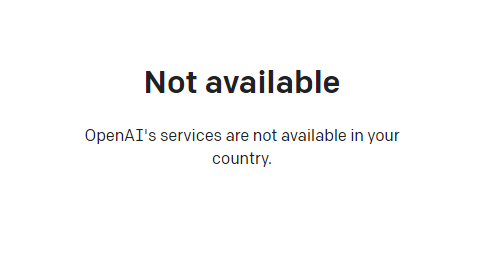
Since advanced features require users to upgrade to ChatGPT Plus to use them, it is difficult to activate ChatGPT Plus in countries that do not support OpenAI, and you need to deal with cumbersome issues such as foreign virtual credit cards...
Here we would like to introduce you to an extremely affordable website that provides ChatGPT Plus shared room accounts.
Please click the link below to register a Planet account ▼
Click the link below for a detailed guide to registering your account on Planet▼

Tips:
- IP addresses in Russia, China, Hong Kong, and Macau cannot register for an OpenAI account. It is recommended to register with another IP address.
Hopefully, the article "How to Use Google Gemini? Log in to Gemini (formerly Bard) to Experience Large AI Models" shared on Chen Weiliang's blog ( https://www.chenweiliang.com/ ) will be helpful to you.
Feel free to share this article's link: https://www.chenweiliang.com/cwl-31214.html