
Article directory
Have you encountered timeout issues with phpMyAdmin or HestiaCP gateway? You're not alone in experiencing the same problem.
When you are in multipleWordpressThe website frequently sees "Gateway timed out. The gateway did not receive a timely response from the upstream server or application."This kind of error message is really maddening ▼

This kind of problem not only affects the normal operation of the website, but also makes you want to find a solution immediately.
I will now analyze this problem in detail and provide you with several effective solutions.
What is a gateway timeout?
Simply put, a gateway timeout is an error that occurs when your server waits for a response from another server for too long.
This error usually occurs when your website has high traffic or is running some heavy scripts, the server is unable to respond to the request in time, and eventually leads to a timeout error.
Why does a gateway timeout occur?
There are several reasons why a gateway timeout might occur. The most common reason is that the server takes too long to process the request.
For example, when you update a plugin or run a complex script on your WordPress site, it takes a long time for the server to process these requests.
If the processing time exceeds the timeout period set by the server, a timeout error will occur.

In my WordPress setup, I used a VPS and installed Debian 12.6 (x86_64) and HestiaCP as the control panel on the server.
HestiaCP combines Apache and Nginx as a web server platform to manage multiple domains.
How to fix phpMyAdmin Gateway Timeout?
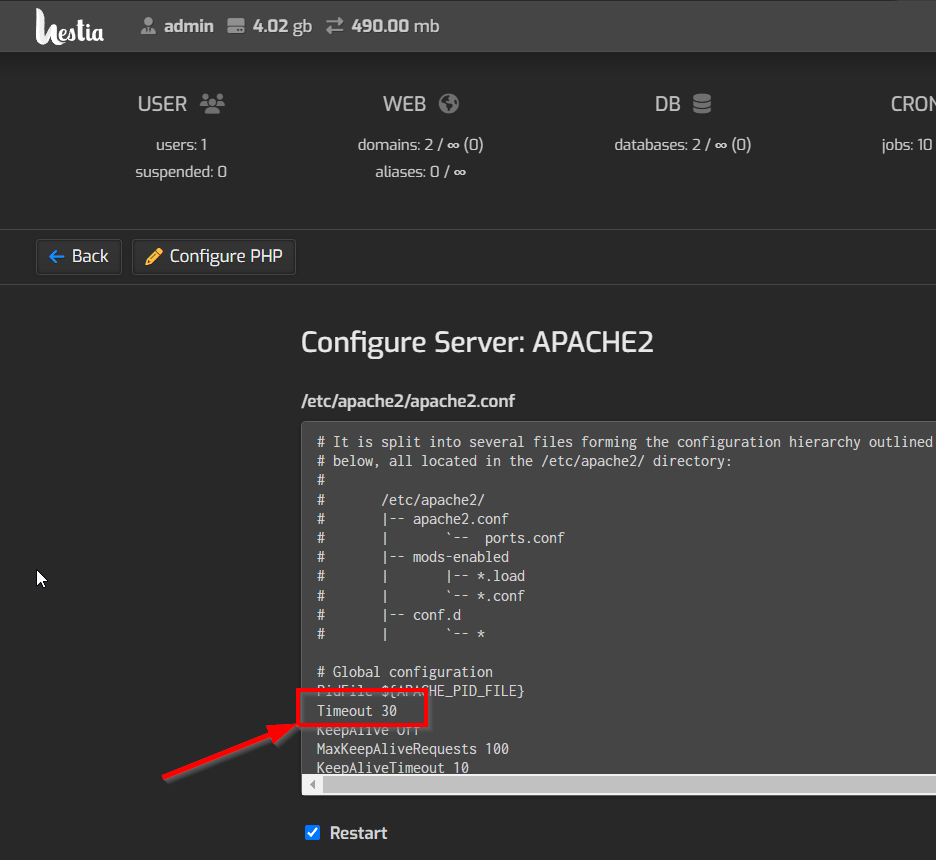
Despite the powerful features of HestiaCP, Apache 's timeout settings are often the culprit for gateway timeouts under default configuration .
The default timeout is 30 seconds . If the request processing time exceeds 30 seconds, the server will disconnect the connection, resulting in a timeout error.
1. Log in to the VPS server via SSH to make configuration changes
The first method is to log in to the VPS server directly via SSH and then modify the Apache configuration file.
Proceed as follows:
- Login to VPS server via SSH
Log in to your VPS server using your preferred SSH software.
- Edit Apache2 Configuration File
Type the following command to edit Apache’s configuration file:
vi /etc/apache2/apache2.conf
- Increase the timeout period
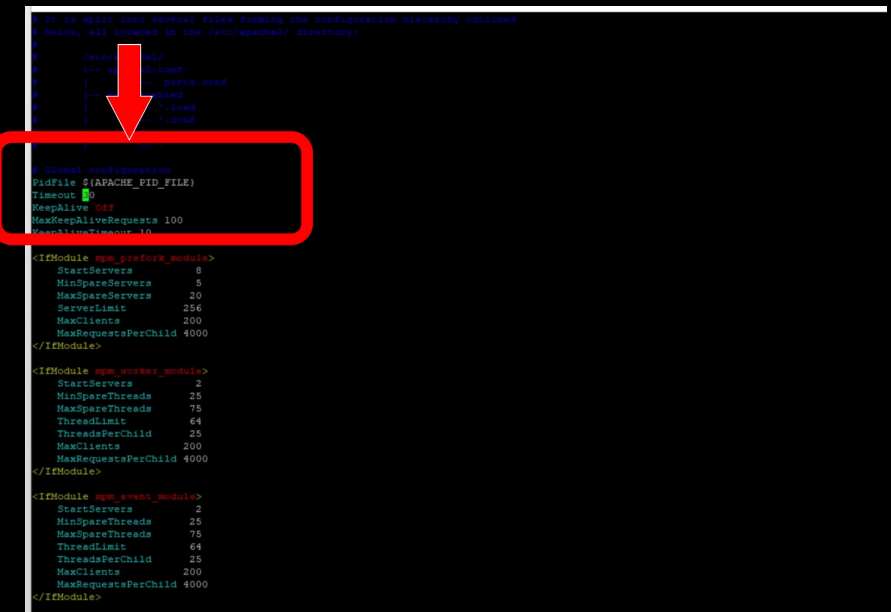
In the configuration file, locate the "Timeout" parameter and change it from the default 30 seconds to 60 seconds or longer. This means the server will wait longer for a response before disconnecting.
Timeout 60
- Restart Apache service
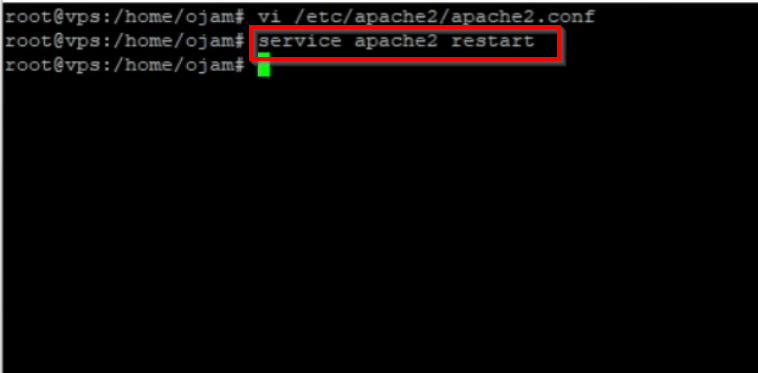
Save the configuration file and exit the editor, then restart the Apache service to apply the changes:
service apache2 restart
In this way, you can effectively extend the server timeout period and avoid gateway timeout errors caused by long processing time.
2. Adjust settings through HestiaCP
If you prefer a GUI, you can also change Apache timeouts through the HestiaCP control panel.
Proceed as follows:
- Log in to the HestiaCP control panel
Log in to the HestiaCP control panel using your administrator account.
- Enter server settings
In the HestiaCP dashboard, click " Server Settings " ▼
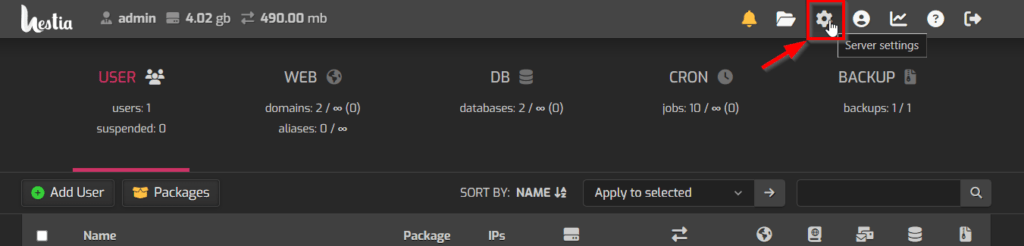
Then click " Apache2 " to edit ▼
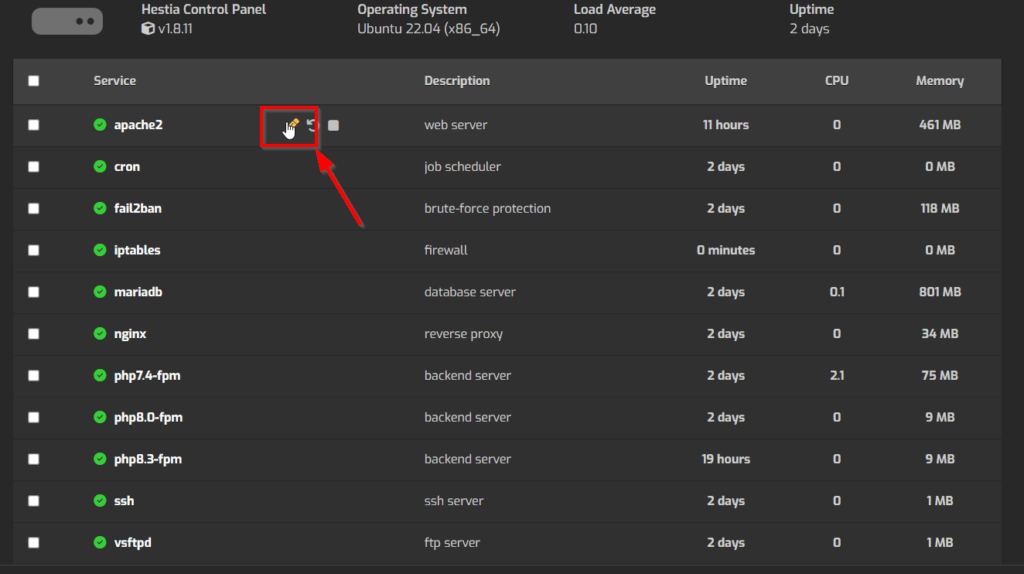
- Increase the timeout period
At the bottom of the Apache2 settings page, find the timeout option and change it from the default 30 seconds to 60 seconds or higher.
- save Changes
Save your settings, the changes will be automatically applied, and your website timeout issues will be alleviated.
3. Other timeout settings adjustments
If the above two methods still cannot solve the problem, you can also try adjusting other related timeout settings.
Apache2 and PHP settings
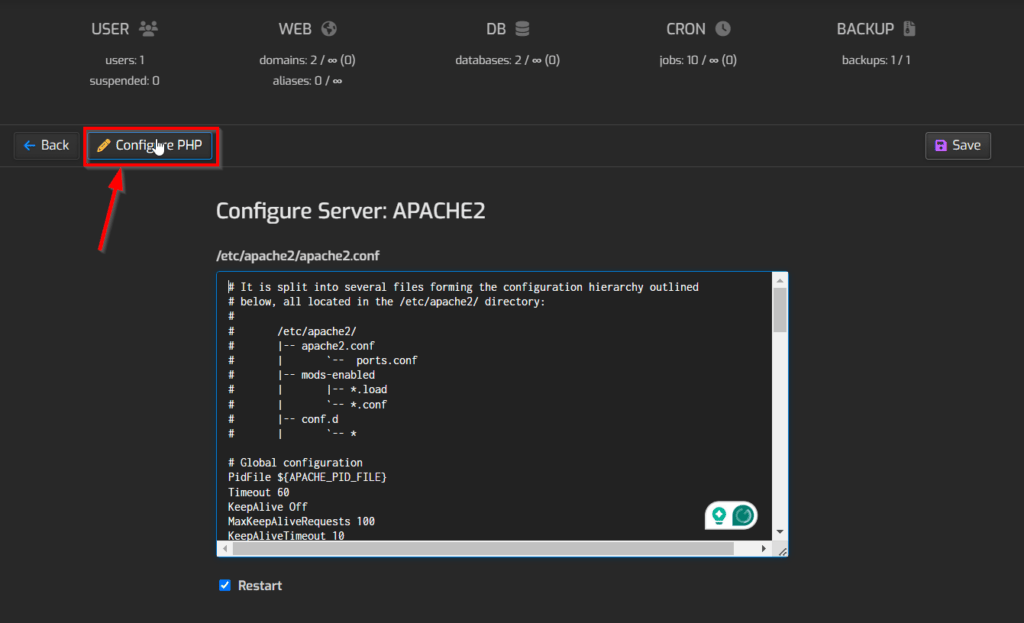
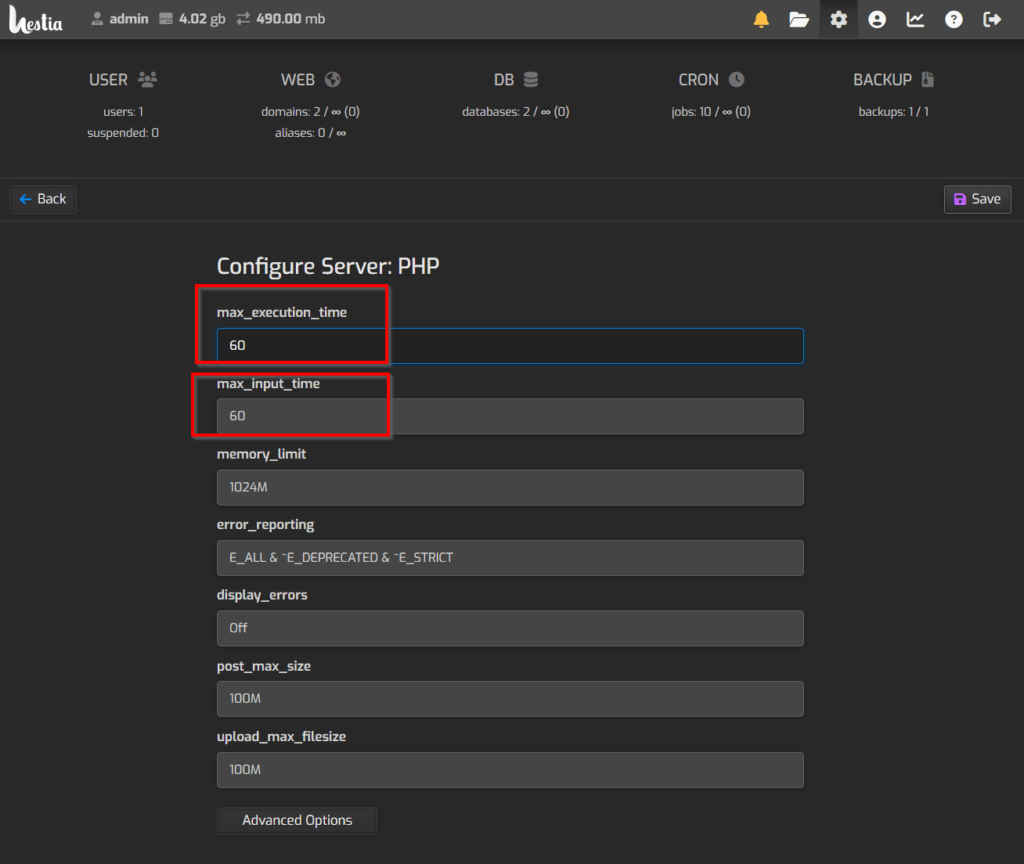
▲ In Apache2 services, you can also add the parameters max_execution_time and max_input_time by editing the PHP configuration file.
These two parameters control the maximum execution time and maximum input time of PHP scripts. Adjusting them can further reduce the occurrence of timeout errors.
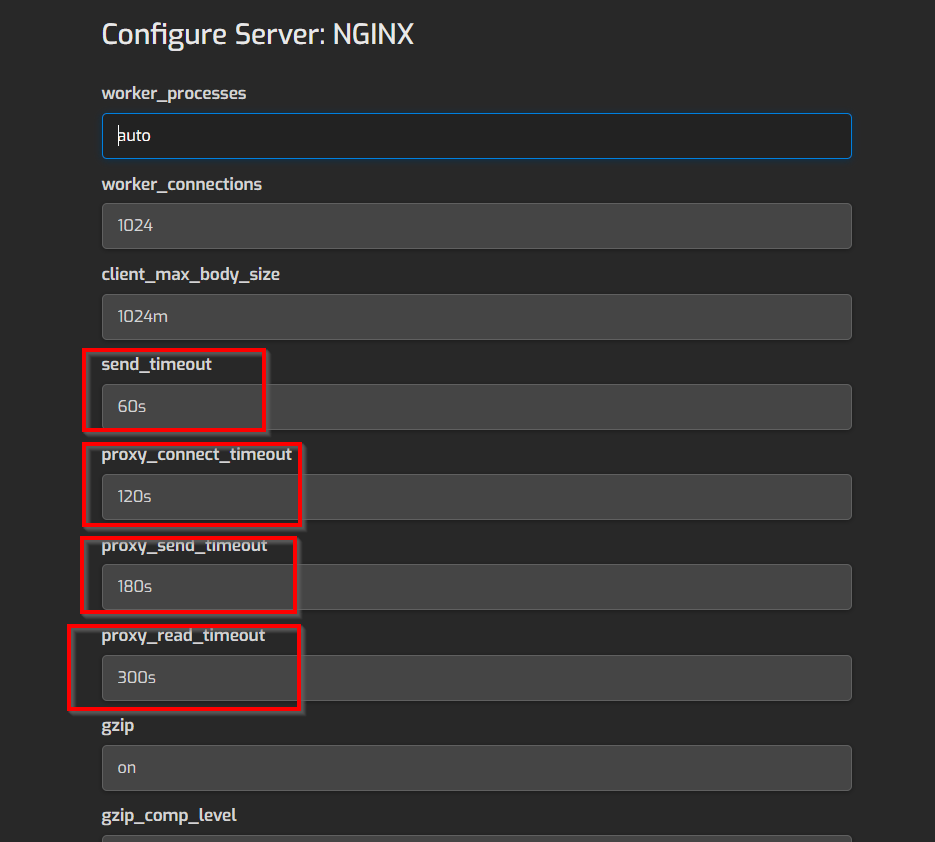
Nginx Setup
If your server uses Nginx as a reverse proxy or web server▼
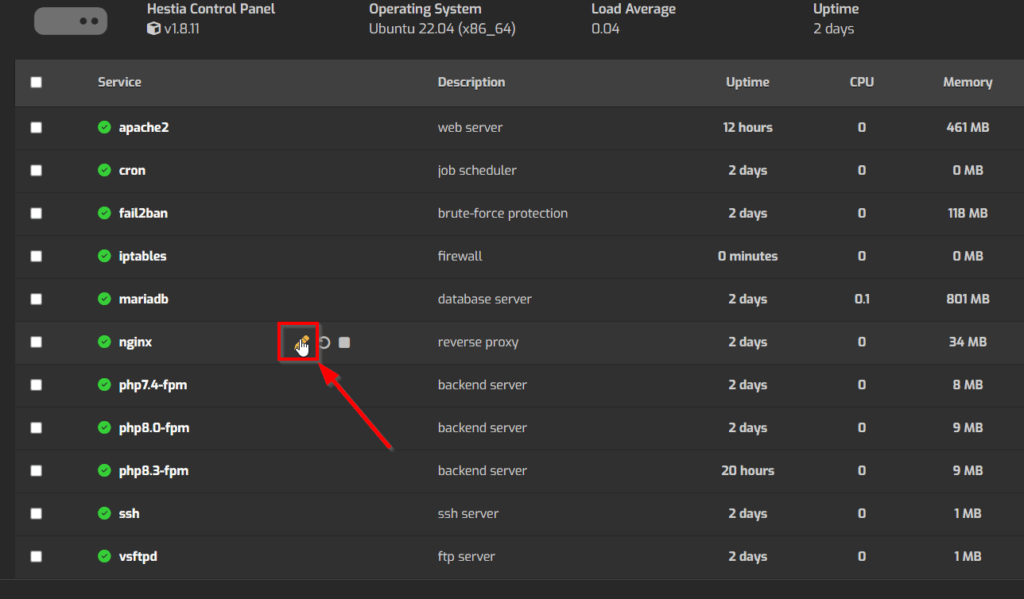
You can also add timeout settings such as proxy_read_timeout and proxy_connect_timeout in the Nginx configuration file .
Each parameter can be adjusted step by step until you find the best configuration for your website▼
Changing hosting providers: a last resort
If all methods fail to resolve the issue, you may need to consider migrating your WordPress instance to another hosting provider.
The current server performance may not be sufficient to support the load of your website, resulting in frequent timeout errors. By switching to a higher performance server, you can completely solve this problem.
Conclusion
Fixing phpMyAdmin gateway timeout issue is not difficult and as long as you follow the steps mentioned above, you can effectively avoid this annoying error.
Remember, timeout issues are often caused by insufficient server performance or improper configuration.
Therefore, by optimizing server settings and improving server performance, the occurrence of timeout errors can be greatly reduced.
When faced with similar problems, don't give up easily. Keep trying different methods until you find the best solution.
Finally, I encourage you to further explore server optimization knowledge in order to better manage and maintain your website.
Summary of article points
- Gateway timeouts are usually caused by the server taking too long to respond.
- Adjusting Apache timeout settings via SSH or HestiaCP can effectively solve the problem.
- If necessary, you can also adjust the relevant timeout parameters of PHP and Nginx.
- If all else fails, consider switching hosting providers.
Solving the gateway timeout problem is not difficult, but it requires patience and skills. Don't let this problem hinder the normal operation of your website, take action now and solve it!
Hopefully, the article "Solving HestiaCP Gateway timed out. The gateway did not receive a timely response from the upstream server or application." shared on Chen Weiliang's blog ( https://www.chenweiliang.com/ ) will be helpful to you.
Feel free to share this article's link: https://www.chenweiliang.com/cwl-31972.html