
Article directory
The ultimate guide to automatically adding image title + Alt attribute completion in WordPress
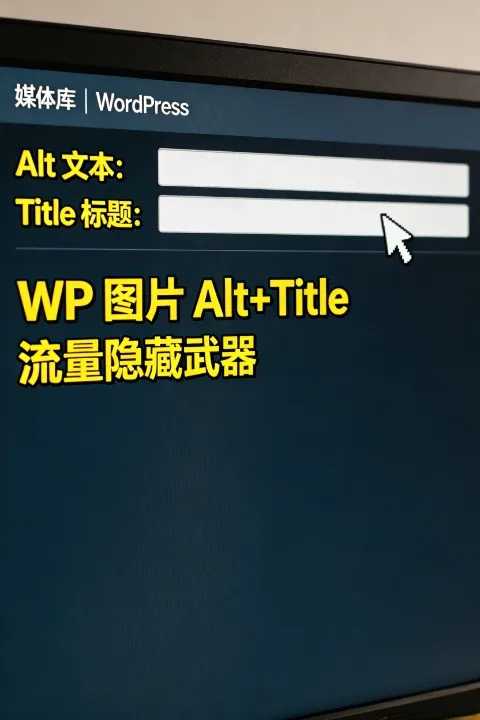
WordPress images missing Alt and Title attributes? This automated code will complete the attributes across your entire site, helping search engines better understand your content. Improve image search rankings, enhance user experience, and make traffic growth a breeze. Master this hidden weapon now and build a high-authority website!
When you first look at your website's images without any captions, does it feel like a "dumb picture"?
This not only affects the user experience, but also directly reduces the search engine's ability to understand your content.
Let's talk about how to automatically complete the title and alt attributes for images on the WordPress front end, doubling the SEO effect.
Why are the Alt and Title tags for images so important?
Search engines cannot "understand" images like humans can.
They rely on the image's alt and title attributes to understand the image content.
According to Google's official documentation:
"The Alt attribute provides textual alternatives for images, helping search engines understand the semantics of images and improving accessibility."
This means that if your image lacks an alt or title, search engines will have almost no way of determining the relevance of the image to the article.
Even more seriously, users may miss crucial information when using screen readers.
Therefore, automatically completing these attributes is not only a plus for SEO, but also a guarantee for user experience.
Frequently Asked Questions: Why do many images lack Alt or Title tags?
Many website owners are used to clicking "Insert Article" directly when uploading images, but they neglect to fill in the alt and title fields.
The result is: the front-end page is full of... <img> The label had no explanation.
This situation is very common on e-commerce websites, blogs, and even news sites.
Moreover, manually completing hundreds of images one by one is almost an impossible task.
At this point, automated scripts become a lifesaver.
The core code for WordPress to autocomplete image attributes
The solution is to add the following code to... WPCode or Fluent Snippets pluginIt through add_filter The hook automatically completes image attributes during front-end rendering:
// 前端文章内容自动补全图片 alt、title 属性
add_filter('the_content', 'auto_complete_image_attr_frontend', 999);
function auto_complete_image_attr_frontend($content) {
    global $post;
    if (empty($post->post_title)) return $content;

    $post_title = esc_attr($post->post_title);
    $site_name = esc_attr(get_bloginfo('name'));
    $default_alt = $post_title . ' - ' . $site_name;

    // 补全空的alt属性
    $content = preg_replace('/<img(.*?)alt=(""|\'\')(.*?)>/i', '<img$1alt="' . $default_alt . '"$3>', $content);
    // 补全缺失的alt属性
    $content = preg_replace('/<img((?!.*alt=).*?)>/i', '<img$1 alt="' . $default_alt . '">', $content);
    // 补全缺失的title属性,与alt保持一致
    $content = preg_replace('/<img((?!.*title=).*?)alt="(.*?)"(.*?)>/i', '<img$1alt="$2" title="$2"$3>', $content);

    return $content;
}
Code Logic Decomposition
1. Retrieve article title and site name
The script first calls $post->post_title 和 get_bloginfo('name')This concatenates the alt and title text to form the default alt and title text.
For example:
The article title is "SEO Optimization Techniques," and the site name is "Technical Notes," so the default alt text is:
SEO Optimization Techniques – Technical Notes
2. Complete empty Alt attributes
Using regular expressions <img> If the alt attribute of the tag is found to be empty, it will be automatically filled with the default value.
This avoids the occurrence of <img alt=""> situation.
3. Complete the missing Alt attribute
If the image tag does not have an alt attribute, the code will insert a line directly.
The result is:
<img src="https://media.chenweiliang.com/2026/03/wordpress-auto-adds-alt-title-images.jpg"> → <img src="https://media.chenweiliang.com/2026/03/wordpress-auto-adds-alt-title-images.jpg" alt="SEO优化技巧 - 技术笔记">
4. Complete the missing Title attribute
The final step is to ensure that the title and alt text of each image are consistent.
This not only improves SEO, but also displays tooltip text when the user hovers their mouse over the screen.
Actual effect demonstration
Assume the original article content is:
<p><img src="https://media.chenweiliang.com/2026/03/wordpress-auto-adds-alt-title-images.jpg"></p>
After script processing, the front-end output becomes:
<p><img src="https://media.chenweiliang.com/2026/03/wordpress-auto-adds-alt-title-images.jpg" alt="SEO优化技巧 - 技术笔记" title="SEO优化技巧 - 技术笔记"></p>
Doesn't it instantly become more sophisticated?
Dual improvement of SEO and user experience
Search engines understand your content better.
With image attributes completed, search engines like Google and Bing can index images more accurately.Improve image search ranking
The Alt attribute is an important factor in image search ranking.A more accessible experience
Screen readers can read aloud the alt attribute, allowing visually impaired users to understand the content of images.Overall site authority improvement
If the article and images are semantically consistent, search engines will consider your content more complete.
According to the Moz SEO Guidelines:
“A well-placed alt attribute can not only increase image search traffic, but also enhance the overall relevance of the page.”
Advanced optimization suggestions
1. Dynamically generate more accurate Alt tags
If your website is an e-commerce site, you can include the product name and model number in the alt attribute.
For example:
Nike AiZoom Pegasus 40 Running Shoes – Official Store
2. Avoid keyword stuffing
Do not stuff the alt attribute with repeated keywords.
Search engines have clearly stated that keyword stuffing will have negative effects.
3. Keep it simple and natural.
The Alt property should be as concise as explaining a picture to a friend.
For example:
"Front view of blue sneakers"
ratio
"Blue athletic shoes, men's and women's shoes, affordable and practical"
More effective.
Conclusion: Let the pictures speak for themselves
The image itself is silent, but the alt and title are its language.
When you provide complete descriptions for each image, search engines can truly understand your content, and users can have a more complete experience.
This is not only a matter of technological optimization, but also a responsibility of content creators.
As Nietzsche said, "Anything that has meaning deserves to be given language."
Make your images more engaging and powerful complements to your writing.
Take action and add this code to your WordPress site to make every image speak.
This is the true power of SEO—perfectly blending content and form to ultimately win the favor of both search engines and users.
Hopefully, the article "WordPress Code for Automatically Adding Alt+Title Image Attributes: A Hidden Weapon for Boosting Traffic," shared on Chen Weiliang's blog ( https://www.chenweiliang.com/ ), will be helpful to you.
Feel free to share this article's link: https://www.chenweiliang.com/cwl-33891.html