
Article directory
The Quark you use every day might be displaying your phone number on its desk without your knowledge.
When I first discovered this, I broke out in a cold sweat.
The new version of Quark has divided privacy display into two completely different scenarios. These two scenarios must be handled separately; mixing them together will only make things more chaotic.
The first scenario occurs when you are already logged into your account; your complete mobile phone number will be displayed directly at the top of your personal center.
The second scenario is more insidious. When you turn on mobile data and open Quark, a phone number with an asterisk will pop up in a pop-up window or on the homepage. That's the pre-fetched number from the carrier's one-click login.
Where exactly does Quark display your phone number?
Let's settle the accounts first so we can know where to start.
Scenario A occurs when you are already logged into your account. Click on the "My" page in the bottom right corner, and your full mobile phone number will be displayed directly below your profile picture at the top.
Scenario B is when you turn on mobile data but haven't logged in yet, Quark obtains a de-identified asterisk number in advance through the operator's interface.
These two problems have different root causes and completely different solutions. I will break them down for you one by one.
Scenario A: After logging in, the "My" page displays your phone number; hide it using your nickname.
Click "My" in the bottom right corner, then click your profile picture at the top to enter your personal profile page.
Change your nickname in your profile to a custom username.
After the changes are made, the nickname will be displayed first on the "My" page on the homepage, and the glaring phone number will disappear from the homepage.
However, there is an unavoidable limitation you need to know.
You can still see the linked mobile phone number when you go to the "Account and Security" page.
This is a page used by the platform to protect account security. The official platform cannot and will not close the entry point for displaying this local number.
The good news is that this number can only be seen when you log in from your own computer; outsiders visiting your Quark homepage will not be able to see your phone number.
Option 1: The simplest, just use WiFi to open Quark.
As long as you turn off mobile data and only use Wi-Fi to access the internet, the carrier's number pre-acquisition will not be triggered at all.
When Quark is opened in a WiFi environment, it will not preload any phone numbers, and the trouble will naturally disappear.
This method costs nothing and is suitable for people who don't want to go through the hassle.
Option 3: When the pop-up appears, avoid the pitfall of one-click login.
When the pop-up window for one-click login with the phone number marked with an asterisk appears, simply close it or click "Login via other methods".
As long as you don't click "agree," Quark will only receive a preview with an asterisk-decoded image and will never submit the full number to its own servers.
Add another layer of privacy protection to Quark
Simply hiding the phone number isn't enough; we need to make sure the supporting infrastructure is also solid.
Go to "My" > "Settings" > "Privacy Settings" and turn off Personalized Recommendations and User Experience Programs.
Click on "Personal Information Collection Management" to see exactly what information Quark has collected about you, so you can be aware of the details.
Ultimate safety net: I absolutely do not want to see any phone numbers.
If you're looking for the ultimate experience, then log out of your Quark account and use it as a guest without logging in.
This way, the "My" page won't show your linked phone number, and opening it with mobile data won't trigger account display, keeping it clean and uncluttered.
The only downside is that features like cloud storage, cloud bookmarks, membership, and cloud sync are all unavailable.
Two frequently asked supplementary explanations
The new version of Quark doesn't have contact permissions at all; it won't read your contacts, so you don't need to foolishly search the world for the contact switch.
When others visit your Quark homepage, they will not see your phone number; the number will simply remain quietly in your local account.
If you feel truly offended, here are some complaint channels: you can directly raise your concerns in the Help and Feedback section of the Quark app; for carrier privacy issues, call 12300; for app privacy reports, call 12321.
This is a pitfall you must avoid when registering an account.
Speaking of phone numbers, I have to give you a heads-up.
When registering mobile apps, computer software , or website accounts using your mobile phone number , never use publicly shared online SMS verification code receiving platforms to avoid having your account stolen.
Those publicly shared online verification code platforms essentially send the same number to hundreds or thousands of strangers, and your verification code could be intercepted by someone at any time.
The China Internet Joint Rumor Refutation Platform (piyao.org.cn) has long reported that the phone numbers circulating in so-called "scanning phone number groups" are often used by black market operators for bulk registration, account theft, and account laundering. Ordinary users who enter these groups are like lambs to the slaughter.
People's Daily has repeatedly emphasized that SMS verification codes are the last line of defense for account security, and putting them in a public pool is like leaving your house key on the doorknob.
In criminal cases reported by Guangming.com, some people used SMS verification code platforms for convenience, only to have their social media accounts used for fraud, leaving them filled with regret.
A better approach: Use a private one.virtual phone numberCode protects privacy
Instead of handing over our Achilles' heel, we should try a different approach.
It's best to use a private virtual phone number, as it can effectively protect your privacy and prevent you from being bombarded with harassing calls and spam text messages.
Imagine your Quark account as a precious treasure chest, filled with your life's moments and cherished memories. 📸🎁
And a virtual mobile phone number is like a key. Only you know its secret. Does anyone else want to open it? There are no doors! 🔑🚪
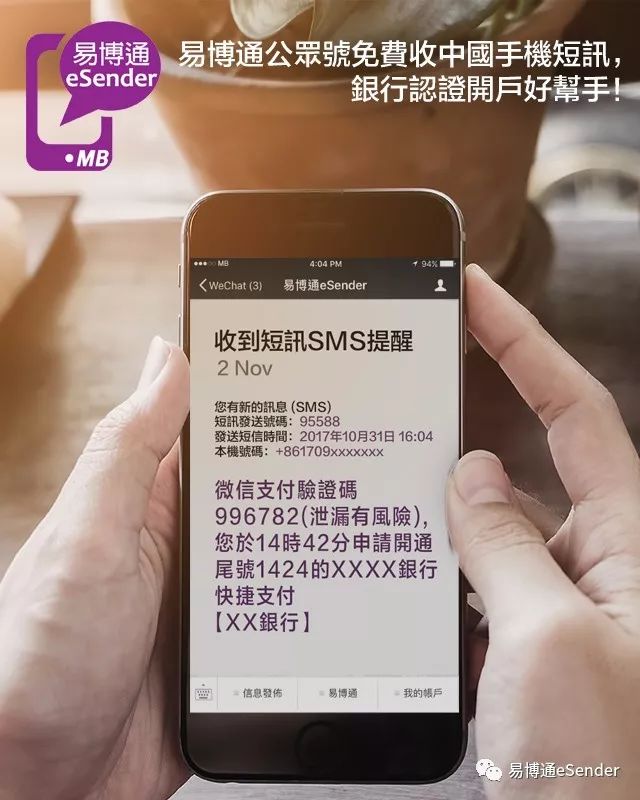
Moreover, using a private, virtual Chinese mobile phone number to receive Quark SMS verification codes is like putting an invisibility cloak on your account.
It protects your privacy, enhances the security of your Quark account, and effectively controls spam, allowing you to roam freely and unrestrained in the world of Quark. 🧙️✈
Click the link below now to get your private Chinese virtual mobile phone number through a trusted channel▼
Regarding virtual numbers, here's one life-saving tip.
Many people think that once you tie it on, everything will be fine, but there's actually a point where things can easily go wrong.
After a Chinese virtual mobile phone number is bound to Quark, when you change to a new phone to log in to your Quark account, you must use the bound Chinese virtual mobile phone number to log in, otherwise you will not be able to retrieve and log in to your Quark account.
Therefore, we recommend that you renew your private Chinese virtual mobile number regularly to improve the security of your Quark account.
If your phone number isn't renewed, it will be cancelled. You can only blame yourself for not renewing it on time.
You can use calendar software to set up automatic recurring reminders 3 days before the expiration date to prevent your number from being cancelled; it's very effective.
Once a phone number is cancelled, you can only register a new account; there's no way to recover it.
Instead of fantasizing about a reversal, it's better to accept reality and move forward.
Click the link below now to get your private Chinese virtual mobile phone number through a trusted channel▼
In conclusion: Take control of your privacy.
Now that I've come this far, I have to say something from my heart.
In this era where everyone is being watched by algorithms, a mobile phone number is no longer just a string of numbers; it is your "ID card" on the internet.
What you can do is prevent your ID card from being carelessly exposed to the sun.
I'm reminded of a saying: Privacy isn't something you hide after you've done something wrong; it's your most basic dignity as a human being.
The issue of Quark displaying phone numbers may seem trivial, but it hides an undercurrent of power struggle between the platform, operators, and users.
True masters never wait until problems arise to fix them; they build dams for themselves before the storm hits.
Taking control of privacy is essentially about controlling the boundaries and security of your digital life, and this is something we should all take seriously.
So, starting today, take ten minutes to set up Quark by following the steps above, and while you're at it, give your account a "virtual key".
Your privacy is worth taking this extra step for.
Hopefully, the article "How to Hide Your Phone Number When Directly Displayed by Quark? New Practical Tutorial" shared on Chen Weiliang's blog ( https://www.chenweiliang.com/ ) will be helpful to you.
Feel free to share this article's link: https://www.chenweiliang.com/cwl-34593.html