
Article directory
What should I do if I can't complete WeChat Pay real-name authentication without a bank card ?
Overseas micro-business owners who want to do WeChat marketing must complete WeChat real-name authentication, which can be done using their name and ID card number.
How to verify WeChat real name abroad?
- Open WeChat.
- Click [Me] -> [Wallet] -> [Icon] in the upper right corner -> [Payment Management] -> [Real Name Authentication].
- Enter your name and identity information to complete real-name authentication.
How does Malaysia WeChat Wallet verify the ID number with real name?
Step 1: Change to RM wallet
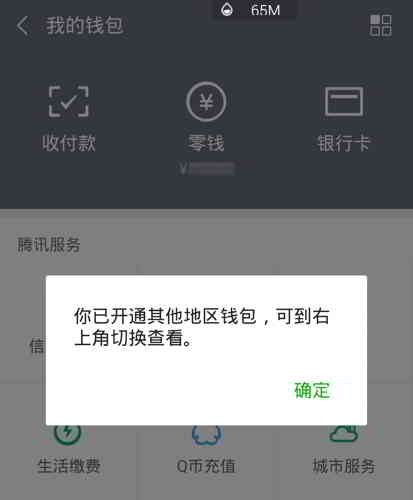
Malaysian e-commerce users must switch their WeChat Wallet to a Malaysian wallet before they can complete real-name authentication for WeChat Pay in Malaysia.
- Click to enter "Wallet/Wallet".
- Click the "four squares" icon in the upper right corner.
- singlehit"Switch wallet region/Switch Wallet Region".
- Click to select "Malaysia"▼
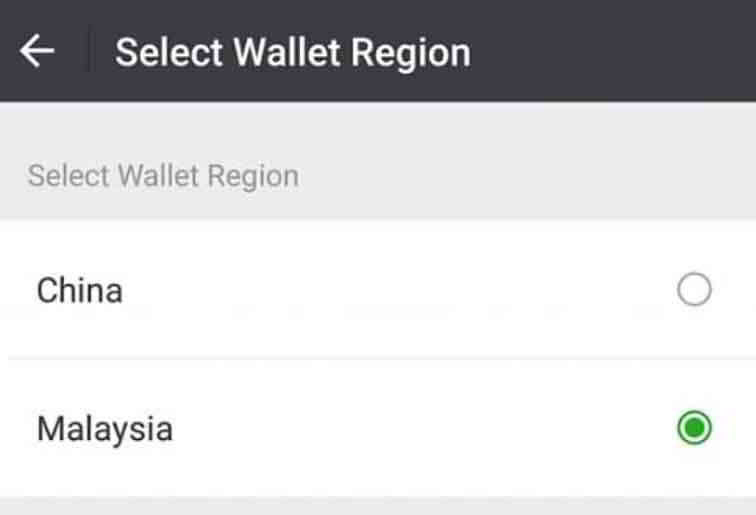
Step 2: Open Payment Management
- After successfully switching wallets, click the upper right corner and select [Payment Management] or [Payment Management].
Step 3: Click Authentication
After opening the payment management, you can see that your identity is displayed as [Unauthenticated] or [Unverified].
- Click it, enter your password and continue.
- You will be taken to the authentication page.
- Click [I Understand] or [I Understand] to start the Malaysia WeChat wallet identity verification ▼
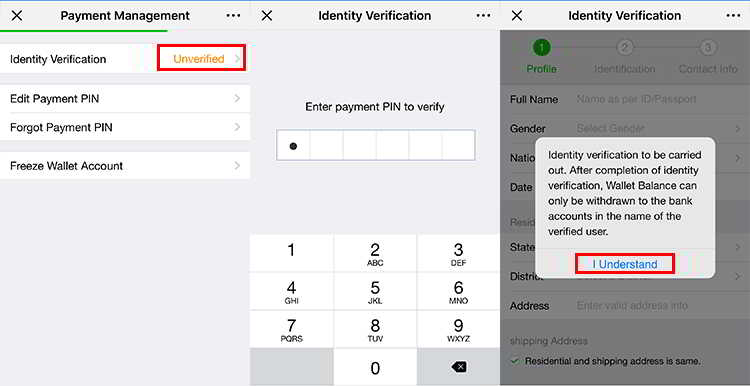
Step 4: Enter identity information for authentication
- The first is to fill in your personal information.
- In the following 【Use of Funds】, you can choose the purpose of using WeChat payment, or you can choose all.
- Fill in the information, then click [Next] to continue ▼
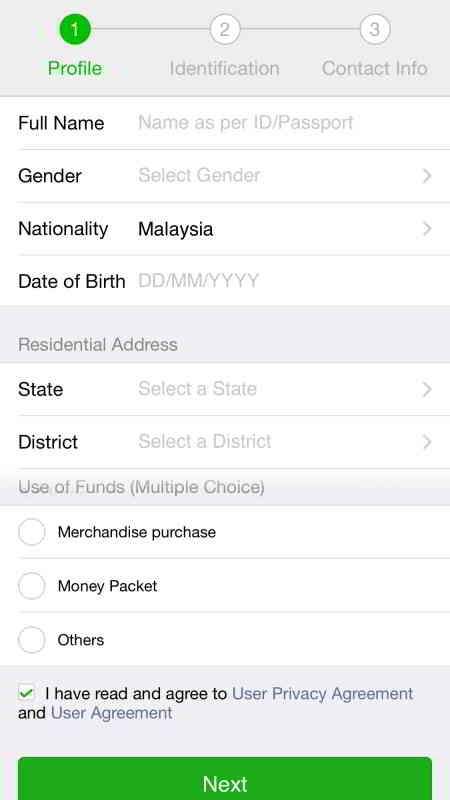
Step 5: Upload your ID card
- Then upload your ID.
- You only need to upload your Malaysian IC ID card, then you can enter your IC number ▼
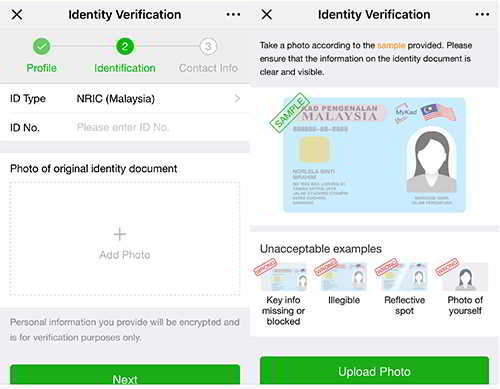
Step 6: Mobile Number Verification
- In the last step, you need to entercellphone numberverification.
- WeChat will send youVerification code, fill in the verification code, and then【Next】to complete ▼
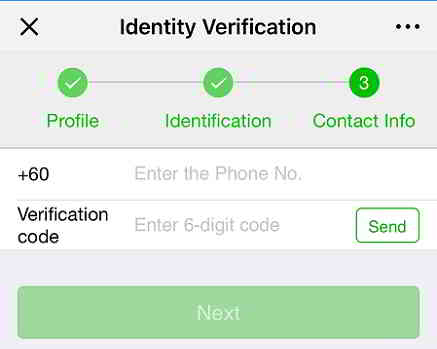
WeChat adds real-name authentication method of bound bank card, please check the following WeChat payment real-name authentication teaching ▼
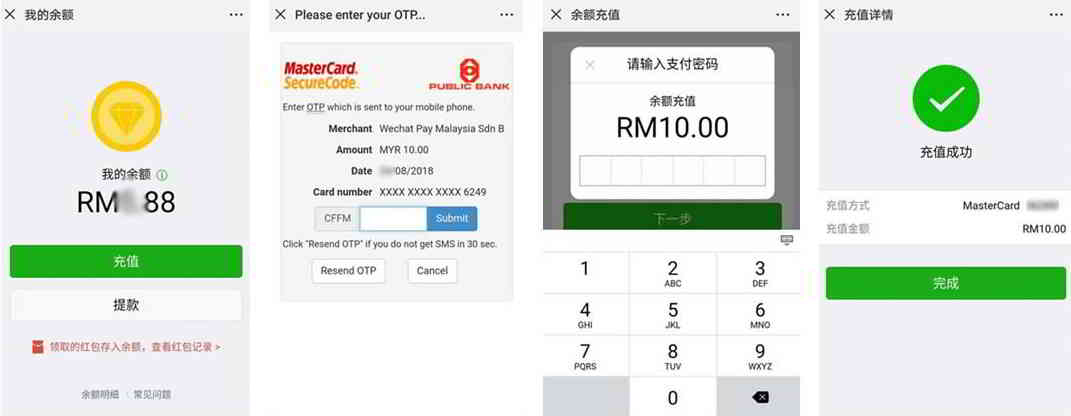
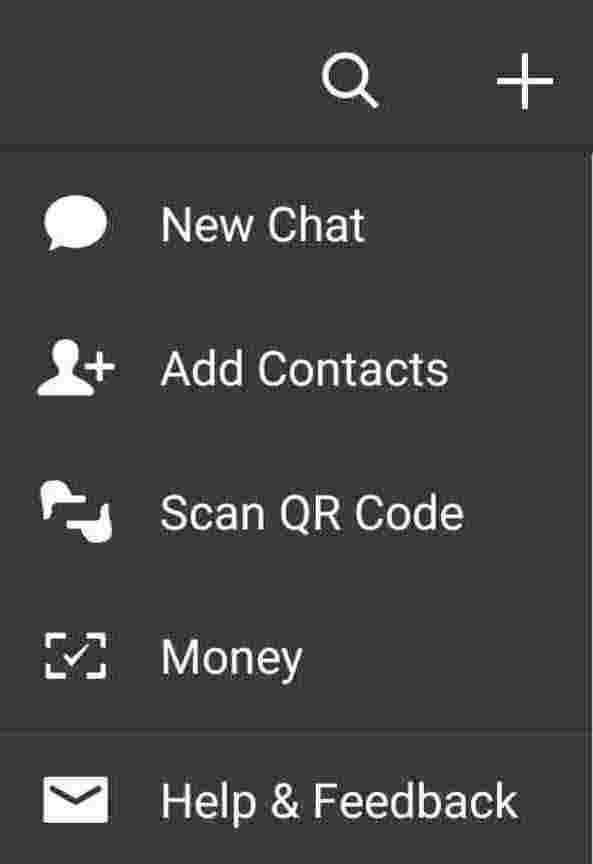
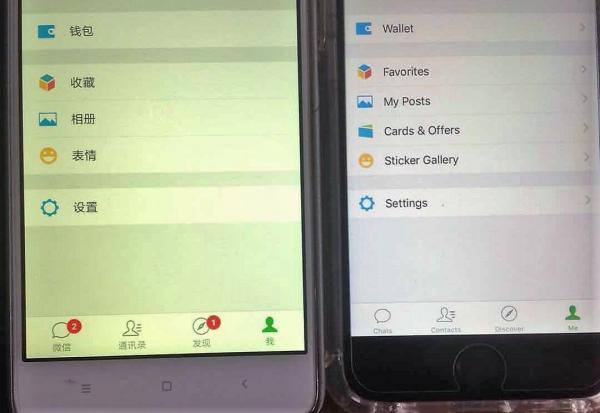
If you follow the above method, but the micro-switch wallet area is not displayed...
Because this is a WeChat problem, you need to give feedback to Tencent customer service and urge Tencent customer service to open a MYR WeChat wallet for you▼
Hopefully, the article "No Bank Card for WeChat Real-Name Authentication? Malaysian ID Number Verification" shared on Chen Weiliang's blog ( https://www.chenweiliang.com/ ) will be helpful to you.
Feel free to share this article's link: https://www.chenweiliang.com/cwl-1897.html