
Article directory
WhatsApp Link works with the WhatsApp app on your phone and the WhatsApp app on your PC.
When a user clicks the WhatsApp link on an e-commerce website, their mobile phone will respond and open the WhatsApp application on their phone, while their PC will respond and open a chat with the WhatsApp software program on their computer.
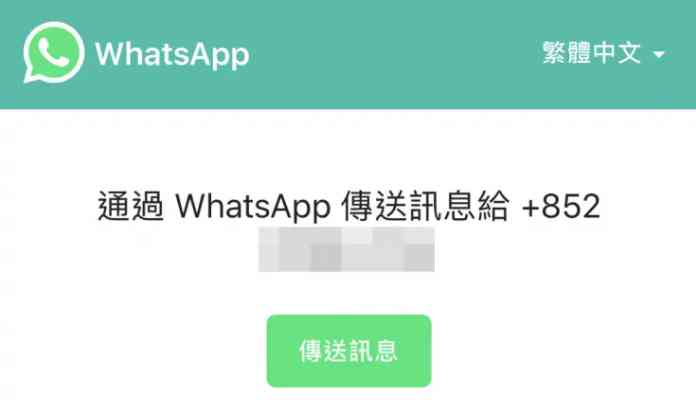
How to use WhatsApp's "Tap to Talk" feature?
WhatsApp’s “Tap to Chat” feature allows users to chat directly with someone without having to save the other person’s phone number to their phone’s contacts.
- as long as you knowcellphone number, and they have an active WhatsApp account, you can create a link to chat with them.
- Clicking the link will directly open the dialog window with the other party.
- Both the WhatsApp mobile app and the web version support the tap-to-talk feature.
If a user's phone or computer does not have WhatsApp installed, they will not be able to open a WhatsApp conversation via a link and will be prompted to download and install WhatsApp.
How to create your own WhatsApp short link?
in Use https://wa.me/<number>.<number>The full mobile number in international format should be used.When adding a mobile number in international format, omit the 0, square brackets or dashes.
For example:
- correct:
https://wa.me/1XXXXXXXXXX - wrong:
https://wa.me/+001-(XXX)XXXXXXX
in Use https://wa.me/<number> WhatsApp short link format, will jump to the link in the example below.
Example of correct format :
- OneChinese mobile number(the country code is +86 or 0086) is: 010-12345678, then the link should be:
https://api.whatsapp.com/send?phone=+861012345678 - A German mobile number (country code is 0049) is: 0151-87654321, the link should be:
https://api.whatsapp.com/send?phone=+4915187654321 - in Use
phone=Must be followed by full mobile number with country code; - Do not use zeros in front of mobile numbers, no spaces, dashes, parentheses, etc.;
Bad format example:
- wrong format:
https://api.whatsapp.com/send?phone=+86(0)1012345678 - wrong format:
https://api.whatsapp.com/send?phone=+86-010-1234-5678 - wrong format:
https://api.whatsapp.com/send?phone=008601012345678
How to create your own WhatsApp link with pre-filled text message content?
A pre-filled message will automatically appear in the dialog's text box.Please use this link: https://wa.me/whatsappphonenumber/?text=urlencodedtext
- one of them
whatsappphonenumberPlease enter the full mobile phone number in international format; - And
urlencodedtextis the pre-populated URL-encoded content.
For example:https://wa.me/1XXXXXXXXXX?text=I'm%20interested%20in%20your%20car%20for%20sale
If you want to create a link with only pre-filled text content, please use this link: https://wa.me/?text=urlencodedtext
For example:https://wa.me/?text=I'm%20inquiring%20about%20the%20apartment%20listing`
- After clicking the link, you can choose the recipient of the message from the displayed contact list.
How to make WhatsApp short link for business?
If you use the WhatsApp Business app, you can share a short link with your customers so they can have a conversation with you.
If a customer opens the short link on a device with WhatsApp, the system will open a conversation between you and the customer.
If a customer opens the shortened link in a web browser, they will be redirected to a webpage containing your business information and your default message (if you have specified one). On this webpage, they can click to continue the conversation , opening a chat with you in the web or desktop version of WhatsApp.
Please note : If you choose to share your profile picture with everyone in your privacy settings , your profile picture will also be displayed on the webpage.
Create a WhatsApp business short link
When you create an account in the WhatsApp Business app, a short link is automatically generated for your business establishment.To access the short link:
- Go to WhatsApp Business > Setting > business tool.
- Click Short link.A short link will appear below your business name.
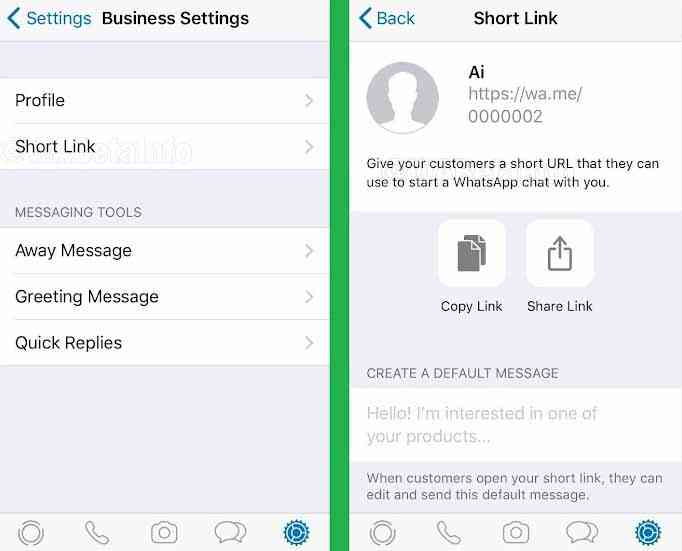
When you visit your short link, you can:
- If you want to copy the short link and paste it elsewhere on your website or other Facebook home page, please click copy Link.
- If you want to send this link directly to your customers, please click share link.Anyone with access to this link can send you a message.
- Create Default Messages – You can also set custom messages that will be sent to you when customers open the short link.caution: Your client can edit this default message.
Can a Chinese mobile number not be registered with WhatsApp?
Of course, a Chinese mobile phone number can register a WhatsApp account.
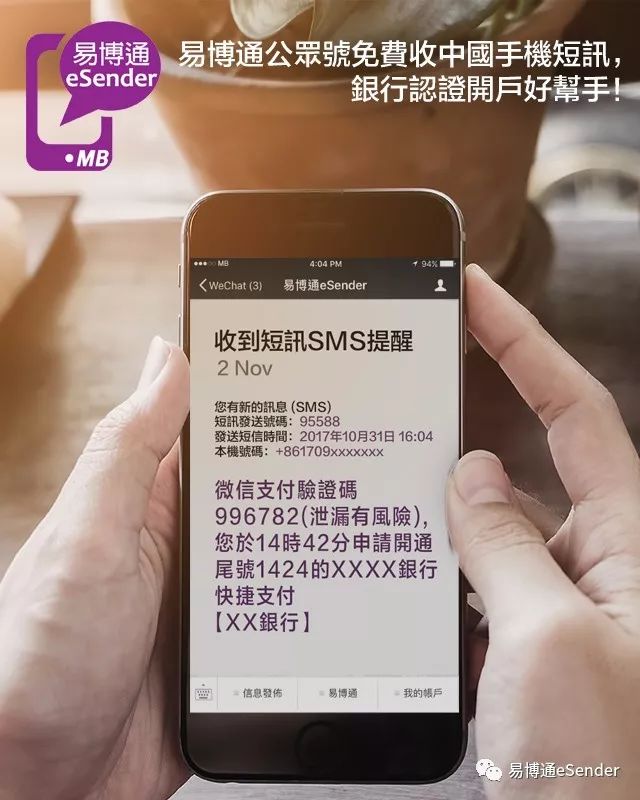
Registering a WhatsApp account requires verifying a Chinese mobile phone number , but using a virtual Chinese mobile phone number can effectively protect your privacy and prevent harassment.
Hopefully, the article "How to Create Short WhatsApp Links? Converting WA Numbers to Generate Chat Conversation Links" shared on Chen Weiliang's blog ( https://www.chenweiliang.com/ ) will be helpful to you.
Feel free to share this article's link: https://www.chenweiliang.com/cwl-1907.html