
Article directory
🖥️Which email addresses are compatible for registering a ChatGPT account? 📧We professionally test the feasibility of registering a ChatGPT account with various email addresses to discover which email addresses can successfully register and activate a ChatGPT account!
💌This article provides a detailed guide on how to register a ChatGPT account using a foreign email address, allowing you to quickly open a ChatGPT account and enjoy AI chat! 📧Get this registration guide now!
Even if you have never set foot in ChatGPT before, you can easily complete all the steps described below.Of course, the premise is that you have the skills to access Google.Now, let's get started!
Register the environment settings of ChatGPT
- First, it is very important to set your IP address to the UK or other Western country.
- When launching your browser, make sure private browsing mode is enabled.If you don't know how to enable it, please search it yourself.
- This suggestion also applies to the use process after registration. Please always stay in private browsing mode.
What email address can be used to register ChatGPT?
Currently, ChatGPT does not support registration using domestic email addresses.
Therefore, you need to use a foreign email address, such as Gmail , Outlook, or ProtonMail, etc.
While Gmail is currently relatively stable, it still requires SMS verification. Outlook has a lower registration success rate.
Therefore, in this tutorial, we will use the relatively more convenient ProtonMail.
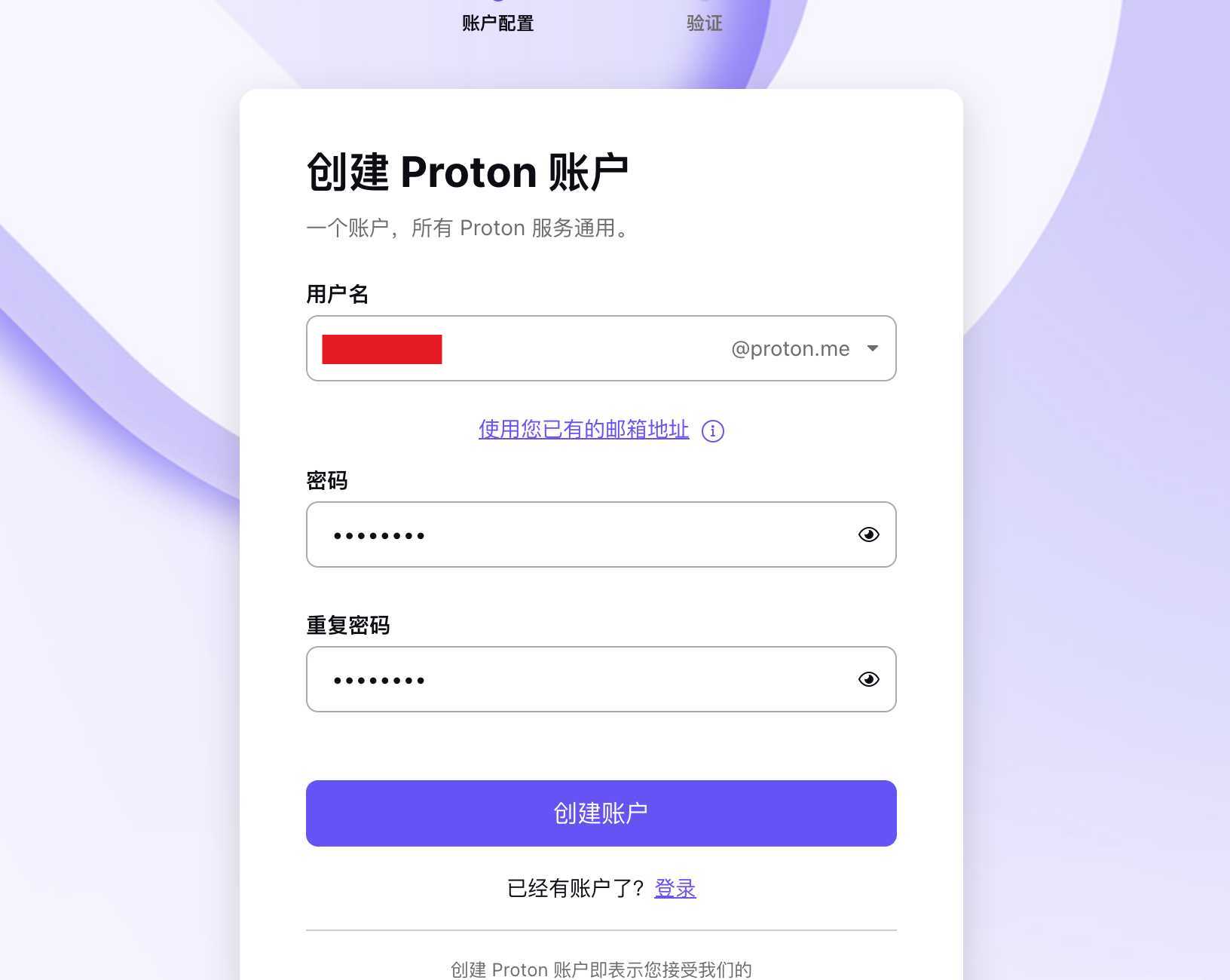
Step 1: Please visit the following link to register an email account▼
Step 2:On the ProtonMail registration page, selectFree"Options▼
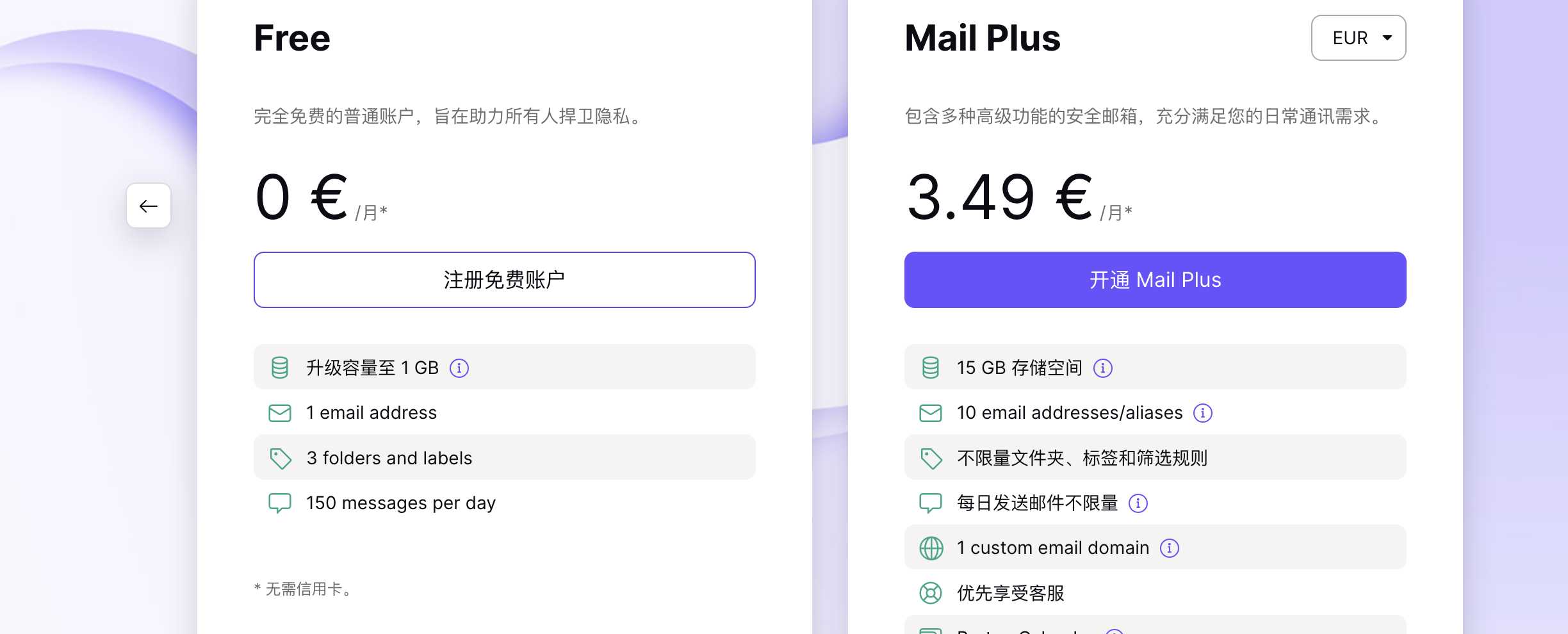
- You can choose to temporarily skip setting up a confidential mobile phone and confidential email.
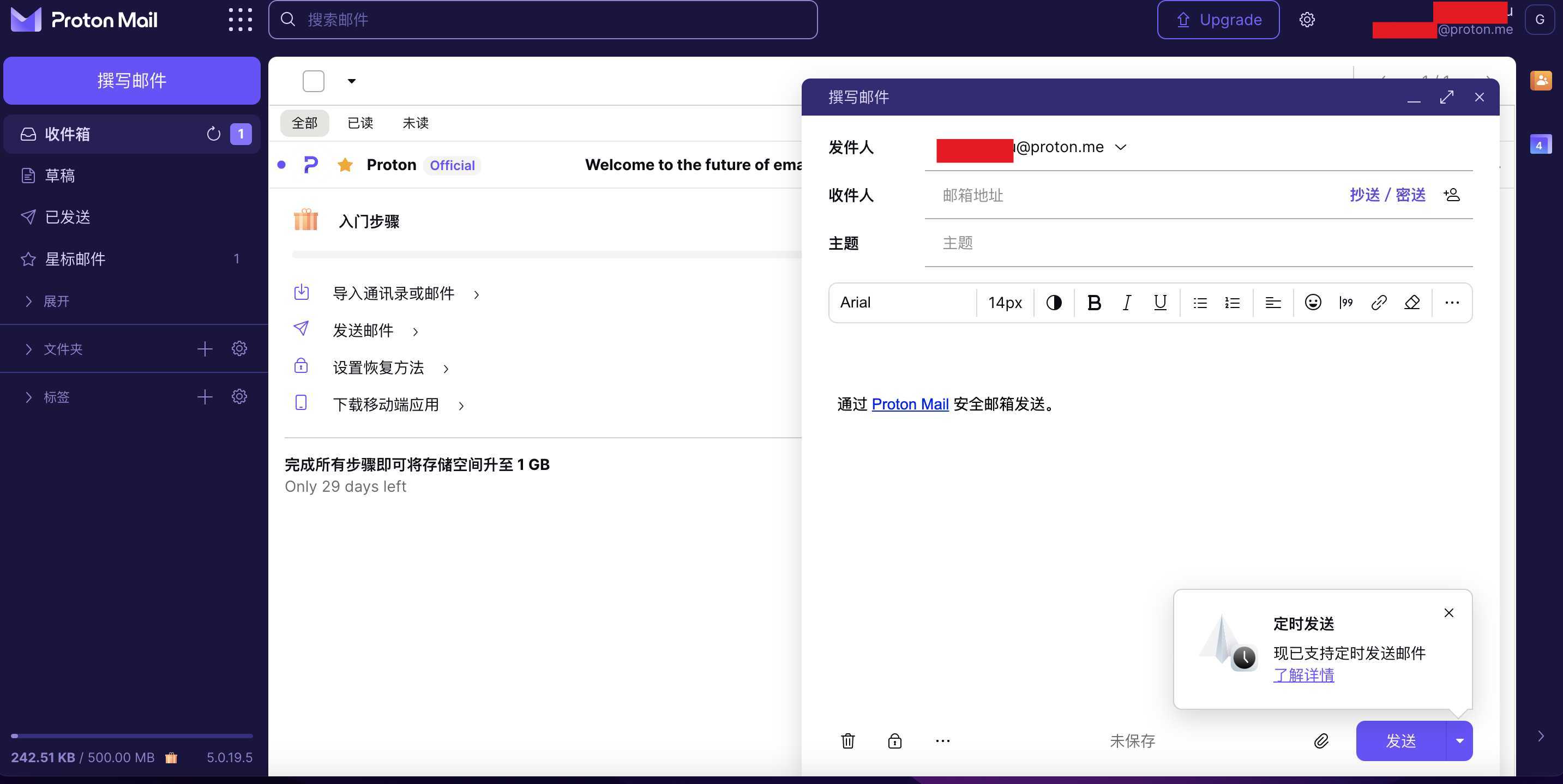
Step 3: Finally, you will see the following screen, indicating that your email address has been successfully registered with ProtonMail ▼
Choose one of the two options to register a ChatGPT account
Now, you have 2 options:
Option 1 (inefficient): If you apply for a foreign phone number to register an OpenAI account, ChatGPT may display an error message saying " You've made too many phone verification requests , " preventing you from successfully registering an OpenAI account...
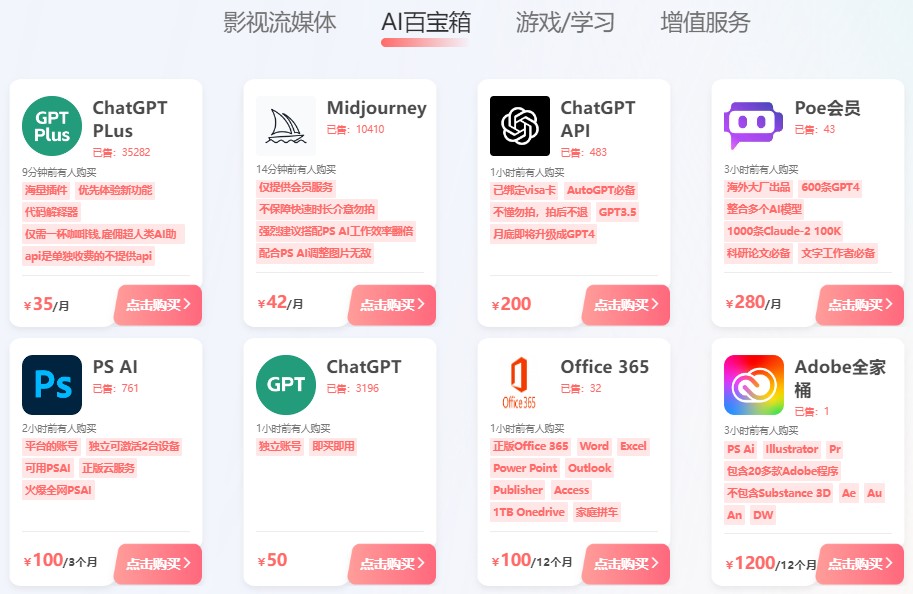
Option 2 (More efficient): Chen Weiliang still recommends that everyone go to the Galaxy Video Bureau AI tool sharing platform and directly purchase a ChatGPT independent account for only 50 RMB ▼
For specific methods, please browse the following article link to learn ▼
Please click the link below to register a Planet account ▼
Click the link below for a detailed guide to registering your account on Planet▼

If you don't want to directly purchase a ChatGPT account and are willing to spend more money, time, and effort to register a ChatGPT account yourself, then please continue following the tutorial.
ChatGPT account registration guide
Again, make sure your browser is still in incognito mode and your Magic Network IP address location is set to the UK.
Step 4: Click the link below to open the ChatGPT registration page and register using the email account you just registered.
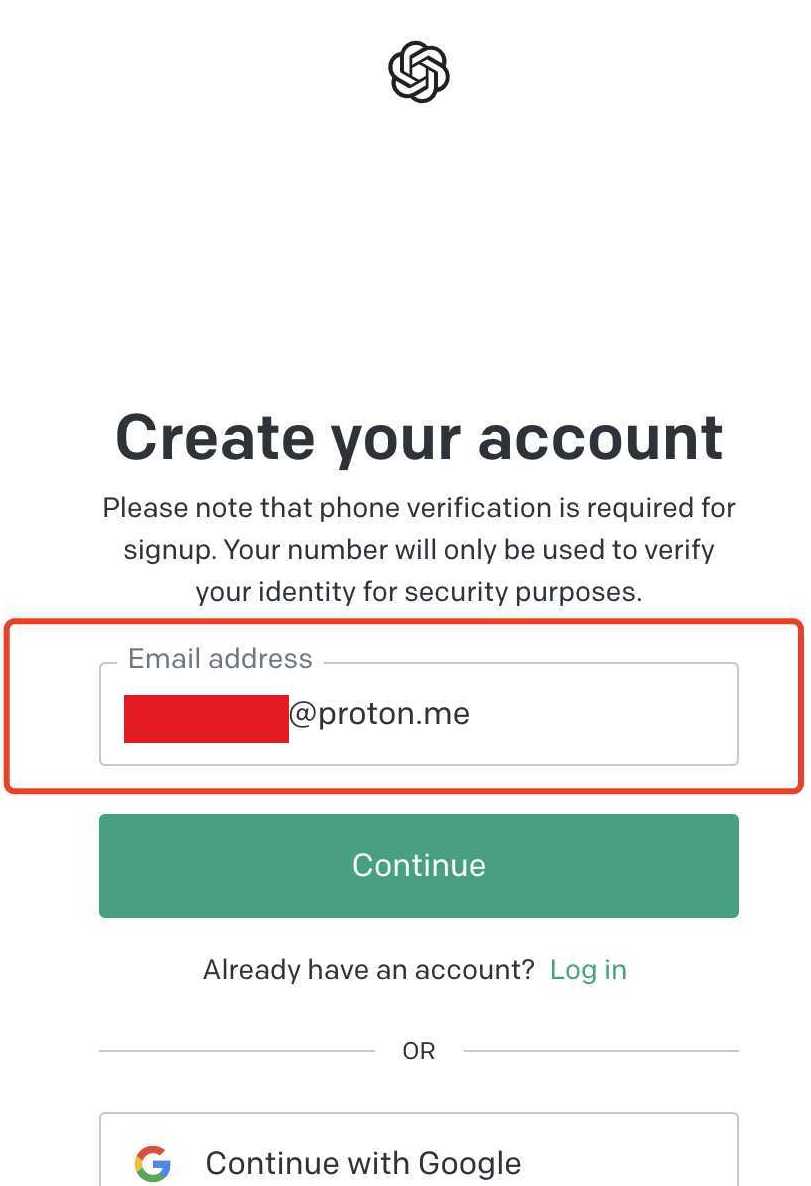
- Set a password and continue.
Step 5: Next, you need to send an email to verify your OpenAI account. ▼
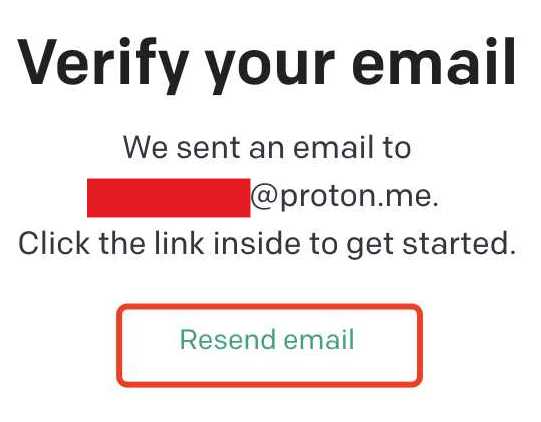
- Find the verification email in the email you just registered, and click "
Verify Email Address".
If you register a ChatGPT account within mainland China, you'll encounter the first hurdle: your country cannot use OpenAI. ▼
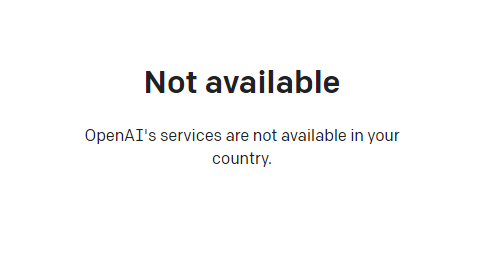
- Prompt: Not available OpenAI's services are not available in your country.
The solution to the unsupported method of the OpenAI registration area:
- A global proxy must be used, a proxy for a US server has been tested available.
- 加入Chen Weiliangblog'sTelegramChannel, there is such a channel in the sticky listsoftwaretool ▼
Step 6: Enter first name, last name, and organization (optional) ▼
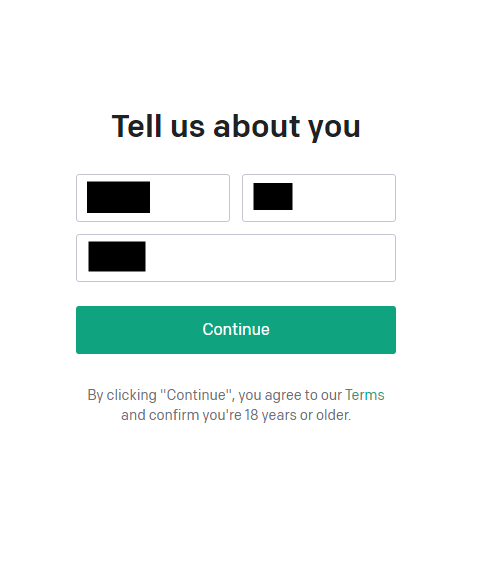
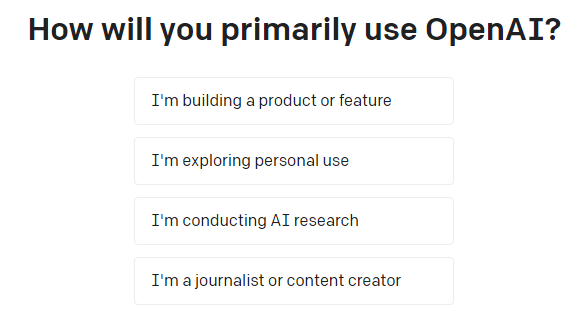
Step 7: Next, you will be asked to select the purpose of ChatGPT ▼
- Choose private use (
I’m exploring personal use). - For other uses, you need to contact the official via email for review before it can be opened.
- Even if you have registered through Google or Microsoft, you must havecellphone numberTo create a ChatGPT account at OpenAI.
- That's because verifying mobile numbers is a measure the OpenAI team takes to keep accounts secure, preventing spam and bots from creating accounts.
- If you cannot verify your mobile number, pleaseContact OpenAI SupportSeek help.
Hopefully, the article "What email address can I use to register for ChatGPT? Which foreign email address is required for verification?" shared on Chen Weiliang's blog ( https://www.chenweiliang.com/ ) will be helpful to you.
Feel free to share this article's link: https://www.chenweiliang.com/cwl-30906.html