
Article directory
bumped into"Either the engine you requested does not exist or there was another issue processing your request"Situation? Don't worry, we are here to help you solve this annoying little trouble!
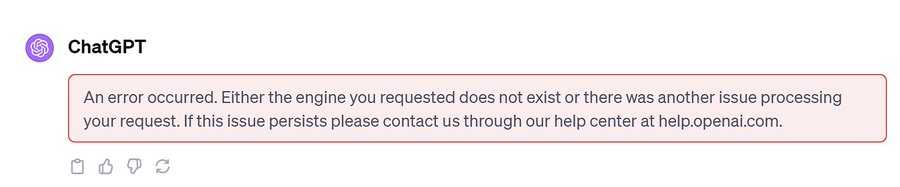
ChatGPT
An error occurred. Either the engine you requested does not exist or there was another issue processing
your request. If this issue persists please contact us through our help center at help.openai.com.
This common situation is somewhat like ChatGPT Other familiar errors like "Our systems are a bit busy at the moment"or"We have detected suspicious login behavior” and other prompts. But don’t worry, solving this problem is actually quite simple.
Here, we'll provide you with a series of tips to ensure your interaction with AI isn't disrupted by this situation, making everything run smoothly.
"Either the engine you requested does not exist or there was another issue processing your request"What does error mean?"
It is actually telling you that there may be something wrong with the AI model you chose (that is, the engine), or there may be some common mistakes in the API calls.
Usually this error is caused by API service interruption.Well, maintenance, updates, or unexpected interruptions may cause interruptions in the AI service, affecting both Playground and ChatGPT, because they both rely on the same API to handle requests.
Well, this error may also be related to engine availability.Sometimes OpenAI updates or deactivates certain models, and during that time access may be restricted or removed.
How to deal with it"Either the engine you requested does not exist or there was another issue processing your request"mistake?
To fix this situation, first check whether ChatGPT is turned off, because API service interruption is often the source of this error.
If it is confirmed that the server is shut down, then wait patiently.Downtime may vary, but the service provider usually resolves it right away.Remember to keep an eye on OpenAI’s status page for the latest progress.
At the same time, you can also try alternatives such as Google Bard, Bing AI, and Elon Musk's Grok AI to temporarily replace the use of ChatGPT until the service is restored.
If you register OpenAI in mainland China, a prompt will appear:OpenAI's services are not available in your country."▼

Since advanced features require users to upgrade to ChatGPT Plus to use them, it is difficult to activate ChatGPT Plus in countries that do not support OpenAI, and you need to deal with cumbersome issues such as foreign virtual credit cards...
Here we would like to introduce you to an extremely affordable website that provides ChatGPT Plus shared room accounts.
Please click the link below to register a Planet account ▼
Click the link below for a detailed guide to registering your account on Planet▼

Tips:
- IP addresses in Russia, China, Hong Kong, and Macau cannot register for an OpenAI account. It is recommended to register with another IP address.
Hopefully, the article "How to resolve the error 'Either the engine you requested does not exist or there was another issue processing your request'" shared on Chen Weiliang's blog ( https://www.chenweiliang.com/ ) will be helpful to you.
Feel free to share this article's link: https://www.chenweiliang.com/cwl-31178.html