
Article directory
Have you ever encountered such a situation:ChatGPTSuddenly, a prompt pops up: "A network error occurred. Please check your connection and try again. If this issue persists please contact us through our help center at help.openai.com."?
It's a bit of a letdown, isn't it? It's maddening, isn't it?
You are not alone! Many users, especially those who enjoy long-form role-playing games, have come across this annoying problem.
Especially when you are immersed in a role-playing story, the sudden interruption will disrupt your emotions. Now let's talk about how to solve this problem.
Why does ChatGPT prompt "Network Error"?

You may have tried everything: checking your network connection, switching browsers, and even restarting your device, but the error message still stubbornly appears.
What is going on here?
In fact, this is probably because your chat history is too long! Although ChatGPT is powerful, it also has a certain carrying capacity. When the chat history is too long, it may cause the system to overload, resulting in a "network error".
How to fix ChatGPT network error?
How do I resolve the ChatGPT message: "A network error has occurred. Please check your connection and try again. If the problem persists, please contact us through our help center (help.openai.com)."?
The good news is that this problem is not unsolvable!
Here are some proven solutions that may help you:
Method 1: Refresh the page
This is the simplest and most direct method and usually works.
Refreshing the page can clear the cache and reload ChatGPT, thus resolving some temporary network issues.
But don’t forget to copy the content you haven’t had time to send before refreshing to avoid data loss!
Method 2: Wait for the update
OpenAI will regularly update and maintain ChatGPT.
If your problem is caused by a system bug, then wait patiently for a while and try again after the official bug is fixed. The problem may be solved.
You can follow OpenAI's official announcement to get the latest updates.
Method 3: Export chat history and create a new conversation
If the above two methods do not solve the problem, you can try to export the chat history and continue your creation in a new conversation.
The specific steps are as follows:
- Export chat history: Go to the settings page of ChatGPT, find the "Data Control" option, and click the "Export" button to download your chat history to your local computer.
- Open the chat history: After the download is complete, unzip the file, find a file called "chat.html", and open it with your browser. You will see your complete chat history.
- Copy and paste into a new conversation: Use Ctrl+F to search for the conversation you want to continue and copy it into a new ChatGPT conversation window.
Method 4: Shorten the length of the conversation
Remember what we mentioned earlier?
One of the main culprits of "network errors" is long chat logs.
Therefore, in order to avoid encountering the same problem again, it is recommended that you clean up the chat history regularly, or split long conversations into multiple short conversations.
It’s like writing a novel. Instead of writing it as one thick book, it’s easier to read and keep it in chapters.
Final Thoughts
ChatGPT is a very powerful AI tool, but it is not perfect.
When you encounter a "network error" prompt, don't panic, try using the above methods to solve the problem.
If you register OpenAI in mainland China, a prompt will appear:OpenAI's services are not available in your country."▼
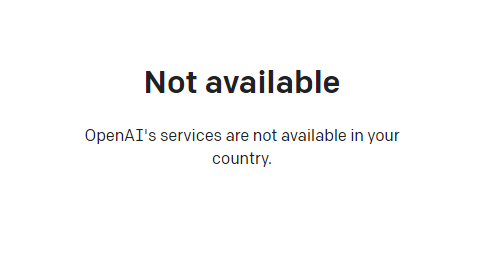
Advanced features require users to upgrade to ChatGPT Plus, but activating ChatGPT Plus in countries that do not support OpenAI is quite difficult and involves dealing with cumbersome issues such as using foreign virtual credit cards…
Here we would like to introduce you to an extremely affordable website that provides ChatGPT Plus shared room accounts.
Please click the link below to register a Planet account ▼
Click the link below for a detailed guide to registering your account on Planet▼

Tips:
- IP addresses in Russia, China, Hong Kong, and Macau cannot register for an OpenAI account. It is recommended to register with another IP address.
Hopefully, the article "How to resolve the Chatgpt network error. Please check your connection and try again?" shared on Chen Weiliang's blog ( https://www.chenweiliang.com/ ) will be helpful to you.
Feel free to share this article's link: https://www.chenweiliang.com/cwl-31860.html