
Article directory
How to quickly resolve the ChatGPT login error: "Welcome back, an error occurred while retrieving your SSO information".
You may have encountered this problem: you opened ChatGPT with great enthusiasm, but were blocked at the door, showing "Welcome back, an error occurred while getting your SSO information". At this time, do you really want to throw your computer out of the window?
We have a quick and effective fix guide for you.
No matter which browser or network you use, you can easily solve the problem with just a few simple steps to ensure that you can log in to ChatGPT smoothly again and make ChatGPT work for you again!

We all know that technical issues can be frustrating, especially when you need to use ChatGPT urgently but it keeps trying to get the better of you.
No matter how you refresh, restart the browser, or even change the network, the problem still persists...
The worst case scenario is that no matter if you try it on Chrome, Firefox or Edge browser, it doesn’t seem to work.
Android software seems to be the only solution, but we can't always rely on Android phones, can we?
After all, who wants to be typing on their phone all the time?
If you’re looking for ways on how to fix this problem on your PC or Mac, you’ve come to the right place.
Why did an error occur while retrieving your SSO information?
First, let's briefly explain the concept of SSO.
SSO (Single Sign-On) is a technology that simplifies the login process, allowing users to access multiple services with just one login. However, as you can see, this technology can occasionally malfunction, leading to login failures.
Typically, this type of problem may be related to the following factors:
- browser cache: Your browser may have retained expired login information, causing it to be unable to update.
- Internet problem: Your network may have problems with firewalls or DNS cache.
- Server problem: Sometimes the problem is not on you, but on the server side.
However, today we are not going to go into the technical details, but instead focus on how to fix it!
Step 1: Try clearing your browser cache
I know you may have tried various combinations of methods, such as clearing cache, changing browsers, and even trying to use a different network, but don't lose heart, let's start with the simplest method first.
How do I clear my browser cache?
- Open your browser's settings page.
- Look for the "Privacy and Security" option.
- Find the "Clear Browsing Data" or "Clear Cache" button.
- Make sure Cached images and files is checked.
- Click on the “Clear Data” button.
Once you've completed these steps, try signing in again. If the problem persists, keep reading!
Step 2: Modify the URL
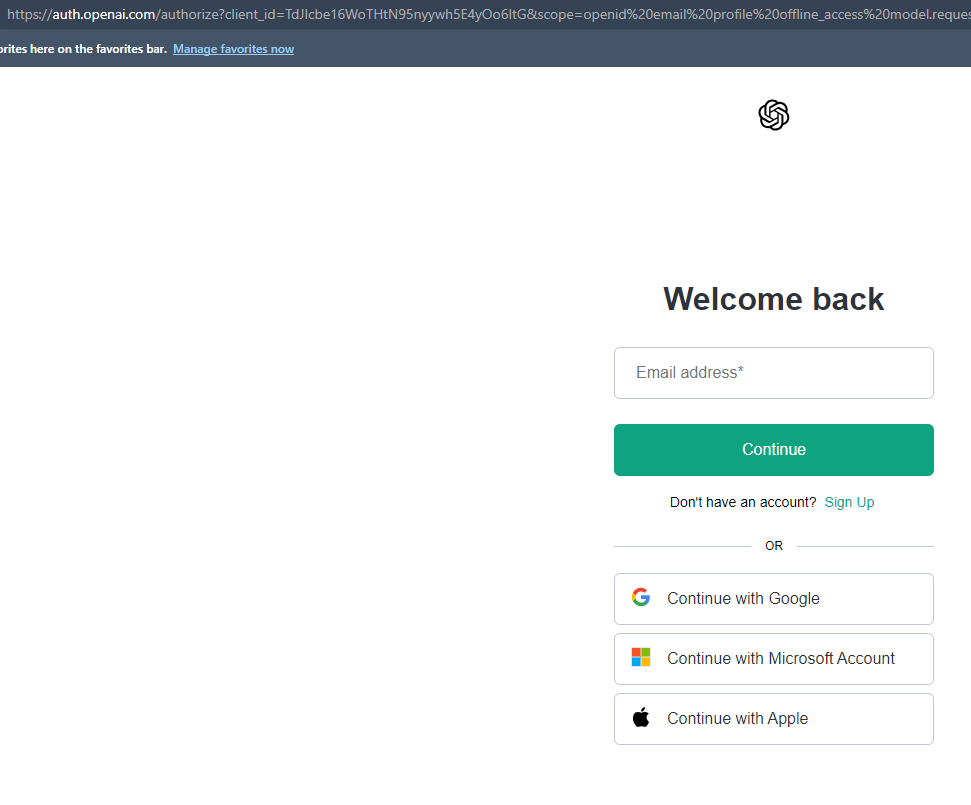
Now, I’m going to share a “black tech” fix that can bypass this annoying error prompt.
- First, open your browser and go to the ChatGPT login page.
Now, here comes the important part - we need to change the URL. When you see a login page URL, it usually looks like this:
https://auth.openai.com/authorize?client ...What you need to do is add a "0" immediately after "auth" so that the URL looks like this:
https://auth0.openai.com/authorize?client ...Then press Enter to reload the page.
You will find that after the page is reloaded, there is indeed an extra "0" in the URL.
You should now see a new login prompt, enter your email address, and ChatGPT will then ask you for your password.
Simple, isn’t it? This method may seem simple, but it is a clever way to bypass the SSO error.
Step 3: Check for network issues
Although in most cases changing the URL will solve the problem, if you are still unable to log in, it may be related to your network.
- Try changing your network, such as switching from WiFi to a mobile hotspot.
- Make sure there is no problem with your DNS settings. You can try using Google's public DNS:
- Preferred DNS: 8.8.8.8
- Alternate DNS: 8.8.4.4
If none of this helps, remember to always go back to step 2 to make sure you didn't miss any URL changes.
If you register Open in Mainland ChinaAI, a prompt will appear:OpenAI's services are not available in your country."▼
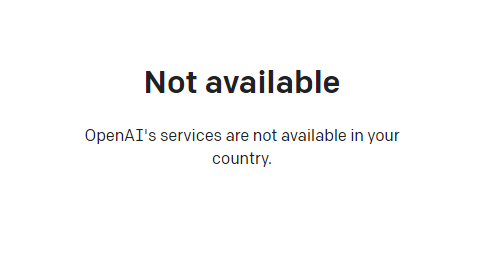
Since advanced features require users to upgrade to ChatGPT Plus to use them, it is difficult to activate ChatGPT Plus in countries that do not support OpenAI, and you need to deal with cumbersome issues such as foreign virtual credit cards...
Here we would like to introduce you to an extremely affordable website that provides ChatGPT Plus shared room accounts.
Please click the link below to register a Planet account ▼
Click the link below for a detailed guide to registering your account on Planet▼

Tips:
- IP addresses in Russia, China, Hong Kong, and Macau cannot register for an OpenAI account. It is recommended to register with another IP address.
Final Thoughts
In this post, we discussed how to resolve the SSO error encountered when logging into ChatGPT:
- Clearing your browser cache is an easy first step to try.
- Modifying the login URL and adding "0" to bypass the SSO error prompt is currently the most effective solution.
- If you still have problems, check your network settings, especially DNS issues.
I hope these methods can help you solve the problem and use ChatGPT smoothly.
Hopefully, the article "Solving the ChatGPT login error: 'Welcome back, an error occurred while retrieving your SSO information'" shared on Chen Weiliang's blog ( https://www.chenweiliang.com/ ) will be helpful to you.
Feel free to share this article's link: https://www.chenweiliang.com/cwl-32088.html