
Article directory
Last time I was scrolling through Instagram , I saw a fitness blogger with a great physique. I clicked into their profile and saw they already had over 10,000 followers. I was curious, what kind of content does this account post every day?
I made a wild guess, "This account definitely started by posting pictures of fitness girls at night." Then I asked him if I could see his backend data.
He agreed, and so we began a conversation about "how to let the data speak for itself".
Open the door to data
Did you know that Instagram's data capabilities are actually very powerful?
Many people think that manipulating data is useless, but once you know how to accurately interpret data, you'll find it's like a giant blue whale beneath an iceberg, making you realize how you've been misled before.
The first step is to become a professional account.
To see the complete data, you must switch your account to either a creator account or a business account.
This step is very simple; it's just the "Switch to Professional Account" option in the settings.
Many people might think, "Oh, it's just a personal account, why would I care about the data?"
But that's not actually the case. For example, where do your fans come from, when are they most active, and what types of content do they like to watch? These are all things that can only be known through data.
How to read the data panel
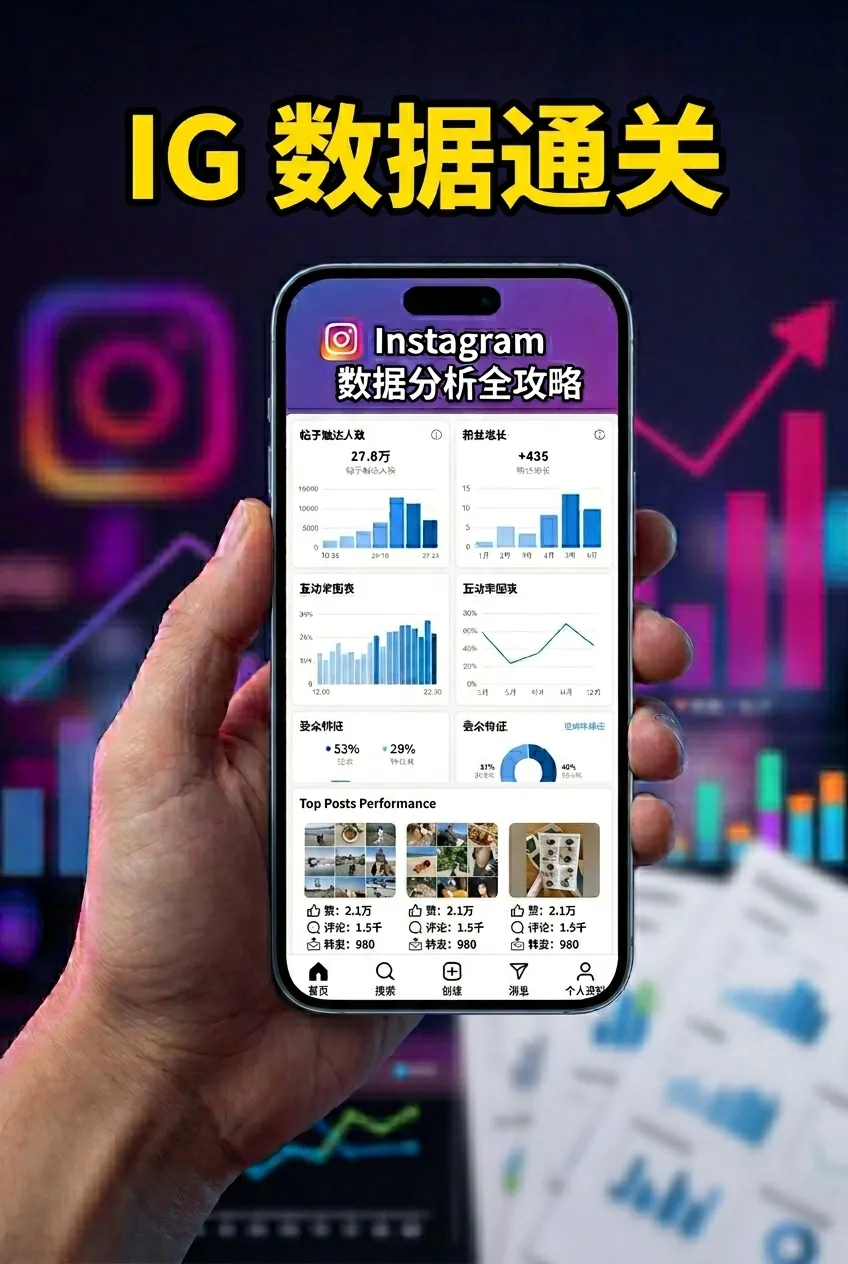
After obtaining a professional account, you can find the data panel in the Insights menu in the upper right corner of the homepage. This panel is roughly divided into three parts:
The activity section tells you how many times your content has been seen;
The content section shows the performance of posts, stories, and Reels respectively;
The Audience section displays the age, gender, and geographic distribution of your fans, as well as their most active times.
Each of these data points has its own profound meaning; understanding them will allow your content to more "destinedly" touch the hearts of readers.
Several key points of data interpretation
Coverage and Impressions
Many people confuse coverage rate with impression count after seeing the data. The difference is actually quite simple:
- Coverage: How many unique people saw your content
- Impression count: How many times your content has been displayed.
For example, a Reels post might have 10000 views but only 3000 views, meaning the same person viewed it many times. At this point, you should ask yourself, "Why are there so many repeated views?" Is it because the video made people want to watch it multiple times?
Another typical scenario is that there are many impressions, but the interaction rate is very low. This means that your content is "visible" but not enough to make people "stop".
The true meaning of interaction rate
Many people use likes and comments as metrics, but in fact, saving and sharing are more valuable ways to interact.
Why do I say that? Because when someone saves your content, they are saying, "I'm going to look at it later"; when someone shares it, they are saying, "This is worth letting more people know."
I've experienced this principle firsthand when I was creating content. I posted a video about "how to get AI to write more relatable copy ," which didn't get many likes, but it was saved over 300 times. Ultimately, this resulted in the video getting new views almost every day for the next few months.
Fan profile, your math lesson
You can think of your fan profile as the specific life story behind each reader. For example, your fans might be mainly located in a certain city, a certain age group, or a certain time of day. In that case, you should adjust your posting times to ensure your content appears during their most active periods.
Another interesting phenomenon is that you often find that the age distribution of your fans is completely different from what you imagined. Sometimes I'm surprised to find that my content is liked by so many people who "shouldn't be interested."
Content presentation: a comparison of three forms
Posts, Stories, and Reels all have slightly different performance data:
The core data for a post includes likes, comments, saves, and shares;
The story is judged by its completion rate, skip rate, and number of comments;
Reels' biggest advantage is that it's easy to get exposure, but it also needs a higher click-through rate to prove its value.
In practice, I've found that Reels are more likely to be recommended than posts, but their retention time is shorter. Posts, on the other hand, tend to receive longer-lasting exposure due to their sequential nature.
Key metrics for data transformation
Conversion, simply put, is "I saw it, I like it, I want to follow." One action before following is clicking on your homepage, and another is clicking the Bio link.
These two metrics are key to measuring conversion effectiveness, and they represent completely different stages of the conversion process. Homepage visit rate tells you "how many people want to learn about you," while Bio link click-through rate tells you "how many people are willing to take the next step."
Trends and comparisons help identify growth drivers.
The power of data lies not in telling you what's happening now, but in its ability to predict future trends. By comparing weekly or monthly data, you can see which strategies are effective and which are ineffective.
At this point, you'll need to create a spreadsheet to record your posting times, content types, and interaction data. Eventually, you'll discover that your account is actually growing according to a certain pattern.
Summary of core methodologies
Instagram Insights' core methodology boils down to three steps:
Algorithm signal analysis : The focus is on completion rate, story completion rate, sharing and saving, which are key factors for the platform to judge content quality;
Content and audience cross-analysis : Categorize by content format, theme, and publication time to identify the most effective combination;
Conversion funnel diagnosis : Track the entire path from exposure to attention to Bio link clicks and identify weak links.
These three steps may sound simple, but very few people can actually execute them well. Many people encounter problems such as "too much data to analyze" or "the data lacks pattern" during the process.
Practical suggestions, giving you actionable steps.
Weekly review
Spend at least an hour each week reviewing the previous week's data and writing down three observations and two areas for adjustment. It's not difficult; you just need to set aside a fixed time and stick to it. You'll find that this habit gradually changes the quality of your content.
Mark the best performing content
See which content format and publication time generated the most interaction and conversions, and then fix that time. You can use a simple table to record the content type, publication time, and interaction data so you can find commonalities.
Adjust strategies based on fan profiles
If your followers are primarily located in a certain region or age group, adjust your content themes and language style. If they are most active at night, adjust the time you post.
Optimize conversion path
The placement of the Bio link, the layout of the homepage, and the design of the CTA all contribute to conversion. You can try changing the link's location or adjusting the homepage layout and observe the changes in the data.
Attention points
There are a few points to note:
First, your account must be a professional account to see the complete data;
Secondly, there is a certain delay in data processing; you will need to wait 24-48 hours after the switch to see the results.
Third, some detailed data can only be viewed on mobile devices; the desktop version requires Meta Business Suite.
Fourth, never expect to see results from a single adjustment; data takes time to become apparent.
end
Instagram Insights is more than just a data dashboard; it's a compass pointing you in the right direction for content optimization. As a popular saying on Instagram goes: "If you can't measure it, you can't change it."
This statement is especially true on Instagram. When you start taking the data seriously, it begins to tell you all the secrets about you, your followers, and your content. While these numbers don't have lives behind them, they can make you feel more "alive."
So, if you've read this far and found it helpful, please like and share! If you want to receive updates first, you can also follow me. ⭐ Thank you for reading my article, and see you next time!
Hopefully, the article "How to Do Data Analysis with Instagram Insights? A Complete Guide from Operation to Interpretation" shared on Chen Weiliang's blog ( https://www.chenweiliang.com/ ) will be helpful to you.
Feel free to share this article's link: https://www.chenweiliang.com/cwl-34118.html