
Article directory
Have you ever had this moment—your phone is right next to you, but your Quark account feels like it's locked in a glass cabinet, and you just can't get in?
Ironically, what often stops you isn't a hacker, but rather that you've forgotten which account you originally linked to.
A Chinese mobile phone number is actually the most crucial key to unlocking the Quark World.
Why are Chinese mobile phone numbers the "Achilles' heel" for logging into Quark?
Many people think that losing an account is no big deal, they can just register a new one, but Quark's data, collections, and cloud drive files are all tied to this one account.
Without it, you won't even be able to find the "password recovery" entry point.
Verification code login may seem simple, but behind it lies a complete trust chain for identity verification.
In China, a mobile phone number serves as both an identity credential and a last line of defense.
If anything goes wrong with this account, you've essentially declared it "out of contact" by yourself.
Verification code login: A standard procedure that can be completed in one minute
Open the Quark App and click "Log in with Mobile Number" on the login page.
Enter your Chinese mobile phone number and then click "Get Verification Code".
A few dozen seconds later, a text message pops up. Just enter the string of numbers and you can log in directly.
This process is almost completely beginner-friendly; even elders can follow it.
It's also the default recommended method by Quark, and most first-time logins follow this route.
The problem lies precisely in the word "SMS"—if the verification code is sent to the wrong address, trouble ensues.
Password login: Adding a "secret" layer to your account.
Relying solely on verification codes is like hanging your house key on the mailbox.
Quark actually supports login with "phone number + password", which is like adding another lock to the door.
You can set a separate password in "Settings - Account and Security".
Once set up, you can log in directly with the password even if you switch devices, without having to wait for a text message every time.
This "secret door" is usually useless, but it can save the entire account in a critical moment.
Especially when you frequently switch phones or borrow someone else's device to log in, a password can save you the trouble of using a bunch of verification codes.
How to set a password and bind a Chinese mobile phone number?
First, confirm that your current account is linked to a Chinese mobile phone number. The path is "My - Settings - Account and Security".
If you haven't linked your phone number yet, click "Link Phone Number" and follow the prompts to receive the verification code to complete the linking process.
After successful binding, select "Set Password" on the same page and enter it twice to confirm.
Passwords should avoid birthdays and consecutive numbers; a mix of uppercase and lowercase letters plus symbols will make them more secure.
The location where you write down your password should be secure; simply sticking it on a sticky note is not enough.
Stuck logging in? Three ways to get back to normal
If you don't receive the verification code, first check if it's been blocked as spam by security software . There's no need to rush to change your number.
Verification codes may be delayed if the signal is weak or the phone is suspended due to unpaid bills. Try again in a different location or after topping up your phone credit.
If you forget your password, just log in with the verification code first, then reset it in the settings.
Frequent logins with the same mobile number trigger risk control measures; resting for a few minutes before resuming operations usually resolves the issue.
If you really can't log in, use the official retrieval channel with your linked Chinese mobile phone number; it's much faster than trying random things.
codePlatform: Saving a little money in the short term can cost you your entire account.
You might think, "Can't those online 'verification code receiving platforms' also receive verification codes? Why use your own account?"

The China Internet Joint Rumor-Refuting Platform has long criticized these "SMS verification groups"—they use other people's accounts to register in bulk, posing a very high risk.
The phone numbers on the platform are of dubious origin; they may work today, but the original owner could reclaim them tomorrow.
Worse still, using a public SMS verification code is tantamount to giving your account key to a stranger.
According to People's Daily, citing experts, SMS verification codes are the "last line of defense" for account security and should never be handed over to uncontrollable channels.
Guangming.com has reported on criminal cases involving SMS verification code platforms, with the number of phone numbers involved often reaching hundreds of thousands, exposing the entire black market chain.
Yu Kui, a security researcher at 360 Security, has repeatedly warned that public QR code verification codes are one of the most frequent entry points for account theft.
Registering an important account like Quark using a shared account for convenience is often counterproductive.
privatevirtual phone numberGive your account an invisibility cloak
Imagine your Quark account as a precious treasure chest, filled with your life's moments and cherished memories. 📸🎁
And a virtual mobile phone number is like a key. Only you know its secret. Does anyone else want to open it? There are no doors! 🔑🚪
Furthermore, using a private, virtual Chinese mobile phone number to receive Quark SMS verification codes is like putting an invisible cloak on your account, protecting your privacy, enhancing the security of your Quark account, and effectively controlling spam interference, allowing you to roam freely and unrestrained in the world of Quark. 🧙️✈
Click the link below now to obtain a private Chinese virtual mobile phone number through a trusted channel ▼
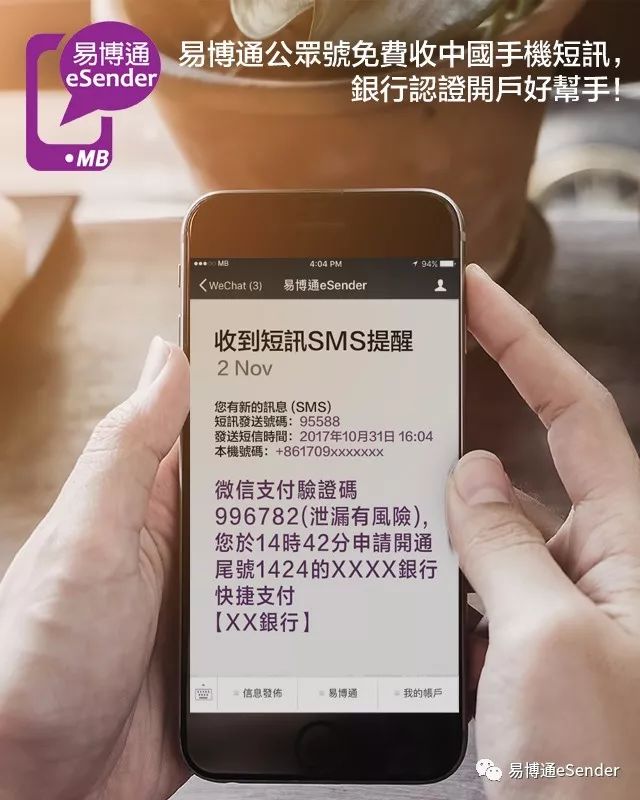
With a private account, the verification code will only be in your possession, and no one can intercept it.
It's like putting a unique lock on a treasure chest, with the key always on your person.
It can also help you separate your work account from your personal account, keeping Quark separate from your personal life.
When registering for niche apps, submit a virtual ID first; even if it is leaked, it won't harm the main system.
Additional protection advice: Keep the number valid until its expiration date.
Because once a Chinese virtual phone number is linked to Quark, you must use that linked Chinese virtual phone number to log in to your Quark account when you switch to a new phone; otherwise, you will not be able to retrieve or log in to your Quark account. Therefore, we recommend regularly renewing your private Chinese virtual phone number to improve the security of your Quark account.
If your phone number isn't renewed, it will be cancelled. You can only blame yourself for not renewing it on time.
You can use calendar software to set up automatic recurring reminders 3 days before the expiration date to prevent your number from being cancelled; it's very effective.
Once a phone number is cancelled, you can only register a new account; there's no way to recover it.
Instead of fantasizing about a reversal, it's better to accept reality and move forward.
Only when you hold the key tightly can you truly feel at ease.
Ultimately, account security is never a technical issue, but a matter of habit.
Hold onto your Chinese mobile phone number tightly, and add a "secret lock" of a private virtual number, and your Quark World will truly be secure.
Here's a golden quote for you: The sense of ownership of an account doesn't lie in the cloud, but in the string of numbers in your hands that isn't shared.
Instead of waiting until your account is hacked and then regretting it, it's better to tighten the access to verification codes now.
Click the link below now to get your private Chinese virtual mobile phone number through a trusted channel▼
Hopefully, the article "How to Log in to a Quark Account with a Chinese Mobile Number? A Tutorial Using Both Verification Code and Password" shared on Chen Weiliang's blog ( https://www.chenweiliang.com/ ) will be helpful to you.
Feel free to share this article's link: https://www.chenweiliang.com/cwl-34646.html