
Article directory
The most outrageous account the I've ever seen was someone who posted their Quark verification code on a shared SMS verification code website, and four years' worth of photos were instantly taken away.
At that moment, I felt a chill run down my spine, and there was something similar lying in my quark.
The child's videos, scanned contracts, and dozens of gigabytes of data saved late at night were all crammed behind that little profile picture.
Now let's talk in plain language about how to log in to Quark using a Chinese mobile phone number and password.
Quark uses a single account across mobile phones, computers, and web browsers, allowing you to use one number anywhere – convenient and easy to use.
Verification codes and passwords are essentially two locks.
Most people who have used Quark for a few years probably can't distinguish between that text message and the string of characters in their head.
The verification code is a one-time pass, usually a 6-digit number, which expires about 5 minutes after it is issued.
The password is a permanent key that you set yourself; once it's on, it's always there unless you actively change it.
In an article titled "SMS Verification Codes Have Many Vulnerabilities and High Risks, Require an Additional Security Lock" published on page 14 of the People's Daily on August 16, 2018, Zhu Wei, deputy director of the Center for Communication Law Research at China University of Political Science and Law, stated emphatically: "SMS verification codes are the core of account security, undertaking the task of real-name authentication and serving as a key to ensuring the safety of funds, but currently they do not receive enough attention."
In a People's Daily article published on October 21, 2020, titled "A Fortress on the Sand? 'SMS Verification Codes' Become a Major Hidden Danger to Personal Information Security," 360 Security researcher Yu Kui offered a more poignant statement: "The platform verifies the device; whoever holds the device is its 'owner.'"
Verification codes recognize machines, passwords recognize people. One recognizes objects, the other recognizes people. Can they be the same?
I'll show you how to register a Chinese mobile phone number and set a password step by step.
Click "Login" and then switch to "Register". Enter a mainland China phone number that can receive SMS messages. It must be 11 digits long, not a single digit can be missing.
Click "Get Verification Code," enter the 6-digit number back as is, and then wait another 60 seconds if it times out.
The registration page then prompts you to "set a login password." I advise you to fill it in; those who skip it to save time will likely get stuck when switching devices.
My habit is to use 12 or more digits, including uppercase and lowercase letters, numbers, and a symbol, which is much more robust than adding 123456 to my birthday.
If you skipped it before, you can still make it in time. Go to "My" → "Settings" → "Account and Security" → "Password Management" and reset it via SMS verification.
There's a strength indicator next to it. If you see "weak", start over. If you see "strong", confirm again and it will take effect immediately.
After that, a "Password Login" option was added to the login page. You can enter your number and some characters and click to access your cloud drive.
Only after getting a new phone and sitting down at the computer does the password truly prove its worth.
The verification code has a weakness: you need a signal, a SIM card, and an old mobile phone to get it to work.
One netizen encountered this problem when switching phones last year; their text messages were blocked by anti-text software , and the login page kept spinning for a long time.
It was only then that I understood the value of a password: it doesn't discriminate against devices or wait for a signal; once you remember it, it's always there.
On the new phone, I switched to "password login," filled in my phone number and some characters, and the risk control system completed a text message verification before I could log in.
It's even easier on a computer. Just click "Login" in the upper right corner of the official website, select "Scan QR Code Login," and scan the QR code with your phone to sync.
There's a catch here: whether you can log back in after switching devices depends entirely on whether the linked phone number is still in your possession.
When I got stuck logging in, I tried them one by one in this order.
First, check the network. Switch between Wi-Fi and cellular, and you'll know in a second whether a webpage is working or not.
Double-check the number to see if any of the 11 digits were entered incorrectly, and to check for errors in capitalization and symbols.
If you don't receive SMS messages, check your message blocker and outstanding fees, turn off SMS cloud synchronization, restart or upgrade the app, and then try receiving them again.
Clicking "Get Verification Code" too frequently can cause network errors. It's more effective to click it again after 60 seconds than to click it five times in a row.
If you can't remember your password, just click "Forgot Password" and receive a 6-digit verification code from your linked number to reset it. It's more cost-effective than trying to guess the password and getting locked out.
When multiple devices are logged in and the account is kicked offline, try logging in with a verification code, then enable password-free access on the local machine to resolve the issue.
I advise you to avoid the well that publicly accessible SMS verification code platforms are.
To put it bluntly, when registering mobile apps, computer software, or website accounts with your mobile phone number, never touch any publicly shared online SMS verification code receiving platforms. Account theft often stems from a single moment of carelessness.
Those websites lay out the numbers and verification codes on the page, which anyone can copy, just like making hundreds of copies of your house key and handing them to passersby.

On October 30, 2024, the China Internet Joint Rumor Refutation Platform reported that the police in Gaoping, Shanxi Province, had busted a den involving nearly 3000 mobile phones. The report pointed out that "scanning phone number groups" are often accompanied by a series of illegal and criminal activities such as online order brushing, malicious "coupon grabbing," and telecommunications fraud.
An article published on the same platform on December 30, 2021, titled "Helping? Accomplice!", stated that the suspect collected more than 2000 real-name phone cards at 30 yuan each for people to receive phone codes; the related cases mentioned in the article led to more than 700 cases of telecom fraud nationwide, involving 53.2 million yuan.
A case reported by Guangming.com on September 5, 2024, by the Banan District Procuratorate of Chongqing, is more specific. Ning and Jin used purchased real-name SIM cards to receive SMS messages in bulk, registering about 20 software programs per card, involving more than 200 accounts, and illegally profiting 19167.66 yuan.
The two were each sentenced to ten months in prison, suspended for one year and six months, and fined 6 yuan for the crime of infringing on citizens' personal information. A single six-digit text message sent them to the dock.
Free and popular SMS verification code pools are never shortcuts; they are traps that have been dug long ago, waiting for you to fall into them.
Later, I created a key for my account that was uniquely mine.
Bypassing that well, I created a private virtual Chinese mobile phone number for myself , specifically to receive verification codes issued by Quark.
Imagine your Quark account as a precious treasure chest, filled with your life's moments and cherished memories. 📸🎁
A virtual phone number is like a key; only you know its secrets. Nobody else can open it! 🔑🚪
Each number belongs to only one holder, and the 6-digit verification code will only be sent to your own inbox.
Furthermore, using a private, virtual Chinese mobile phone number to receive Quark SMS verification codes is like putting an invisible cloak on your account, protecting your privacy, enhancing the security of your Quark account, and effectively controlling spam interference, allowing you to roam freely and unrestrained in the world of Quark. 🧙️✈
It works across all platforms—mobile app, computer client, and web account—using the same logic to receive verification codes.
Only by changing the access code from "anyone can see it" to "only I can see it" can the foundation of the account be truly solidified.
Click the link below now to get your private Chinese virtual mobile phone number through a trusted channel▼
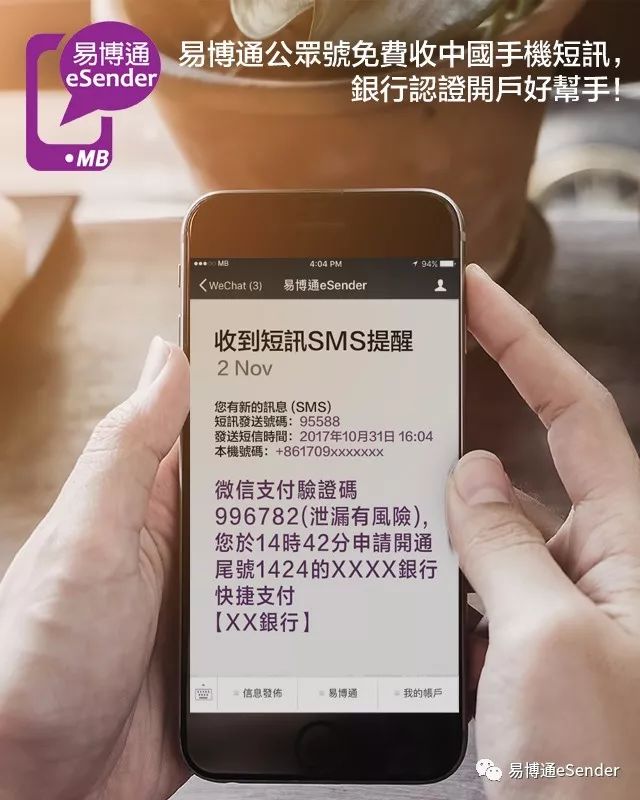
Renewal reminders are a small thing, but they're more useful than any firewall.
Let me make this clear from the start: virtual numbers are renewed monthly, not purchased outright. Skipping this step will make all the previous steps pointless.
After a Chinese virtual mobile phone number is bound to Quark, when you change to a new phone to log in to your Quark account, you must use the bound Chinese virtual mobile phone number to log in, otherwise you will not be able to retrieve and log in to your Quark account.
Therefore, we recommend regularly renewing your private Chinese virtual mobile number to improve the security of your Quark account. You'll only realize the value of this when you switch phones.
If your phone number isn't renewed, it will be cancelled. You can only blame yourself for not renewing it on time.
My simple method is to set an automatic, recurring reminder on the calendar three days before the due date, repeating year after year, and it works very well.
Once a phone number is cancelled, you can only register a new account, and the data you've accumulated over the years is irretrievable.
Instead of fantasizing about a reversal, accept reality and move on. Set reminders, cancel renewals, and go back to browsing your bookmarks with peace of mind.
In conclusion: Only when you hold the key in your own hand can you truly be at ease.
To sum it up, account security isn't some mystical concept; it's the result of countless specific choices.
A 6-digit verification code, a 12-digit password, a number that belongs only to you, and a reminder three days in advance—stack these together to form a moat.
In the People's Daily article "Focus | Why are various security barriers failing when mobile phones are stolen?", Yu Kui, a security researcher at 360 Security, explained it technically: "Currently, the industry practice is two-factor authentication, which is a combination of password, verification code, and security question."
I am increasingly convinced that the most dignified freedom in the digital age is the certainty that you can always return after each withdrawal.
This little portal, Quark, is worth spending ten minutes setting your password, keeping your number safe, and turning on the reminder. Give it a try, starting with today's login page.
Click the link below now to get your private Chinese virtual mobile phone number through a trusted channel▼
Hopefully, the article "How to Log in to Quark with a Chinese Mobile Number and Password? Password Setting and Login Steps" shared on Chen Weiliang's blog ( https://www.chenweiliang.com/ ) will be helpful to you.
Feel free to share this article's link: https://www.chenweiliang.com/cwl-34667.html