
Article directory
If you currently have a Chinese mobile phone number , and you still cannot receive SMS verification codes after trying to log in at least 10 times , what should you do?

Chinacellphone numberCan't sign up for WhatsApp?
Of course, a Chinese mobile phone number can register a WhatsApp account.
Registering a WhatsApp account requires verifying a Chinese mobile phone number , but using a virtual Chinese mobile phone number can effectively protect your privacy and prevent harassment.
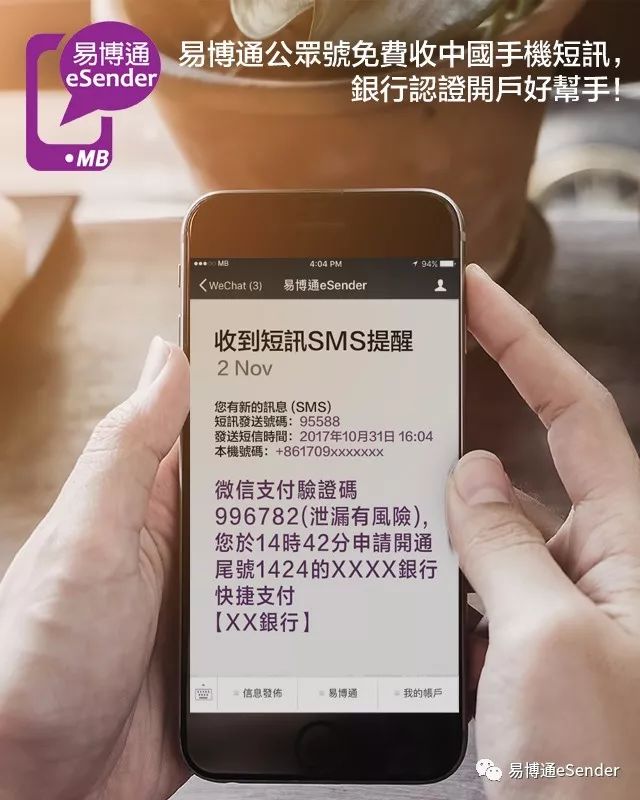
Another solution is to apply for an overseas mobile phone number to register and log in to a WhatsApp or Telegram account.
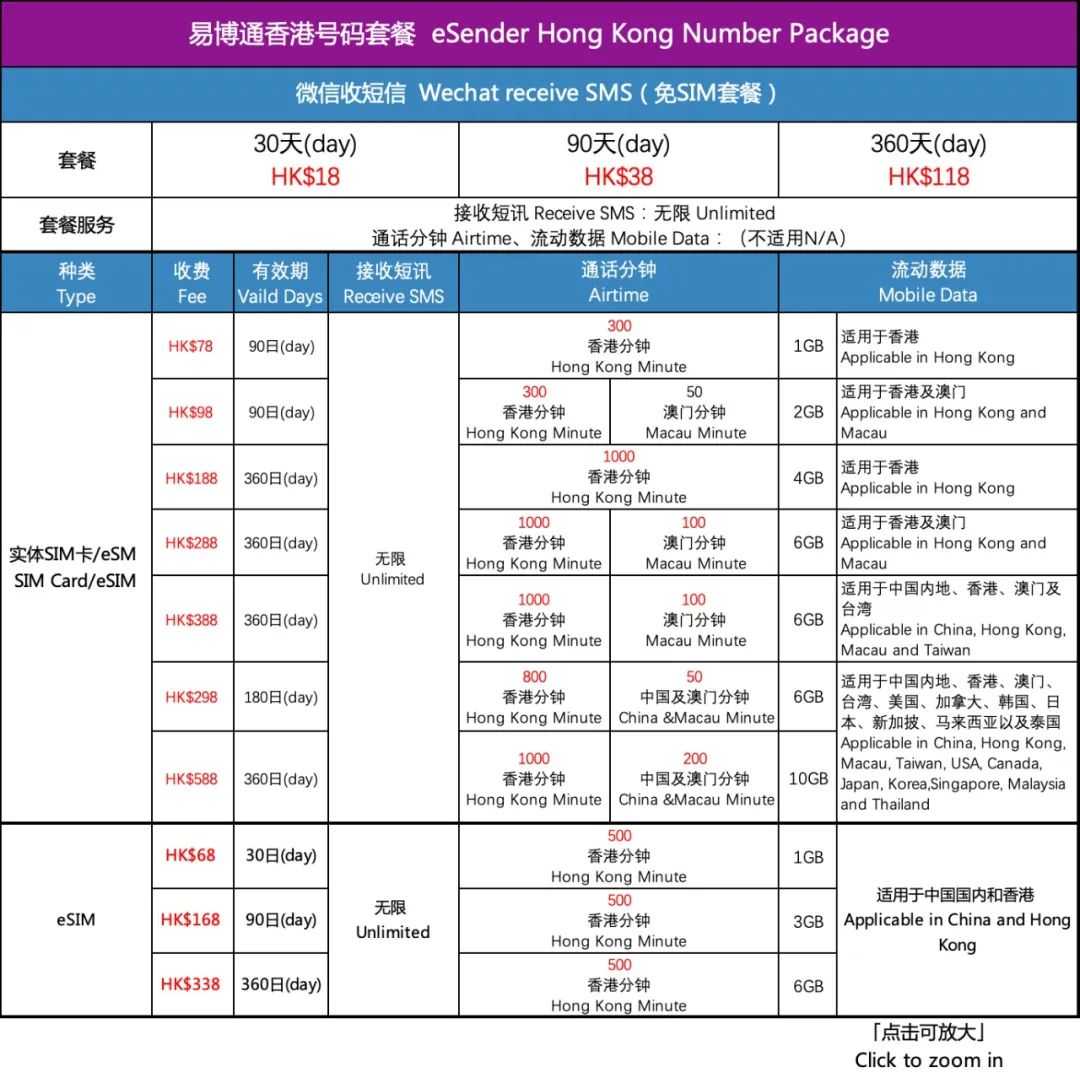
For example: Applying for a Hong Kong mobile phone number specifically for registering overseas software accounts ▼
Register WhatsApp Account Login Requirements
- You can only use your mobile number to verify.
- You must be able to receive text messages and receive calls at the mobile number you want to verify.
- You must close any settings, apps, or task managers that block incoming calls.
- You must have a working network connection via mobile data or Wi-Fi.Verification may not be possible if you are roaming or your network connection is not working properly.Please try opening it on your mobile browser Www.whatsapp.com to confirm that you can connect to the Internet.
WhatsApp login how to verify mobile number?
- enter yourcellphone number :
- Select your country or region from the drop-down menu, and your country code will be automatically filled in on the left.
- Enter your mobile number in the box on the right, do not add the number "0" at the beginning of the mobile number.
- Click Next Step to request to send a verification code.
- Enter the six-digit verification code you received via text message.
If you are unable to receive the six-digit verification code via SMS:
- Wait for the progress bar to load and try again, up to 10 minutes.
- Do not guess the captcha or you may be blocked for a while.
- If the time to wait for the verification code runs out, you will be presented with the option to request a call.choose Call me Option to request a call.After you answer, an automatic voice will tell you the six-digit verification code.Enter the verification code you hear to verify it on WhatsApp.
Note : Your carrier may charge you for SMS or call messages.
Troubleshooting steps for the problem that the WhatsApp login cannot receive the SMS verification code
If you can't complete verification, try the following:
- Restart your phone (turn it off, wait 30 seconds, then turn it on).
- remove and reinstall The latest version of WhatsApp.
- Use any phone to send a test text message to the phone number you entered in WhatsApp with the country code to confirm that your phone can receive text messages.
For security reasons, WhatsApp cannot send your verification code through other means.
iPhone loginWhatsAppCan't receive SMS verification code?
WhatsApp requires a valid mobile phone number to create an account.If you are unable to complete verification, please try the following:
- you have been from App Store Download and install WhatsApp The latest version .
- you have entered the complete Mobile phone number in international format, including your country code, or select your country from the menu.
- 以美国的手机号码为例:+1 408-555-1234。以中国的手机号码为例:+86 10-1234-5678。
- Please omit any other codes such as 0 or international direct dialing codes at the beginning of your mobile number.
- Access the Internet from your phone without any restrictions and with good reception.Please try opening a web page to confirm that the network connection is working.
- Your phone must be able to receive international text messages.
- You are not using an unsupported device, such as an iPod Touch or iPad.
- Your device has not been jailbroken.
After you enter your mobile number, please wait for the text message to be sent to your phone.The SMS will contain a six-digit verification code, please enter this verification code in the verification page of WhatsApp.Every time you verify a new mobile number or phone, you'll receive a brand new set of verification codes.Please don't guess the captcha or you may be blocked for a while.
If you do not receive your verification code via SMS, our automated voice system will deliver the code to you by phone. Please wait patiently for the five-minute countdown to finish. During this time, please do not edit your phone number. After five minutes, please click "Call Me".
Please note : Your mobile phone operator may charge additional SMS or call fees as a result.
If you still cannot receive your verification code after completing the above steps, please try the following steps:
- Uninstall WhatsApp from your iPhone.
- Restart your iPhone > power off, then power on again.
- 从 App Store Redownload and install the latest version of WhatsApp.
Can a Chinese mobile number not be registered with WhatsApp?
Of course, a Chinese mobile phone number can register a WhatsApp account.
Registering a WhatsApp account requires verifying a Chinese mobile phone number , but using a virtual Chinese mobile phone number can effectively protect your privacy and prevent harassment.
Hopefully, the article "What to do if you can't receive SMS verification for WhatsApp China virtual number registration?" shared on Chen Weiliang's blog ( https://www.chenweiliang.com/ ) will be helpful to you.
Feel free to share this article's link: https://www.chenweiliang.com/cwl-1917.html