
Article directory
Hey, are you using ChatGPT When I encountered "something went wrong”Tips? Feeling a bit frustrated? This is not uncommon, let's see how to fix it!
We have prepared a detailed guide for you to help you solve this problem quickly.
From network connection to account issues, from browser settings to plug-in conflicts, we will teach you step by step how to troubleshoot and solve this annoying error, and master the method of quickly fixing ChatGPT to make your experience smoother!
ChatGPT something went wrongWhat is the situation?
" Something went wrong while generating the response. If this issue persists please contact us through our help center at help.open ai .com."
在使用生成响应时出现错误。如果此问题仍然存在,请通过我们的帮助中心 (help.openai.com) 联系我们- If you are still experiencing this issue after about a day, please contact
help.openai.comSupport staff on.
ChatGPT something went wrong What was the reason for the error?
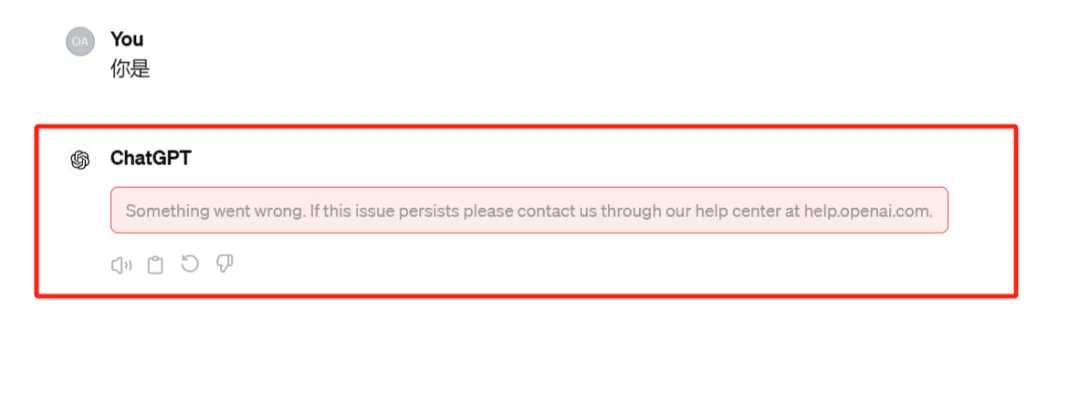
ChatGPT said "something went wrong", this sentence may confuse you.
In fact, there are many possible reasons behind it. It may be a network problem, a server overload, or an account problem. Let's check them one by one.
Network connection issues
Sometimes the simplest problems are the easiest to overlook. Is your internet connection stable? Try refreshing the page or reconnecting to the internet. Sometimes a simple action can solve a big problem.
Plugin conflict
Too many browser plug-ins may sometimes affect the normal operation of ChatGPT.
Try disabling some Google Chrome plugins, especially those related to scripts and ads, and see if that helps.
Solution 1: Log out and log in
First, users can try to log out and log in to ChatGPT.
Specific steps are as follows:
Select Sign Out in the left sidebar.
Select Login, and enter your login information.
Retype the prompt and send.
Do you occasionally encounter problems when logging into your account?
Check your account status to make sure it is not blocked or otherwise abnormal.
Solution 2: Clear your browser's cache and cookies
- Chrome: Click the three dots in the upper right corner of Chrome, select "More tools", then "Clear browsing data", clear "Cookies and other site data/cached images and files", and finally click "Clear data" ▼
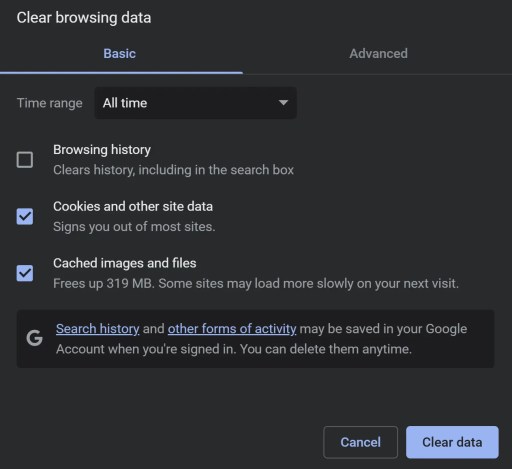
- Edge: Click the three dots in the upper right corner of Edge, select Settings, then Privacy and Services, choose what to clear, clear Cached images and files/Cookies and other site data, and finally click Clear .
- Firefox: Click the Firefox menu, select "Settings," then "Privacy and Security," select "Cookies and Site Data," and finally click "Clear."
Solution 3: Use a different browser
- Try using a different browser such as Chrome, Microsoft Edge, Firefox or Brave etc. to access Chat GPT.
- If you use ChatGPT on desktop, try using it on mobile in Safari or Chrome.
Fix 4: Wait a few hours
If ChatGPT is down or has high usage, users need to wait for several hours before they can access and use the ChatGPT chatbot again.
If it's under maintenance, you'll have to wait a few hours before you can access it again.
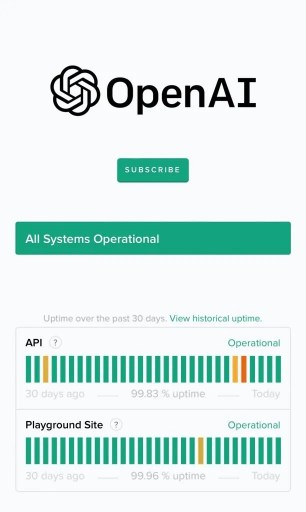
At the same time, you can monitor the status of ChatGPT here ▼
Fix 5: Contact OpenAI Support
If none of the above methods can solve the problem, users can contact OpenAI support for further assistance.
How to contact ChatGPT foreign administrator customer service?
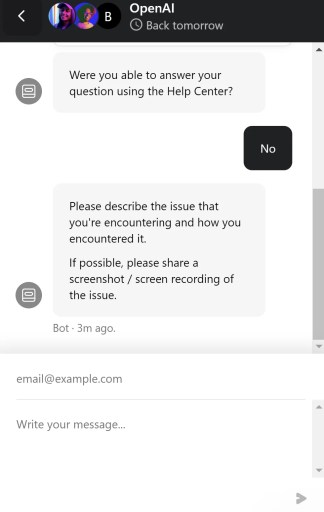
- Go to https://help.openai.com/
- Click on the chat icon.
- select"
Search for help, then select "Send us a message. " - In the window that pops up, select the appropriate theme.
- Describe your problem, send a message, and wait for a response.
- When you contact OpenAI Support, make sure you provide as much detail as possible so they can diagnose and resolve issues faster.
- For example, you can provide ChatGPT version information, OS and browser versions, details of entered text and error messages, and more.
- While you wait for the support team to get back to you, you can try other fixes, such as clearing your cache or using a different browser.
- If you are developing your own ChatGPT application, you may want to check your code for any bugs or limitations, such as API request rate limits.
- Finally, when you resolve the issue and successfully regenerate the response, make sure to save your progress and session in time.This prevents you from losing data or progress in subsequent sessions.
Final Thoughts
Okay, these are some common ways to solve the ChatGPT “something went wrong” problem.
Hope it helps!
Don’t panic if you encounter problems. Follow these steps step by step and you will be able to use ChatGPT again in no time.
If the problem persists, don't forget to seek help from the professional support team, they will be your strongest backing.
Have fun using ChatGPT! If you have any other questions, feel free to contact me!
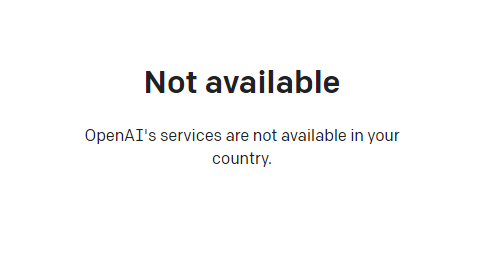
If you register OpenAI in mainland China, a prompt will appear:OpenAI's services are not available in your country."▼
Advanced features require users to upgrade to ChatGPT Plus, but activating ChatGPT Plus in countries that do not support OpenAI is quite difficult and involves dealing with cumbersome issues such as using foreign virtual credit cards…
Here we would like to introduce you to an extremely affordable website that provides ChatGPT Plus shared room accounts.
Please click the link below to register a Planet account ▼
Click the link below for a detailed guide to registering your account on Planet▼

Tips:
- IP addresses in Russia, China, Hong Kong, and Macau cannot register for an OpenAI account. It is recommended to register with another IP address.
Hopefully, the article "How to solve the problem of 'Something went wrong while generating the response' shared on Chen Weiliang's blog ( https://www.chenweiliang.com/ )" will be helpful to you.
Feel free to share this article's link: https://www.chenweiliang.com/cwl-31827.html