
WordPress websites for international trade are typically hosted overseas.
For backups of cross-border e-commerce websites, Dropbox can be used for storage backups.
- All you need is a free Dropbox account;
- 2 GB of free Dropbox space is sufficient.
If you already have a Dropbox account, you can of course use it for backups.
To create a new Dropbox account, follow these steps:
Step 1: Visit the Dropbox website and register your full name, email address, and password.
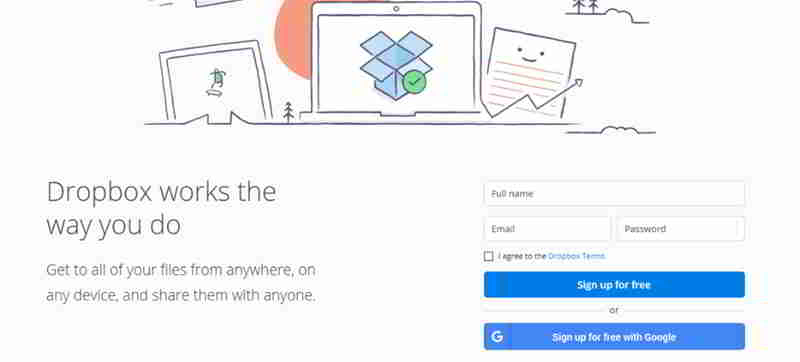
Step 2: Select the box indicating that you agree to Dropbox's terms and conditions. Click to sign up for free.
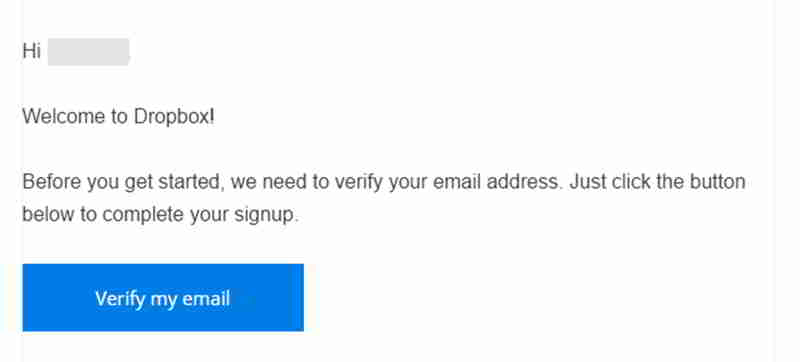
Step 3: You will receive a Dropbox confirmation email.
Please follow the instructions in the email to complete your Dropbox registration ▼
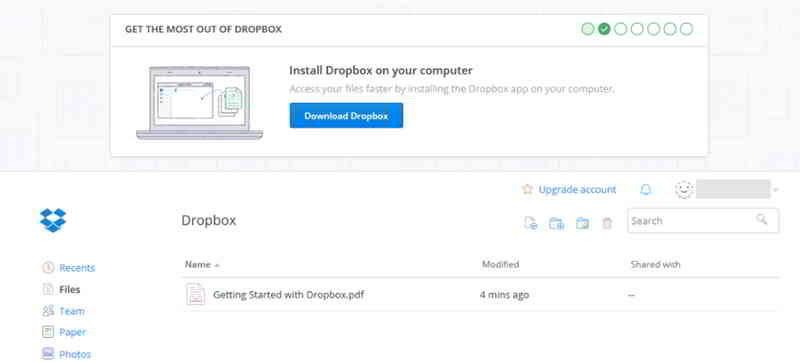
Step 4: Now you can access the Dropbox dashboard, where you can store, manage, and share files. ▼
Hopefully, the article "How to Register a Dropbox Account? A Tutorial on Creating a Free Dropbox Account" shared on Chen Weiliang's blog ( https://www.chenweiliang.com/ ) will be helpful to you.
Feel free to share this article's link: https://www.chenweiliang.com/cwl-1040.html