
Article directory
Did you know? Starting with version 6.0 of CapCut for Windows/Mac, the AI voice recognition subtitle and subtitle file export functions are now only available to VIP members! This is a nightmare for many video creators. It used to be free, so why is it suddenly charging?
The good news is that CapCut version 5.9 still offers these two features for free! Without spending a penny, AI can automatically generate subtitles for you and directly export subtitle files. Want to know how to download and use CapCut 5.9 for free? This article is your ultimate guide!
Jianying Professional Edition 5.9 Windows/Mac: Free use of AI voice recognition subtitles
Many people are unaware that CapCut version 5.9 is actually a "golden version".
Not only can it use AI voice recognition subtitles for free, but it can also directly export subtitle files without the need for membership.
Please rest assured that this is the official version, safe and non-toxic, and you can use it with confidence!
After the installation is complete, remember not to click Upgrade to avoid losing free functions!
Why choose Jianying 5.9?
- Completely free: No VIP membership is required, all users can use AI voice recognition subtitles and export subtitle files.
- Fully functional: AI subtitle recognition is accurate, and exporting subtitle files is convenient and fast.
- Strong compatibility: Applicable to Windows/Mac systems, no special settings required.
How to download Jianying Professional 5.9 for Windows/Mac for free?
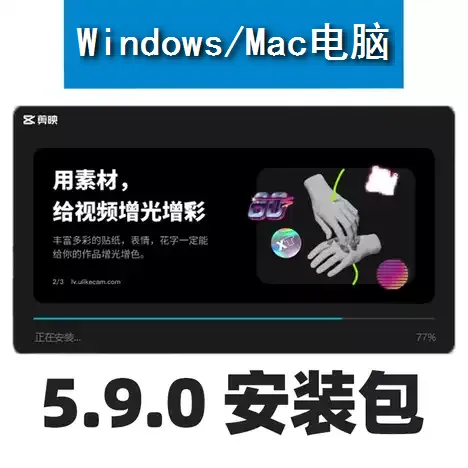
To download Jianying 5.9, you can:

- On the download page, click the "Download Now" button in the normal download to download it for free.
- If it is a compressed package file, please unzip it before opening it.
After downloading, follow these steps to install:
- Once the download is complete, double-click the installation file.
- Follow the prompts to install and select the installation path.
- After the installation is complete, open Jianying and enter the editing interface.
- Import the video, click the "Subtitles" function, and experience AI voice recognition subtitles.
Is not it simple?
Will AI subtitles be charged after Jianying 6.0? Is VIP membership worth buying?
After upgrading to Jianying version 6.0, AI voice recognition subtitles and exported subtitle files are locked in the VIP membership function.
So the question is: Is a CapCut VIP membership worth buying?
Main benefits of VIP members
- AI voice recognition subtitle function
- Export subtitle file function
- Advanced transitions and effects
- More cloud storage
However, if you only want to use the AI subtitle function and don't need any other VIP privileges , then CapCut 5.9 can fully meet your needs!
How to use AI voice recognition subtitle function on mobile phone?
If you are a mobile phone user and want to use the AI voice recognition subtitle function for free, the current mobile version of Jianying does not support the export of subtitle files, and the old version may not be able to use this function.
Two recommended free video editing software programs
If you want to use AI voice recognition subtitle function on your mobile phone, the following two software are recommended:
1. Bijian (Bilibili official editing software)
- Support AI voice recognition subtitles
- Applicable to B station UP host
- Simple operation and clean interface
2. Miaojian (official WeChat editing software)
- Strong support from WeChat ecosystem
- Generate subtitles with one click, suitable for short videos
- Free and no ads
Both software can be downloaded for free from the App Store, with powerful functions and smooth experience.
It should be noted that these two mobile editing APP software do not support the export of subtitle files.
Summary: How to save money and use AI voice recognition subtitles?
If you want to use AI speech recognition to subtitle and export subtitle files on Windows/Mac without paying for a VIP membership, the best way is to download CapCut version 5.9 . This version is free, stable, and feature-rich.
If you are a mobile user, you can choose either Bilibili or Miaojian , both of which support AI voice recognition for subtitles and are completely free.
Don’t be bound by VIP membership anymore, hurry up and download Jianying 5.9 to continue enjoying the convenience of AI voice recognition subtitles for free!
How do I turn off automatic updates in CapCut? If you want to fully master CapCut's version control, we highly recommend reading this extended content ▼
This article will break down the operational logic of different platforms in more detail, and combine it with practical cases to help you block the background update process from the root.
Through it, you will not only learn permission denial techniques for Windows and Mac, but also understand why this method is more effective than simply disconnecting from the internet or uninstalling the updater.
Hopefully, the article "Download CapCut Professional Edition 5.9 for Windows/Mac PCs: Free AI Speech Recognition for Subtitle Generation and Export" shared on Chen Weiliang's blog ( https://www.chenweiliang.com/ ) will be helpful to you.
Feel free to share this article's link: https://www.chenweiliang.com/cwl-32623.html