
Article directory
- How to use KeePass?Chinese Chinese green version language pack installation settings
- How to use Android Keepass2Android? Automatic synchronization filling password tutorial
- How to backup KeePass database?Nut Cloud WebDAV synchronization password
- How to synchronize mobile phone KeePass?Android and iOS tutorials
- How does KeePass synchronize database passwords?Automatic synchronization through Nut Cloud
- KeePass commonly used plug-in recommendation: introduction to the use of easy-to-use KeePass plug-ins
- KeePass KPEnhancedEntryView plugin: Enhanced record view
- How to use KeePassHttp+chromeIPass plugin to autofill?
- The Keepass WebAutoType plugin automatically fills in the form based on the URL globally
- Keepass AutoTypeSearch plugin: global auto-input record does not match pop-up search box
- How to use KeePass Quick Unlock plugin KeePassQuickUnlock?
- How to use the KeeTrayTOTP plugin? 2-step security verification 1-time password setting
- KeePassHow to replace username and password with reference?
- How to sync KeePassX on Mac?Download and install the Chinese version of the tutorial
- Keepass2Android plugin: KeyboardSwap automatically switches keyboards without Root
- KeePass Windows Hello fingerprint unlock plugin: WinHelloUnlock
- Resolving WebDAV Sync Conflicts Caused by KeePass2Android: One-Click HTTP 409 Fix Tutorial
Although "replacing username and password with a reference" is not very common, it is a very useful Keepass usage technique for online marketers .
What does "replace username and password by reference" do?
Many e-commerce platforms have multiple websites for different brands, and they all use the same account/username and password.
Here we take Alipay and Taobao as examples:
- Alipay and Taobao use the same account/username and password, but the URLs are completely different.
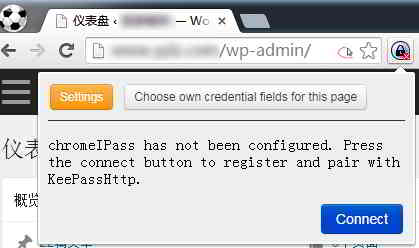
▲ In this KeePass tutorial, the chromeIPass extension is auto-populated based on the URL, but records in Keepass can only have one URL field (URL).
- In short, the records of using Taobao cannot be autofilled on the Alipay login page.
- Of course, the solution to this problem is simple too - create 2 records.
- But this introduces a new problem: every time the password is changed, both records need to be modified.
"Replace username and password by reference" to achieve:
- Multiple records share the same username and password.
- Copy the record and share its username and password.
- To change the user name or password, you only need to modify the original record, so as to achieve twice the result with half the effort.
How to use "Replace username and password by reference"
Right-click the record in the main interface of Keepass→[Copy record]→check [Replace username and password with reference]→[OK]▼
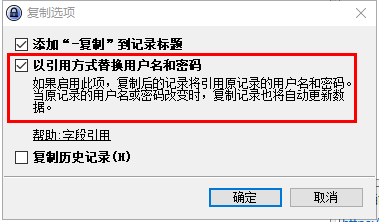
- Then modify the fields in the replicated record as needed, except for the username and password.
- The username and password fields, containing a reference key, are used to point to the original record being copied.
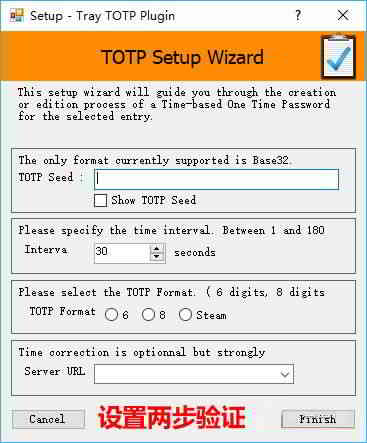
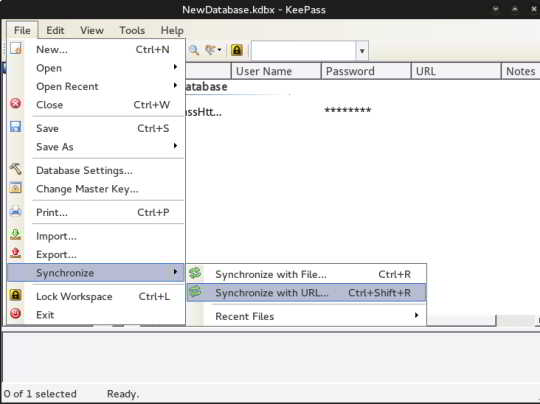
Click the link below to see more KeePass usage tutorials ▼



Hopefully, the article "How to Replace Username and Password with References in KeePass?" shared on Chen Weiliang's blog ( https://www.chenweiliang.com/ ) will be helpful to you.
Feel free to share this article's link: https://www.chenweiliang.com/cwl-1426.html